
Vandaag of morgen in huis

Kwaliteit gegarandeerd

Welkomstaanbiedingen ontgrendelen: GRATIS bezorging | Tot 80% korting | Gratis 30 dagen JoyPlus-proefperiode
Download de app
Choosing a new Corsair RGB case fan might seem simple. You're looking for a fan that keeps your PC cool and looks good. However, there are a few common pitfalls that cause PC builders to end up with suboptimal cooling, a mess of cables, or unexpected noise. Before you make a choice, it's crucial to know what to look out for.
Much of the marketing focuses on high RPMs and bright lights, but the specifications that truly matter are often overlooked. We'll outline the most important factors so you can make an informed decision for your system.
Fixating on Airflow (CFM): A high CFM (Cubic Feet per Minute) rating sounds impressive, but it doesn't tell the whole story. This value is often measured in an open space without any obstruction. In a real PC case, air must be pushed through dust filters, cables, and components. If a fan has low static pressure, its airflow collapses as soon as it meets resistance. This is especially problematic for a radiator fan, where high static pressure is essential for effective computer cooling.
Underestimating Cable Chaos: A set of three RGB PC fan models can quickly lead to six or more cables: one for power (PWM) and one for RGB lighting per fan. This not only results in a messy build but also makes cable management unnecessarily complex. The goal was a clean look, but the result is a rat's nest of wires behind the motherboard.
To avoid the pitfalls mentioned above, focus on the following three specifications. These determine the actual performance and ease of use in your PC.
The choice between a Corsair 120mm fan and a Corsair 140mm fan depends on your case and your goals.
This is the most important technical specification to understand.
So, don't just look at airflow; weigh it against static pressure depending on where you plan to place the fan.
Modern fans use a PWM fan connection (4-pin). This allows the motherboard or a controller to precisely adjust the fan's speed based on temperature. This ensures quiet operation when the PC is not under heavy load and maximum cooling during gaming.
Corsair has simplified this further with iCUE LINK fans. This system tackles cable chaos head-on. Instead of two cables per fan, you connect multiple fans together with a single cable that runs to a central hub. This makes installation significantly cleaner and simpler.
Below are some popular choices, matched with specific user profiles. These aren't "winners," but models that excel for a particular purpose based on their specifications.

Why This Fits Their Persona: Ideal for those who want to build a sleek, modern PC without the frustration of cable management. This Corsair fan 3 pack is designed for simplicity and a clean finish.
Directly addresses the cable chaos pitfall. Thanks to the iCUE LINK system, you connect the fans to each other, requiring only a single cable to the hub.
iCUE LINK Ecosystem: Greatly simplified installation and superior cable management. Good All-Rounder: A balance between airflow (up to 70 CFM) and static pressure (3.8 mmH2O).
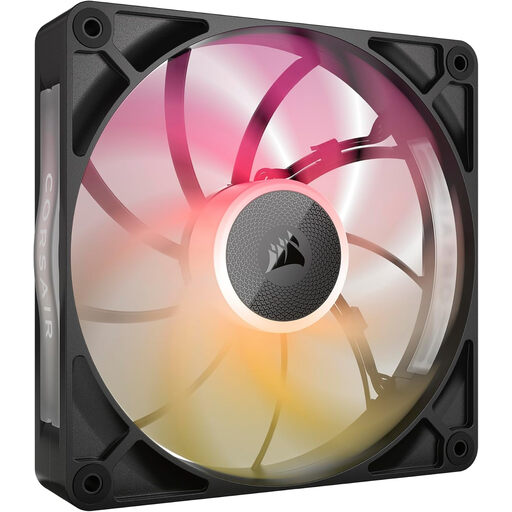
Why This Fits Their Persona: For the user who demands maximum cooling performance, especially for water cooling radiators or cases with restrictive airflow. Performance is the top priority here.
Bypasses the "high airflow" trap by focusing on what really counts for radiators: static pressure. The specifications are optimized for resistance, not for open air.
30mm Thickness: The extra thickness (standard is 25mm) allows for a more robust frame and larger fan blades, which improves performance. High Airflow: Delivers an airflow of up to 102.9 CFM, ideal for a radiator fan.
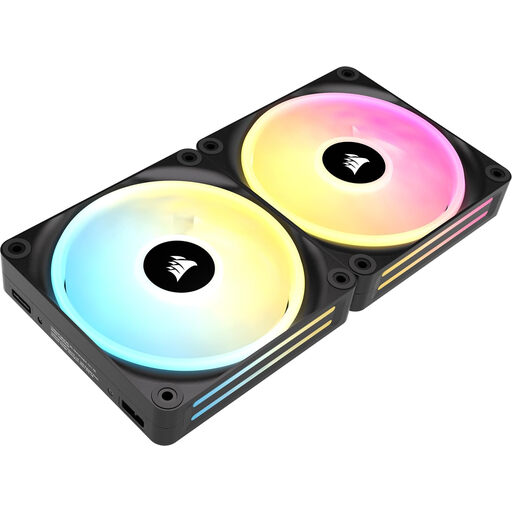
Why This Fits Their Persona: For the PC builder who wants to create a visual masterpiece that can also be whisper-quiet. The focus is on advanced RGB effects and low noise levels.
Tackles the "noise vs. performance" pitfall. With a minimum noise level of just 10 dB (as stated by Corsair) and a wide RPM range, you have full control over the balance.
Extensive RGB: According to Corsair, each fan features 34 individually addressable LEDs for highly detailed lighting effects. Quiet Operation: The low starting RPM and magnetic levitation bearings contribute to a silent experience.
A good fan is the foundation of a stable and quiet system. If the recommendations above aren't exactly what you're looking for, check out our full range.
A standard RGB PC fan typically has two cables: a 4-pin PWM cable for fan speed and a separate 3-pin or 4-pin cable for RGB lighting. iCUE LINK fans combine power, data, and lighting into a single, standardized connector. This allows you to daisy-chain multiple fans together and run just one cable to a hub, which significantly simplifies cable management.
Always check the specifications of your PC case. Most cases support 120mm fans, but not all have room for 140mm. If your case supports both sizes, a Corsair 140mm fan often offers a better ratio of airflow to noise production. They can run at a lower RPM for the same performance, resulting in a quieter system.
Yes, the fan function itself will work without any extra software. You can connect a PWM fan to your motherboard and control its speed via the BIOS/UEFI. However, to customize the RGB lighting, synchronize lighting effects, and use advanced features like specific fan curves and temperature sensors, the Corsair iCUE software (and often an accompanying controller or hub) is necessary.
