
Vandaag of morgen in huis

Kwaliteit gegarandeerd

Welkomstaanbiedingen ontgrendelen: GRATIS bezorging | Tot 80% korting | Gratis 30 dagen JoyPlus-proefperiode
Download de app
A Corsair RGB PC case fan can improve airflow through your desktop and give it a polished look. However, it’s easy to pay too much for lighting that isn’t compatible with your motherboard, choose a fan that won’t fit your case or buy a 3-pack when you only have room for one.
As a Joybuy Product Recommendation Officer, I focus on specifications you can verify. Not every model will suit every PC. Use the points below to compare Corsair PC fans more effectively and avoid choosing the wrong one.
More lighting doesn’t necessarily mean better cooling. For practical performance, airflow, static pressure, fan speed and PWM control are all important. A fan with high airflow may suit an open case position, while a radiator fan needs enough static pressure to push air through a dense fin stack.
A 120 mm RGB case fan fits different mounting points from a 140 mm RGB case fan. Check not only the diameter but also the available space around your memory, motherboard coolers and radiator brackets. A 140 mm fan can move more air at a lower speed, but it won’t necessarily fit every mid-tower case.
Pay attention to the thickness, too. According to the product information, the Corsair iCUE LINK RX120 MAX RGB is 30 mm thick, rather than the usual 25 mm. This can affect the clearance between the fan, radiator and other components.
PWM and RGB use different connections. PWM controls fan speed through a 4-pin connector. RGB lighting may require a compatible Corsair controller, iCUE LINK hub or suitable motherboard header.
An iCUE LINK fan is worth considering if you want to connect several compatible components neatly. Check in advance whether a System Hub is included. The RX120 RGB Starter Pack lists a hub; a single fan may require additional hardware.
Check your case manual to see which positions are available:
When installing the fan, look for the arrow on the frame. It indicates the direction of airflow. Fans at the front usually draw air in, while those at the rear or top generally expel warm air.
Airflow is often listed in CFM or m³/h. This figure shows how much air the fan can move under the stated conditions. In practice, performance also depends on filters, cables, front panels and the layout inside your PC.
Static pressure, measured in mmH₂O, is particularly relevant for a radiator or dense dust filter. A model such as the CO-9051005-WW is listed with up to 3.8 mmH₂O and 63.1 CFM. The iCUE LINK LX120 RGB is listed with 5.22 mmH₂O and up to 69.9 CFM. Compare these figures only for the same type of use; a higher airflow rating doesn’t automatically make a fan more suitable for every case.
PWM lets your PC adjust fan speed according to temperature. This is more practical than having a fan run at full speed all the time. Look at the full speed range, not just the maximum speed.
The product information for several models lists noise levels of around 10 dB at low speed and approximately 29.5 to 37 dB at high speed. These figures depend on the measurement method and conditions of use. A quiet PC fan will stay quiet mainly when the fan curve, airflow and case are well matched.

Why it suits this profile: A single 120 mm model is a practical choice when you want to replace one existing fan or upgrade your system gradually.
The product information clearly specifies the 120 mm size, PWM control and that one fan is included. That way, you won’t pay for a pack you don’t need.
Maximum airflow of 63.1 CFM, static pressure of 3.8 mmH₂O, 34 individually addressable LEDs and a speed range of 480–2400 RPM.

Why it suits this profile: A good choice for a new build or if you want to fill several 120 mm positions at once using a single control system.
According to the product information, the pack includes three fans and an iCUE LINK System Hub. Check compatibility and the maximum number of devices per hub beforehand.
120 mm, PWM control, 400–2100 RPM, up to 74.2 CFM according to the product listing and a Zero RPM mode.
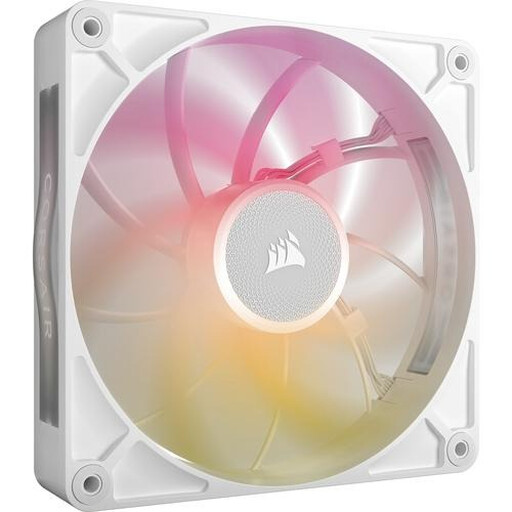
Why it suits this profile: An option for users with a suitable 140 mm mounting position who want to combine airflow, RGB and iCUE LINK control.
The specifications list the 140 mm size and PWM support. Check the maximum thickness against your case before buying.
Up to 102.9 CFM, 300–1600 RPM, up to 31 dB according to the product information and eight RGB LEDs.
We’ve put together a complete, up-to-date list of products that meet these strict selection criteria and current European safety regulations.
According to the product information provided, Corsair products in this selection are covered by a minimum two-year legal guarantee under EU consumer rules. Additional rights may apply under Dutch law.
Not necessarily. You’ll usually need a suitable PWM connection to control the fan. For RGB, check that your motherboard, Corsair controller or iCUE LINK hub is compatible. Also check whether you need a standard RGB or ARGB header.
It can be, but there’s no guarantee. A 140 mm model may move enough air at a lower speed, while a 120 mm model takes up less mounting space. Noise also depends on fan speed, fan curve, case, dust filters and resonance.
It depends on your case, hardware and available mounting positions. A basic setup often has one or more fans at the front to draw air in, plus a fan at the rear or top to expel it. Aim for balanced airflow rather than simply fitting the maximum number of fans.
