
Vandaag of morgen in huis

Kwaliteit gegarandeerd

Welkomstaanbiedingen ontgrendelen: GRATIS bezorging | Tot 80% korting | Gratis 30 dagen JoyPlus-proefperiode
Download de app
Choosing the right cooling for your PC can be a challenge. You're looking for a fan that not only keeps your components cool during intense gaming sessions but also looks great and doesn't sound like a jet engine. A Corsair RGB case fan is often a top consideration. But which model is the perfect fit for your system and needs?
As a Joybuy Product Recommendation Officer, I'm here to guide you. In this article, we'll examine the specifications of popular Corsair fans to help you make an informed decision for your PC build. We'll focus on performance, ease of installation, and, of course, the lighting.
Before we dive into the products, here are a few key factors to consider. These will help you determine which specifications are most important for you.
The two most common sizes are 120mm and 140mm. A 140mm case fan has larger blades and can therefore move the same amount of air as a smaller model at a lower speed (RPM). This often results in quieter operation. A 120mm case fan is more compact and fits in a wider range of cases. These models can often reach higher speeds, which can be useful for focused cooling on radiators.
These two specifications are often confused.
A good PWM fan (Pulse Width Modulation) is a major advantage here. It allows your motherboard or a controller to automatically adjust the fan speed based on temperature. This ensures a quiet PC fan when your PC is idle and maximum cooling when it's needed.
A PC full of fans can quickly lead to cable clutter. The Corsair iCUE LINK ecosystem is designed to tackle this problem. Fans and other components can be connected directly to each other with a single cable that transmits both power and data. This significantly simplifies the installation of a fan with lighting and creates a much cleaner look inside your case.
Below is a selection of Corsair fans that are popular among PC builders. We'll highlight the key features to help you make your choice.
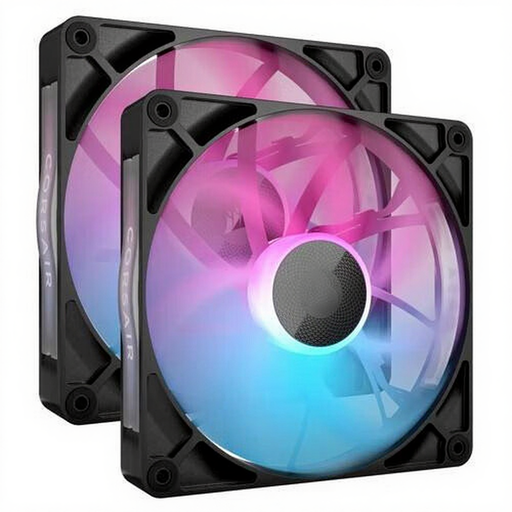
Why it stands out: The RX140 is a true all-rounder. Thanks to its 140mm size and magnetic levitation bearings, this fan delivers strong airflow at a relatively low noise level. According to Corsair, the bearing design ensures smooth and quiet operation. The iCUE LINK integration makes installation and cable management straightforward.
Advantages:
Who is this for? For the PC builder seeking a balanced, quiet, and powerful cooling solution for their case. The sleek black finish fits well in most systems.
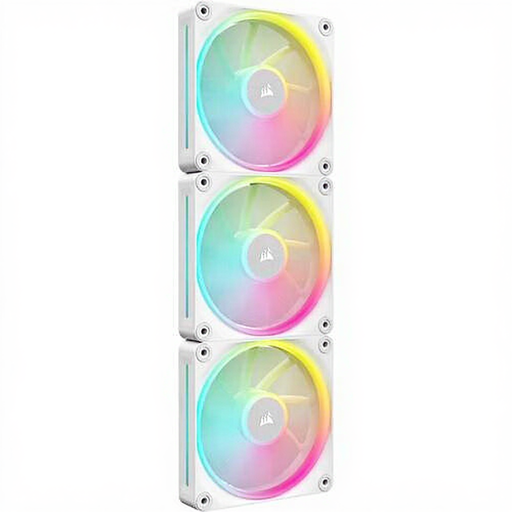
Why it stands out: This white case fan is designed with radiator performance in mind. The LX120 can reach an impressive speed of 2400 RPM and, according to its specifications, delivers very high static pressure. This makes it ideal for pushing air through the dense fins of a water-cooling radiator. Its bright white colour and RGB lighting make it a visual centrepiece in light-themed builds.
Advantages:
Who is this for? For users who employ water cooling and require maximum cooling performance for their CPU or GPU. Also an excellent choice for those building an all-white PC.
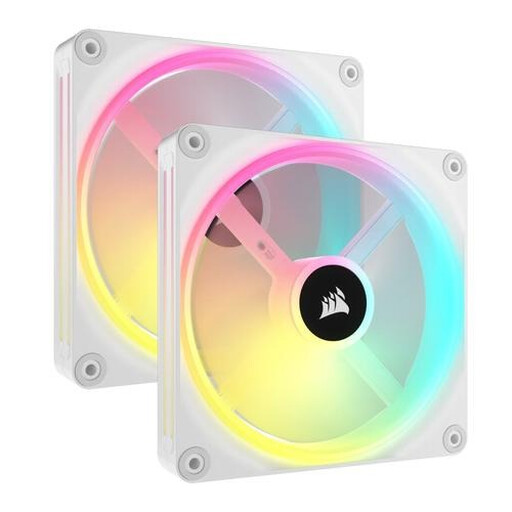
Why it stands out: With the QX series, the focus is heavily on visual presentation. Each fan is equipped with 34 individually addressable RGB LEDs, allowing for incredibly smooth and complex lighting effects. Beyond aesthetics, this 140mm fan still delivers solid cooling performance, making it a combination of style and function.
Advantages:
Who is this for? For the PC builder for whom aesthetics and customisable lighting are the highest priority. If you want to build a visually spectacular system without making major compromises on cooling performance, this is a strong contender.
This selection represents some popular choices within the Corsair range, but of course, more options are available. Perhaps you're looking for a different size, a different price point, or a model without RGB. For a broader overview of cooling solutions, you can always explore further.
Check out our full range in the RGB PC Case category for more choices.
What is the advantage of a 140mm case fan over a 120mm one? Due to its larger surface area, a 140mm fan can move more air at a lower RPM than a 120mm model. This generally leads to quieter operation for comparable cooling performance. However, 120mm fans are more compact and often offer higher static pressure, which is better for radiators.
Do I need a controller for a Corsair RGB case fan? For models within the Corsair iCUE LINK ecosystem, a system hub is included in the starter kits (like the 3-packs). This hub is required to supply power and data to the fans via a single cable. This significantly simplifies installation compared to traditional fans, which require multiple cables each.
Why is a PWM fan useful? A PWM fan can dynamically adjust its speed based on the temperature of your components. This means the fan runs slowly and quietly when your PC isn't under heavy load, and automatically speeds up to keep everything cool during gaming or other intensive tasks. The result is a more efficient and quieter system.
