
Vandaag of morgen in huis

Kwaliteit gegarandeerd

Welkomstaanbiedingen ontgrendelen: GRATIS bezorging | Tot 80% korting | Gratis 30 dagen JoyPlus-proefperiode
Download de app
A Corsair RGB case fan can improve your PC’s cooling while adding customisable lighting. However, it is easy to pay more than necessary. For example, a high maximum speed does not automatically mean that a fan will run more quietly or be more suitable in your case.
Pay particular attention to these three common pitfalls:
A 120 mm RGB case fan is the most flexible option. This size fits many mounting positions at the front, top, rear and bottom of PC cases. However, check the available thickness and the exact screw spacing in your case’s manual.
According to the product information, a 140 mm RGB case fan often moves more air at a lower speed. The fan is physically larger and may therefore be less suitable for compact cases. Also check that the frame does not interfere with RAM modules, a radiator or the CPU cooler.
Airflow is usually shown in CFM or m³/h. This indicates how much air the fan can move at maximum speed. Static pressure, expressed in mmH2O, is particularly relevant when air has to pass through a radiator, dust filter or restrictive fan grille.
For an open position at the front of the case, airflow is a useful practical measure. For a radiator fan or a position with a fine dust filter, both airflow and static pressure are important.
When checking noise levels, pay attention to the difference between the minimum and maximum values. Several Corsair models in this overview, for example, list a range of approximately 10 dB at low speed to 29.5–37 dB at high speed. These are product specifications; actual noise also depends on the case, resonance, fan curve and distance from where you sit.
A PWM case fan generally uses a 4-pin connection. Its speed can be adjusted according to temperature via the BIOS, UEFI or compatible software. This prevents the fan from constantly running at maximum speed.
RGB connections are not always interchangeable. A standard RGB or ARGB PC fan may require a specific motherboard header or controller. With a Corsair iCUE LINK fan, multiple compatible fans can often be linked together. This can reduce cable clutter, but check beforehand whether an iCUE LINK hub or controller is included. For example, the product information for the Corsair iCUE LINK LX120-R RGB 3-pack states that an iCUE LINK hub is sold separately.
The lighting also varies by model. In this selection, the stated numbers range from 8 to 34 individually addressable LEDs. More LEDs do not automatically mean that the lighting will suit your system better; above all, check software and controller compatibility.
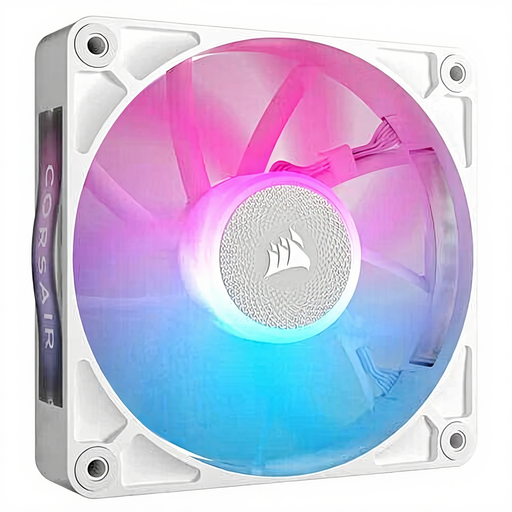
Why it suits this profile: A standalone 120mm Corsair PC fan is practical when replacing a single faulty fan or expanding an existing build one step at a time.
You do not need to buy an unnecessary set if you only have one mounting position to fill. However, check the iCUE and RGB connections beforehand.
120 mm, PWM control, magnetic bearing according to the product description, and a stated range of 400–2100 rpm.

Why it suits this profile: Suitable for a larger case that can accommodate two 140mm fans and where cooling, PWM control and RGB lighting are all required.
The product specifies more than just the rpm, including a maximum airflow of 94.7 CFM and PWM support. Check the available physical space before buying.
Pack of two, magnetic bearing according to the product description, 300–1700 rpm and a stated noise range of 10–36 dB.
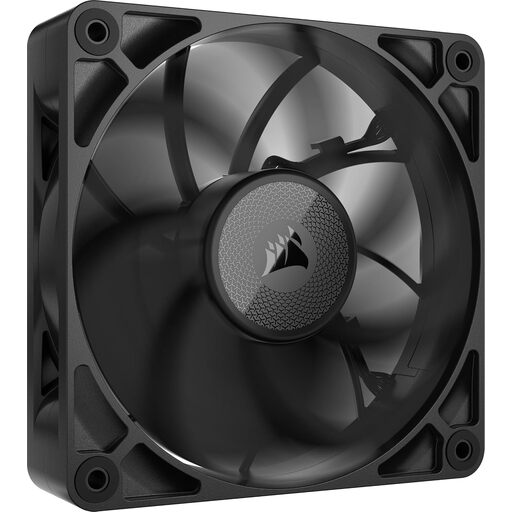
Why it suits this profile: A logical choice for a radiator or another position where extra static pressure and a thicker fan are desirable.
It is 30 mm thick rather than the commonly used 25 mm format. Measuring beforehand is therefore particularly important and helps prevent an unsuitable installation.
120 mm, PWM control, maximum airflow of 71.6 CFM, static pressure of 4.18 mmH2O and a stated maximum noise level of 29.5 dB.
We have put together a complete, up-to-date list of products that fully meet these strict selection criteria and the applicable European safety regulations.
Before buying, check the mounting positions, available clearance and cable routing. Switch the PC off completely and unplug it from the mains before installing a fan. Pay attention to the arrows on the frame: they indicate the direction of airflow.
A typical layout is:
Secure the fan firmly, but do not overtighten the screws unnecessarily. Keep cables away from the blades and regularly remove dust from the fans using compressed air or a soft brush. With an iCUE LINK system, you must also connect the hub and power supply and observe the maximum device support specified in the manual.
No. Check the 4-pin PWM connection and the RGB lighting connection separately. iCUE LINK models use their own ecosystem and may require a suitable hub or controller. Compare the product information with the connections on your motherboard and power supply.
Not automatically. According to the product specifications, a 140 mm model may move a great deal of air at a lower speed, but the final noise level depends on the selected speed, case and installation. Look at the full noise range rather than just the lowest dB value.
A fan generally uses very little power, but the exact consumption varies by model and speed. With PWM control, you can reduce the speed when the PC is under light load. This prevents the fan from constantly running at maximum speed. For precise figures, check the technical data sheet for the model you have chosen.
