
Vandaag of morgen in huis

Kwaliteit gegarandeerd

Welkomstaanbiedingen ontgrendelen: GRATIS bezorging | Tot 80% korting | Gratis 30 dagen JoyPlus-proefperiode
Download de app
A Corsair RGB case fan can give your PC case a neat appearance while improving airflow at the same time. However, a colourful product photo is no guarantee that the fan will fit your case, radiator or connections. With a Corsair iCUE LINK fan in particular, compatibility, size and the number of included components are important.
RGB says little about cooling performance. A fan may have lots of LEDs but still be less suitable for a radiator or dusty front panel. So also pay attention to airflow, static pressure, speed and PWM control.
The product listings in this article quote, for example, 63.1 to 102.9 CFM for different models. These figures come from the manufacturer’s or seller’s product specifications and are not a universal guarantee of the same performance in every PC.
A 120 mm case fan will not automatically fit a mounting point for a 140 mm case fan. Check your case manual and also look at the available thickness. Most standard fans are approximately 25 mm thick, whereas the Corsair iCUE LINK RX120 MAX is listed as 30 mm thick. This can be relevant when installing it on a radiator, side panel or near a graphics card where clearance is limited.
A Corsair iCUE LINK fan uses its own connection system. Some packages include a hub or controller, while others are intended as expansions. So check:
A standard 4-pin PWM case fan and an iCUE LINK model cannot necessarily be connected in the same way. The product page should be your guide to the included cables and controller.
First, measure the available space inside your case. A 120 mm fan is often suitable for the front, rear and top, but the exact mounting options vary from case to case. A 140 mm model can move a lot of air at a lower speed, but check that the mounting holes and available space match.
Also pay attention to the direction of airflow. The arrows on the frame usually show the direction in which the air moves. A practical layout is:
Airflow, usually stated in CFM or m³/h, describes how much air the fan can move according to the product specification. Static pressure, expressed in mmH₂O, is particularly relevant when air has to pass through a radiator, filter or restrictive front panel.
For an open case grille, good airflow is often the most important criterion. For a radiator fan or dust filter, static pressure is at least as important. Always compare figures that have been provided using the same method; a higher number in one product listing does not automatically mean it is the better choice for your system.
A PWM case fan generally has a 4-pin connection that allows the motherboard or a controller to regulate its speed. This is useful for quiet PC cooling: the fan can run slowly under low loads and only speed up when the temperature rises.
The product information provided quotes maximum noise levels ranging from approximately 29.5 dB to 37 dB. According to the listings, the stated minimum values of 10 dB apply at low speed. In practice, noise and audible resonance also depend on the installation, case panels, dust, fan curve and distance from the user.

Why it suits this profile: A standalone 120 mm RGB PC fan is practical when replacing a faulty fan or expanding an existing setup without immediately buying a multipack.
The listing clearly states 120 mm, PWM, one fan and a 4-pin connector. Before buying, check the RGB connection on your motherboard or controller.
According to the product information: 480–2400 RPM, up to 63.1 CFM, PWM control and 34 individually addressable LEDs.

Why it suits this profile: This 2-pack is suitable for a larger case where you want to fill two 140 mm positions at once while keeping the cabling within the iCUE LINK system.
The product name states that there are two fans, and the listed size is 140 mm. This reduces the chance of buying a single pack when you want to use two positions.
According to the listing: magnetic bearings, 300–1700 RPM, PWM support and up to 94.7 CFM. The stated maximum noise level is 36 dB.
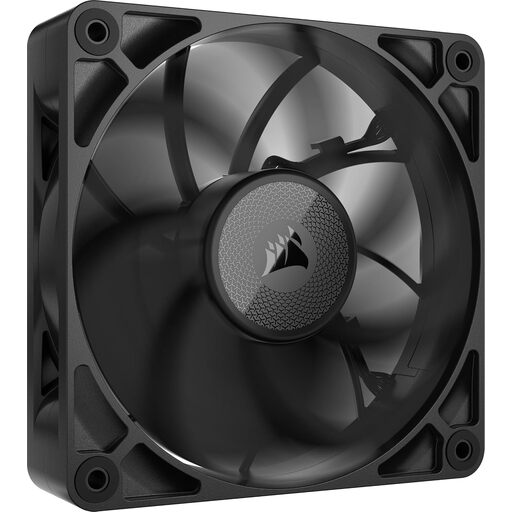
Why it suits this profile: The 30 mm-thick housing is designed for users with a radiator or restrictive front panel who have measured the available space in advance.
The thicker size is stated in the product information. This means you can deliberately check that there is sufficient clearance between the radiator, RAM and side panel before ordering.
According to the product specifications: 400–2000 RPM, up to 71.6 CFM, 4.18 mmH₂O static pressure and PWM control. This is an expansion; check the required LINK connection.
Switch off the PC completely, turn off the power supply and unplug it from the mains before installing a fan. Secure the fan without overtightening the screws and keep cables away from the blades. Then set an appropriate fan curve in the BIOS, using your motherboard software or through Corsair iCUE.
A fan with a higher maximum speed does not constantly use more power: consumption depends on the current speed and the configured curve. A lower speed may be sufficient for everyday use. Regularly remove dust from the blades using compressed air or a soft brush, and do not use water.
Would you like to compare more sizes, single packs and multipacks first? Then also take a look at our page featuring computer fans and cooling systems.
We have compiled a complete, up-to-date list of products that fully meet these strict selection criteria and the applicable European safety regulations.
It can be, provided that the product listing mentions radiator use and the airflow and static pressure figures are suitable for your application. Also check the thickness and mounting size. A 120 mm radiator fan will only fit a radiator with matching mounting points.
That depends on the package. A starter pack may include a System Hub, while an expansion kit is often intended to connect to an existing LINK setup. Check the package contents and the number of available connections before ordering.
Service life depends on the bearing construction, dust, temperature, installation and duration of use. Manufacturers may communicate specific expectations, but treat these as brand claims: based on the brand’s own research or statements, rather than a guaranteed outcome. According to the product information, a statutory warranty of at least two years applies under EU consumer rules; additional rights may arise under Dutch law.
