
Vandaag of morgen in huis

Kwaliteit gegarandeerd

Welkomstaanbiedingen ontgrendelen: GRATIS bezorging | Tot 80% korting | Gratis 30 dagen JoyPlus-proefperiode
Download de app
Building a PC is about more than just picking the fastest processor or graphics card. The right illuminated PC cooling is crucial for both your system's performance and its aesthetics. A Corsair RGB case fan is a popular choice, but the range of options can be overwhelming. Many builders fall into marketing traps, ending up with noisy fans that cool poorly or are a nightmare to wire. This guide will help you avoid the pitfalls and find the perfect fan for your build.
Before you make a purchase, it's important to know what often goes wrong. Watch out for these common pitfalls:
To avoid the mistakes above, focus on the specifications that truly matter. These are the three most important factors to check before buying a Corsair iCUE fan.
The two standard sizes are 120mm and 140mm. The choice depends on your case and your priorities.
A PWM fan (Pulse Width Modulation) is a must-have. It allows your motherboard or a controller to dynamically adjust the fan speed based on your component temperatures. The fan only spins at full speed when absolutely necessary, ensuring quiet operation during lighter tasks. When comparing, pay attention to the noise level, expressed in decibels (dB). A value between 10 dB (very quiet) and 37 dB (audible under load) is a common range for quality fans.
With iCUE LINK, Corsair has developed a solution to cable chaos. This system replaces the multiple cables per fan with a single, universal connector. You can easily link (daisy-chain) multiple iCUE LINK components (like fans and AIO coolers) and connect them to a central hub with just one cable. This drastically simplifies installation and results in an exceptionally clean build.
Not every fan is suitable for every user. Below is a selection of Corsair RGB fans, tailored to different types of PC builders.

Why This Fits Their Persona: For the builder who wants a visually perfect, clean PC, cable management is everything. This white case fan3-pack is ideal for a light and modern build, where the focus is on a tidy interior.
It directly tackles the "cable spaghetti nightmare." Thanks to the iCUE LINK system, you connect the three fans to each other and to the hub with a single cable per component, resulting in an extremely clean installation.
A complete starter kit that includes the iCUE LINK System Hub. The magnetic levitation bearings ensure a longer lifespan and quieter operation.
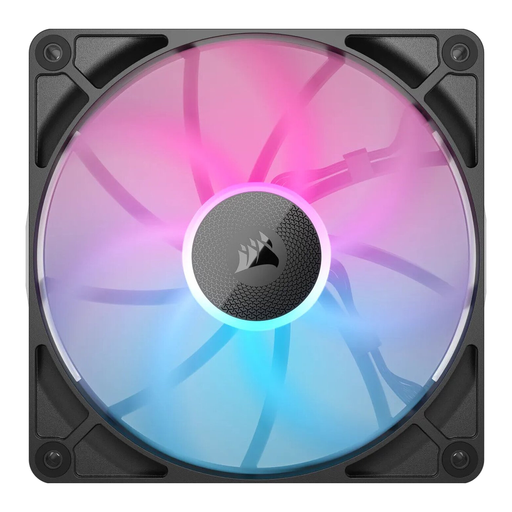
Why This Fits Their Persona: For gamers who need to keep their high-end components cool during intense sessions, maximum airflow at an acceptable noise level is essential. This 140mm fan is designed for performance.
This fan avoids the "performance on paper" pitfall. According to Corsair, its AirGuide technology is designed to concentrate airflow, which improves cooling efficiency. The focus is on a balance between airflow and low noise levels.
Delivers high maximum airflow (95.7 m?/h) at a relatively low noise level. The Zero RPM mode ensures complete silence under low loads. It also utilises the convenient iCUE LINK system.
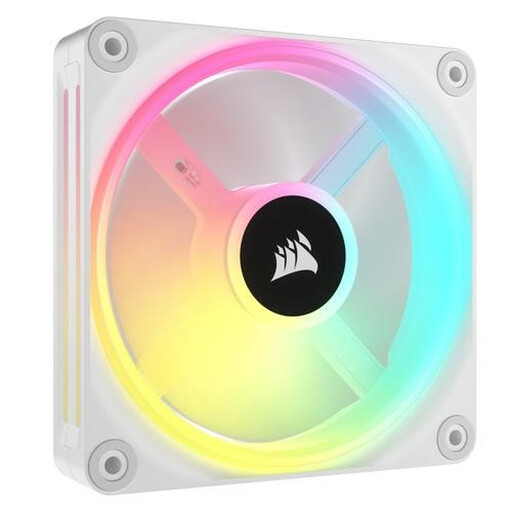
Why This Fits Their Persona: This user is looking for a reliable upgrade that offers a good balance of price, performance, and aesthetics. The fan needs to be compatible with an existing system without requiring a switch to a whole new ecosystem.
This isn't a fan that focuses solely on looks. With a high maximum static pressure of 3.8 mmH2O, it's also highly suitable for radiators and dust filters, thus avoiding the "high airflow myth."
Uses a standard 4-pin PWM fan connector, ensuring broad compatibility with most motherboards and fan controllers. The 34 individually addressable LEDs offer extensive customisation.
We have compiled a complete, up-to-date list of products that fully meet these strict selection criteria.
For a standard gaming PC, a minimum of two fans is recommended: one at the front for cool air intake and one at the back for warm air exhaust. For high-end systems with powerful components, three or more fans (e.g., two intake, one exhaust) are often better to ensure proper airflow.
Airflow, measured in CFM or m?/h, indicates how much air a fan can move in an unobstructed space. Static pressure, measured in mmH2O, indicates how forcefully the fan can push air through an obstacle, like a dense radiator or a dust filter. For case ventilation in an open chassis, airflow is more important. For radiators or cases with many obstructions, static pressure is crucial.
No, iCUE LINK is a new, closed ecosystem. It requires specific iCUE LINK fans, coolers, and the System Hub. Older Corsair RGB fans (like the LL, QL, or ML series) use the traditional separate PWM and RGB cables and connect to controllers like the Lighting Node Pro or Commander Pro. They are not interchangeable.
