
Vandaag of morgen in huis

Kwaliteit gegarandeerd

Welkomstaanbiedingen ontgrendelen: GRATIS bezorging | Tot 80% korting | Gratis 30 dagen JoyPlus-proefperiode
Download de app
A Corsair PC fan can improve airflow inside your computer case while also adding RGB lighting. However, it is not wise to focus solely on the brand, the number of LEDs or a high maximum speed. A fan that does not fit your case, lacks a suitable connection or constantly runs at high speed can quickly cause more frustration than benefit.
A 120mm PC fan and a 140mm PC fan are not interchangeable. Check the mounting points in your case, the space around the motherboard and the available room on a radiator. A 140mm model can provide a larger surface area for moving air, but it will not fit every case.
Also pay attention to the thickness. According to the product specifications, the Corsair iCUE LINK RX120 MAX is 30 mm thick, while many standard fans are around 25 mm thick. This can be important when installing a radiator, graphics card or managing cables in a tight space.
A fan running at 2400 rpm spins quickly, but that does not automatically mean it will operate more quietly or efficiently in your PC. During normal use, the fan curve you set determines how much noise you hear. As well as the rotational speed, check:
The stated noise levels are product specifications measured under certain conditions. According to Corsair’s product descriptions, some models are around 10 dB at low speed and between 29.5 and 37 dB at maximum speed. Your actual experience will depend on the installation, case, dust levels and selected speed.
Not every Corsair RGB fan uses the same connection. A standard 4-pin PWM connection controls the rotational speed. RGB lighting may also require a suitable controller or compatible header. With a Corsair iCUE LINK fan, check whether an iCUE LINK hub, cable and power supply are included.
A 3-pack may look good value, but always check the contents of the package. Some packs include a controller, while others are intended as an expansion for an existing setup.
Choose based on your PC case first:
Do not just measure the opening. Also check the screw holes and the clearance around the mounting position.
A PWM fan usually uses a 4-pin connection. This allows you to set a fan curve based on temperature via the motherboard or a controller. It prevents the fan from constantly running at maximum speed.
Check beforehand whether your motherboard has enough fan headers. A suitable hub may be required when using multiple fans. With iCUE LINK systems, you must also follow the recommended connection sequence and maximum load specified in the manual.
For an open position inside the case, airflow is an important consideration. On a radiator or behind a dense dust filter, static pressure is at least as important. For example, the Corsair iCUE LINK LX120 RGB is listed in the product specifications with a maximum of 69.9 CFM and static pressure of up to 5.22 mmH2O. The RX120 RGB is listed with a maximum of 73.5 CFM.
Only compare these figures when they have been provided using the same measurement method. A product page may also show rounded values in CFM and m³/h. For this reason, rely primarily on the official specifications for the specific model you want to order.
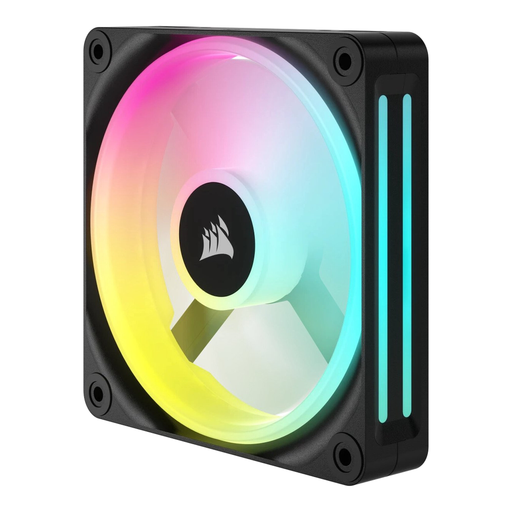
Why it suits this profile: This is a single 120mm case fan for anyone looking to replace one existing fan or gradually improve airflow.
The size, number of fans and speed range of 480 to 2400 rpm are clearly stated. This means you do not pay for a larger pack than you need.
120mm size, PWM support, LED lighting and a stated maximum airflow of 63.1 CFM.
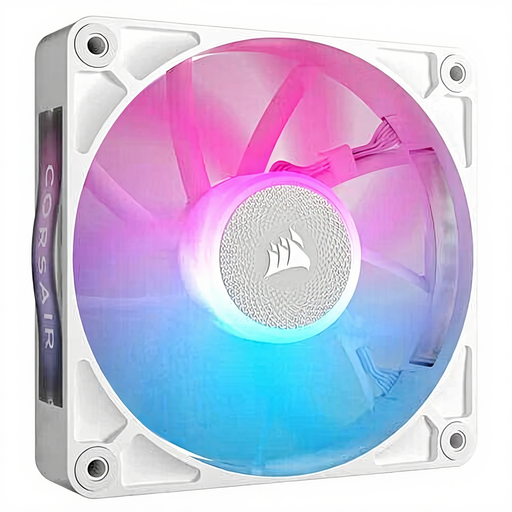
Why it suits this profile: A suitable choice for a modern white build with precise speed control and iCUE LINK connectivity.
The product specifications state both the speed range of 400 to 2100 rpm and PWM support. However, check that your existing controller is compatible with iCUE LINK.
According to the product description: up to 73.5 CFM, a magnetic bearing, RGB lighting and suitability for case and radiator cooling.

Why it suits this profile: The 3-pack is a good match for a gaming PC with multiple mounting points or a radiator that uses three 120mm fans.
The pack specifies three fans and PWM control. The specifications also state the static pressure, so you can choose the model based on more than just its RGB lighting.
Up to 70 CFM, static pressure of up to 3.8 mmH2O, 18 RGB LEDs and a stated maximum noise level of 35.1 dB.
Switch off the PC completely and unplug it from the mains before installing a PC case cooler. Pay attention to the arrows on the frame: they indicate the direction of rotation and airflow. Fans at the front or bottom usually draw air in, while models at the rear or top expel warm air.
Connect PWM to a suitable 4-pin header. For RGB, check whether a 5V ARGB header, Corsair controller or iCUE LINK hub is required. Keep cables away from the blades and tighten the screws without overtightening them. Remove dust regularly with compressed air or a soft brush; do not use water.
We have put together a complete, up-to-date list of products that fully meet these strict selection criteria and the applicable European safety regulations.
It can be, provided that the size and static pressure are suitable for the radiator. Check the size, mounting points and product specifications. A model described as suitable for radiator and case cooling will not automatically fit every radiator.
PWM controls the rotational speed through a 4-pin connection. The RGB function may require a separate controller, 5V ARGB header or iCUE LINK hub. Before ordering, check the included accessories and the connection requirements of your motherboard.
Power consumption depends on the model, speed and lighting used. A PWM fan generally uses less power under low load than when running continuously at maximum speed. For an accurate comparison, check the stated current draw and power requirements on the product page.
