
Vandaag of morgen in huis

Kwaliteit gegarandeerd

Welkomstaanbiedingen ontgrendelen: GRATIS bezorging | Tot 80% korting | Gratis 30 dagen JoyPlus-proefperiode
Download de app
As a Joybuy Product Recommendation Officer, I see PC builders navigate the vast sea of components daily. A good Corsair PC fan is crucial for your system's performance and longevity, but marketing can be misleading. Many users fall into the same traps: they overpay for features they don't need or choose a fan that's unsuitable for their purpose. This guide will help you make the right choices based on specifications, not hype.
Before making a purchase, it's important to recognise the most common pitfalls:
To avoid these pitfalls, you need to pay attention to a few key technical specifications. These determine whether a fan is right for your PC.
The fan size is the first and most important choice. Most PC cases support 120mm fan and/or 140mm fan models.
This is where most of the confusion arises. Both values are important, but for different applications.
Modern fans offer advanced control and ease of installation.
Below are some Corsair fans suited for different types of users, selected based on their specifications and how they address the pitfalls mentioned.
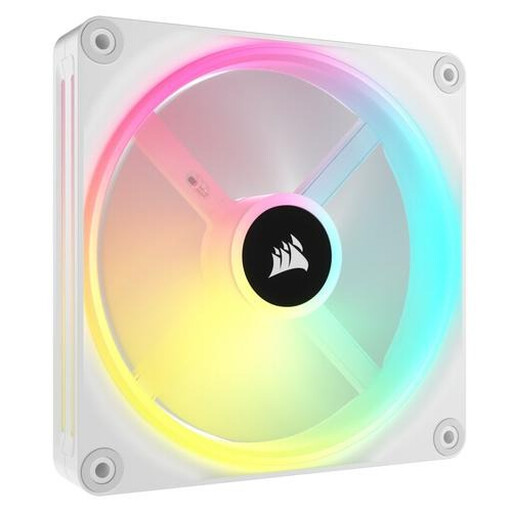
Why This Fits Their Persona: This white PC fan is ideal for those who want a sleek, minimalist build. The focus is on visual perfection, and the iCUE LINK system is a game-changer in this regard. Perfect for showcase builds where cable management is just as important as performance.
Directly tackles the 'RGB cable chaos'. Thanks to Corsair iCUE LINK, only one cable is needed per group of fans, resulting in an exceptionally clean installation.
Extensive RGB customisation with 34 individually addressable LEDs per fan. The 140mm fan ensures good airflow at low RPMs.
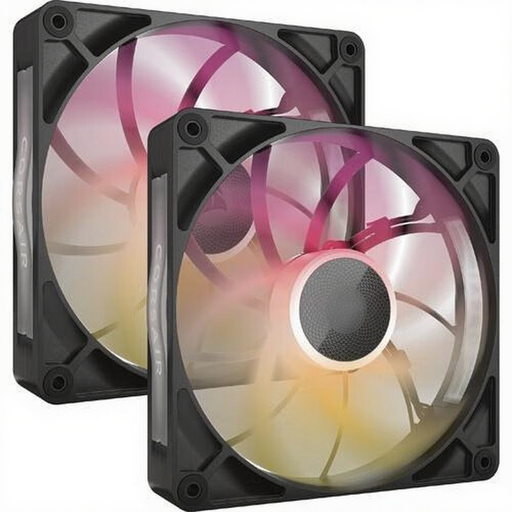
Why This Fits Their Persona: For the user where every degree counts. This fan is designed for maximum cooling performance, whether it's for cooling an overclocked CPU or a high-end graphics card. The focus is on function over form, although the RGB is a nice bonus.
Avoids the 'loud powerhouse' trap. Despite the high maximum airflow (102.9 CFM), the PWM fan control and design ensure efficient operation, so you don't have to run it at full power constantly.
Very high airflow and static pressure, making it suitable as both a case fan and a radiator fan. The 30mm thickness contributes to its performance under pressure.
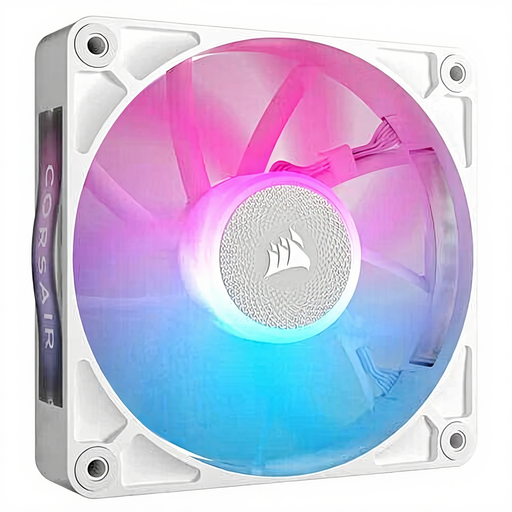
Why This Fits Their Persona: This user wants to upgrade an existing system, often in a more compact case where a 120mm fan is the standard. The goal is a noticeable improvement in cooling and noise over the stock fan, without a complete overhaul.
Avoids the 'wrong fan for the job' trap. The RX120 offers a good balance between airflow (74.2 CFM) and static pressure, making it a versatile upgrade that performs well in most situations.
Brings the benefits of the iCUE LINK ecosystem and PWM control to the most common fan size. A direct and noticeable upgrade for cooling and aesthetics.
We have compiled a complete, up-to-date list of products that fully meet these strict selection criteria and local regulations.
The QX and RX series from Corsair are both part of the iCUE LINK ecosystem but have different focuses. The QX fans are often geared towards aesthetics, with more RGB LEDs (like the 34 on the QX140) and unique lighting effects. The RX series is more performance-oriented, with a design optimised for high airflow and static pressure, making them highly suitable for radiators.
Yes. To use the full functionality of the iCUE LINK system, where power and RGB run through a single cable, you need an iCUE LINK System Hub. This hub is often included in starter kits or multi-packs. If you start with a single fan, you may need to purchase the hub separately.
A fan is considered quiet if it produces under 20 dBA (A-weighted decibels) at low to medium speeds, which is comparable to the sound of a whisper. Many Corsair models have a minimum noise level of just 10 dBA. Thanks to PWM fan control, you can adjust the speed (and thus the noise) based on your PC's temperature, so the fans only spin up when truly necessary.
