
Vandaag of morgen in huis

Kwaliteit gegarandeerd

Welkomstaanbiedingen ontgrendelen: GRATIS bezorging | Tot 80% korting | Gratis 30 dagen JoyPlus-proefperiode
Download de app
A Corsair PC fan can help expel warm air from your case and supply components with fresh air. However, a model with lots of RGB LEDs or a high speed rating is not automatically suitable for your computer. The right choice depends on the space available, the level of noise you want and how you plan to connect the fan.
In this buying guide, I cover the key points to consider and some popular choices for gamers, PC builders and hardware enthusiasts.
The terms 120 mm PC fan and 140 mm PC fan refer to the diameter of the frame. A 140 mm model will not necessarily fit a mounting point designed for 120 mm. So, check your PC case manual or specifications first.
Also pay attention to the thickness. Some MAX models are 30 mm thick, while many standard fans are approximately 25 mm thick. In a compact case, this can cause the radiator, RAM or graphics card to get in the way.
A high quoted CFM figure may sound appealing, but it does not tell you everything. For a radiator, static pressure and the shape of the fan blades are important. For an open grille at the front of a case, airflow is often more relevant.
The values in product descriptions come from the manufacturer. According to Corsair’s own figures, certain models can deliver up to 70 CFM, 82.5 CFM or 103.5 CFM, for example. Treat these figures as a point of comparison under test conditions, rather than a guaranteed value in every PC.
RGB lighting and speed control use two different connections. PWM usually uses a 4-pin connection for automatic speed control. RGB may require its own controller, a motherboard connection or an iCUE LINK hub.
With a Corsair RGB fan, you should therefore check in advance:
A 120 mm case fan is highly versatile and is often used at the rear, top or front of a case. A 140 mm PC fan can move more air at the same speed, depending on its design. Always check the mounting holes and available clearance.
For a radiator, you should also consider its length. A 280 mm radiator generally uses two 140 mm fans, while a 360 mm radiator uses three 120 mm fans.
Fan speed is measured in RPM. A wide range, such as 300 to 1700 RPM or 400 to 2400 RPM, allows you to run a fan quietly under light loads and increase its speed while gaming or rendering.
A quiet PC fan is not determined solely by its quoted decibel rating. The case, mounting, dust and configured fan curve also have an impact. According to Corsair’s own product data, some models operate at around 10 dB at low speed and around 29.5 to 37 dB at maximum speed. Compare measurements at the same speed wherever possible.
With PWM control, you can set a fan curve through the BIOS, UEFI or suitable software. This keeps the fan quieter at low temperatures and allows it to respond more quickly as the temperature rises.
For a fan at the front of an open case, good airflow is useful. For a radiator, dust filter or closed front panel, static pressure is more important. The Corsair iCUE LINK LX120, for example, quotes a maximum static pressure of 5.22 mmH2O, while the RX120 MAX reaches up to 4.18 mmH2O according to the product data.
Be aware that product pages sometimes use different units, such as CFM and m³/h. These figures cannot be compared directly without conversion.
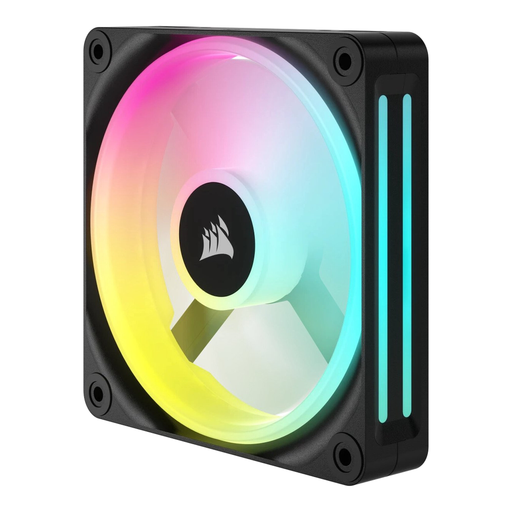
Why it suits this profile: A standalone 120 mm fan is practical when you want to expand a single position or replace an existing fan. The product details specify PWM control, a speed range of 480 to 2400 RPM and LED lighting.
You do not have to buy an unnecessary set if you only have one mounting position available. However, check beforehand that the LED connection is compatible with your system.
120 mm format, PWM support and adjustable speed from 480 to 2400 RPM.
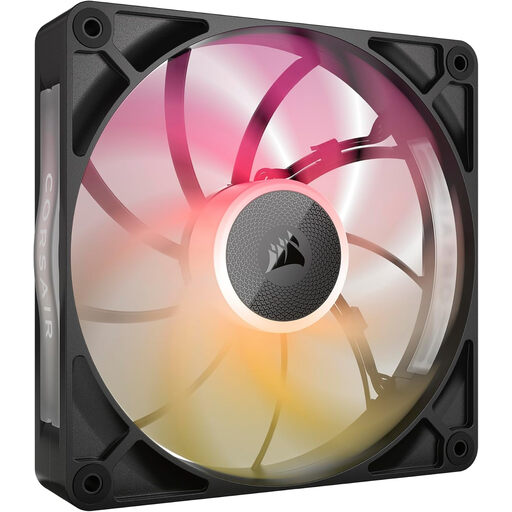
Why it suits this profile: This model combines a 140 mm format with iCUE LINK, PWM control and RGB lighting. According to the product description, the fan is 30 mm thick and has a quoted maximum airflow of 102.9 CFM.
The product information clearly states the additional thickness. Measure the available clearance first to ensure that a radiator or cables will not be obstructed.
140 mm format, 8 RGB LEDs, 300–1600 RPM and PWM support.

Why it suits this profile: A 3-pack of Corsair fans is useful for a new build or a case with multiple 120 mm positions. According to the product description, the fans offer PWM control, 18 RGB LEDs and support for case and radiator cooling.
Using three identical fans makes it easier to create a consistent fan curve and lighting setup. However, check whether an iCUE LINK hub is required or included.
Three 120 mm fans, up to 2400 RPM, up to 70 CFM according to the product specifications and 35.1 dB at maximum speed.
Switch the computer off completely and unplug it from the mains before installing a fan. Pay attention to the arrows on the frame: they show the direction of rotation and airflow. Fans at the front usually draw air in, while those at the rear or top expel warm air.
Connect a PWM case fan to a suitable 4-pin fan header. For RGB, use only a compatible controller or connection. Keep cables away from the blades and tighten the mounting screws securely without forcing them.
Remove dust using compressed air or a soft brush. Do not use water, and keep the fan still while cleaning it. A rattling noise or strong vibration may indicate a mounting or bearing problem; switch off the PC and check the mounting.
We have put together a complete, up-to-date list of products that fully meet these strict selection criteria and the applicable European safety regulations.
No. Check the mounting points, available space and fan thickness. Models measuring 30 mm require additional clearance alongside standard components.
This depends on the specific model and the accessories included. Check the product listing for an iCUE LINK hub, cables and compatible connections. PWM and RGB may also be connected separately.
A single case fan generally uses very little power. Consumption depends on the speed, model, RGB lighting and number of fans. With PWM control, you can limit the speed under light loads.
