
Vandaag of morgen in huis

Kwaliteit gegarandeerd

Welkomstaanbiedingen ontgrendelen: GRATIS bezorging | Tot 80% korting | Gratis 30 dagen JoyPlus-proefperiode
Download de app
A Corsair PC fan can help remove warm air from your computer case and draw in fresh air. However, it is not wise to base your choice solely on RGB lighting, a high RPM or an attractive bundle price. The right option depends on the size of your case, your preferred noise level, the connection and how you intend to use it.
A 120mm PC fan and a 140mm PC fan are not automatically interchangeable. Check in advance which mounting points your computer case has. A 140mm model may also come into contact with the RAM, a motherboard cooler or a radiator.
Pay attention to the thickness too. Some models, such as the Corsair iCUE LINK RX120 MAX, are listed in the product information as being 30 mm thick, rather than the usual 25 mm. This can affect the available space.
A high RPM rating can indicate strong airflow, but noise also increases at maximum speed. That is why you should look at the full speed range, stated airflow and maximum noise level. A fan that can run slowly via PWM is often more pleasant for everyday use than a model that only performs convincingly at high speed.
A Corsair RGB fan does not automatically use the same connection as a standard fan. Check whether the model works with a 4-pin PWM header, a Corsair controller, iCUE LINK or a 5V ARGB connection. With an iCUE LINK fan in particular, it is important to check the controller, hub and maximum device capacity beforehand.
According to the product information for the relevant models, some bundles may include a system hub or controller, while this is not always the case with individual fans.
A 120mm PC fan fits in many computer cases and radiators. This size is practical when replacing an existing fan or filling several mounting positions. According to the stated product specifications, a 140mm PC fan may provide greater airflow at a lower speed, but it requires sufficient space.
Check:
The arrows on the frame generally show the direction of rotation and airflow. Fans at the front or bottom often draw air in, while models at the rear or top expel warm air.
Airflow is usually stated in CFM or cubic metres per hour. This indicates how much air the fan can move according to the product specification. Airflow is important for an open computer case. For a radiator fan or a restrictive dust filter, static pressure, expressed in mmH₂O, is also relevant.
According to the technical specification, a fan with higher static pressure is better suited to overcoming the resistance of a radiator or dense air filter. That does not automatically mean it will run more quietly or efficiently in every case. Consider the combination of airflow, static pressure, speed and noise.
A PWM fan generally uses a 4-pin connection, allowing the motherboard or a controller to regulate its speed. This lets you set a quiet curve for light use and increase airflow when gaming or rendering.
Pay attention to the stated noise range. The product information for several Corsair models, for example, lists approximately 10 dB at low speed and between 29.5 and 37 dB at high speed. These figures are product specifications and may differ in an actual PC because of case panels, resonance, dust and the selected fan curve.
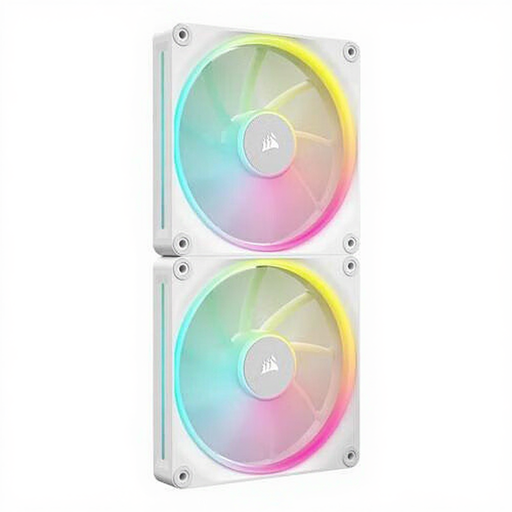
Why it suits this profile: This white 140mm set contains two fans, making it practical for a case with several 140mm mounting positions. According to the product information, the speed ranges from 350 to 2000 RPM and the model supports PWM.
The 140mm size and stated dimensions make it easy to check compatibility beforehand. The bundle saves you from having to combine two individual fans.
Two fans, PWM control, RGB lighting and a stated maximum airflow of 84.7 CFM.

Why it suits this profile: Suitable for a new build where three 120mm mounting positions need to be filled. According to the product information, the set includes an iCUE LINK System Hub and supports PWM control.
The included hub makes the required iCUE LINK components clearer than with an individual expansion fan. However, check the hub’s limits and the cable routing.
Three 120mm fans, RGB LEDs, 400–2100 RPM and a stated airflow of 74.2 CFM.
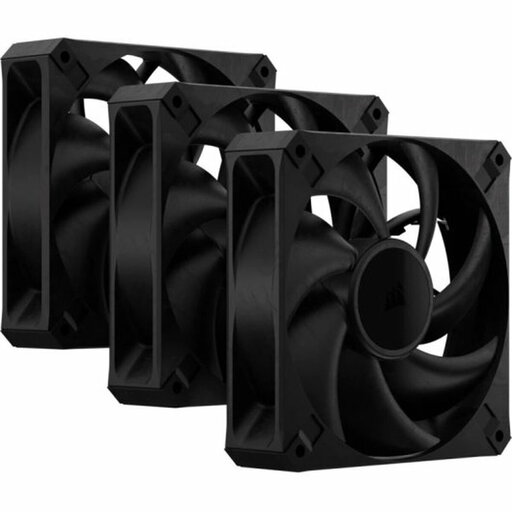
Why it suits this profile: This black set is aimed at users who want to combine case and radiator cooling. The product information lists 2000 RPM, 72 CFM, PWM and a thickness of 30 mm.
The specification explicitly states the 30mm thickness. This allows you to check before purchase that there is sufficient clearance for the radiator, screws and case.
Three fans, 4-pin PWM, 4.2 mmH₂O maximum static pressure and a maximum of 29.5 dB according to the product information.
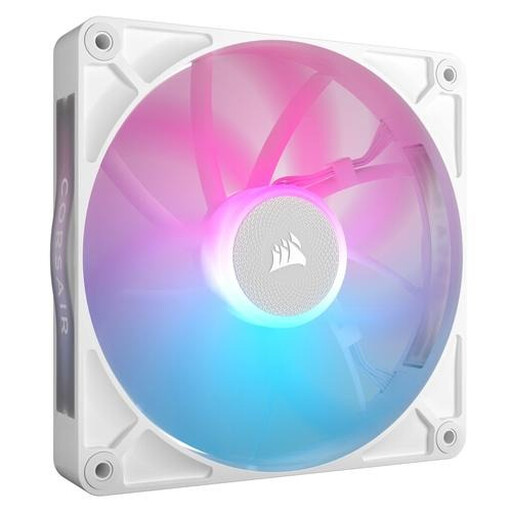
Why it suits this profile: A suitable choice for a case with 140mm mounting points and users who want to manage RGB via iCUE LINK. According to the product information, the speed ranges from 300 to 1700 RPM.
The combination of size, PWM and iCUE LINK connection is clearly stated. However, check that your case and controller are compatible.
140mm size, RGB lighting, PWM and a stated maximum airflow of approximately 94.7 CFM.
We have compiled a complete, up-to-date list of products that fully meet these strict selection criteria and the applicable European safety requirements.
Switch off the computer completely, unplug it from the mains and wait until all the fans have stopped. Then pay attention to the following:
According to the information provided, Corsair products are covered by at least the statutory two-year guarantee within the EU. Additional rights may depend on the applicable Dutch legislation.
This depends on the case and the amount of heat produced. A basic PC can start with one intake fan and one exhaust fan. A gaming PC or system with a radiator may need more positions. Above all, aim for a logical airflow pattern rather than installing as many fans as possible.
Not necessarily. According to the product specifications, a 140mm fan can move a lot of air at a lower speed, but the final noise level also depends on the fan curve, case and installation. Compare the stated noise level at different speeds.
The power consumption of an individual fan is generally limited, but a complete set with several fans, RGB LEDs and a controller uses more than a single model without lighting. Check the connections, the hub’s power supply and its maximum capacity before expanding a Corsair 3-pack fan set.
