
Vandaag of morgen in huis

Kwaliteit gegarandeerd

Welkomstaanbiedingen ontgrendelen: GRATIS bezorging | Tot 80% korting | Gratis 30 dagen JoyPlus-proefperiode
Download de app
Choosing new Corsair PC cooling might seem straightforward, but small differences in size, connections and installation can make a big difference. A fan that doesn’t fit your case, a radiator that clashes with your memory or an RGB system without a compatible controller can quickly lead to extra costs.
As a Joybuy Product Recommendation Officer, I focus on the practical details behind the key product specifications. Here are three common pitfalls to watch out for:
A 120mm PC fan is a popular choice for compact and mid-sized cases. A 140mm PC fan can move more air at a similar speed, but needs larger mounting points.
Before buying, check:
For example, the Corsair iCUE LINK RX140 MAX is 30 mm thick, while many standard case fans are around 25 mm thick. According to the product specifications, it delivers up to 103.5 CFM of airflow and static pressure of up to 2.39 mmH2O. The stated specifications make it suitable for use in a case or on a radiator, provided there’s enough room.
Airflow, usually measured in CFM, indicates how much air a fan can move. Static pressure matters most when air needs to be pushed through a radiator, dust filter or tightly spaced grille.
For an unobstructed position at the front of your case, airflow is often a practical consideration. For a radiator fan, static pressure is more important. A PWM fan with a 4-pin connection can adjust its speed automatically through the motherboard or a controller. This means it can run more quietly under light loads and speed up as temperatures rise.
Check the stated noise level too. The RX140 MAX is listed with a range of 10 to 31 dB, depending on its speed. These figures are useful for comparing products, but your actual experience will depend on the case, fan curve and surroundings.
For standard case fans, check that your motherboard has enough 4-pin fan headers. Cabling works differently with a Corsair iCUE LINK system. You can connect several compatible fans using a suitable LINK system, but check in advance whether you’ll need a hub or an additional cable.
RGB isn’t a universal standard either. Check whether the product works through:
Only use the cables supplied with the product or cables confirmed as compatible. Before connecting internal components, shut down your computer completely and unplug it from the mains.
A standalone Corsair PC fan is a good choice if you want to improve airflow inside your case. You could add one at the front to draw air in, or at the back or top to expel it.
A Corsair AIO water cooler consists of a pump, water block, tubes, radiator and fans. It’s designed to cool the CPU and requires more careful consideration of radiator size, socket compatibility and installation. With an AIO, always check:
According to the product information, the Corsair iCUE LINK TITAN 280 RX supports, among others, AMD AM4, AMD AM5, Intel LGA 1700 and Intel LGA 1851. Check the latest installation instructions and your motherboard before ordering.
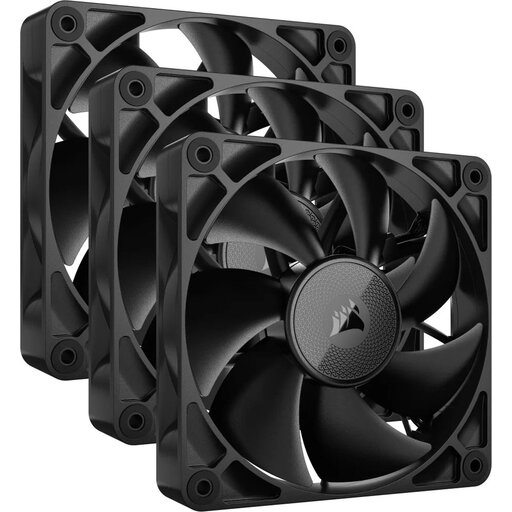
Why it suits this profile: A 3-pack is a practical choice if you want to fill several fan positions at once. According to the product specifications, these 120mm fans run at between 400 and 2100 rpm and deliver maximum airflow of 74.2 CFM.
You won’t accidentally buy just one fan when you want to upgrade several positions. Just check how many 120mm mounting points your case has first.
Three fans, a 120mm size and a stated maximum speed of 2100 rpm.
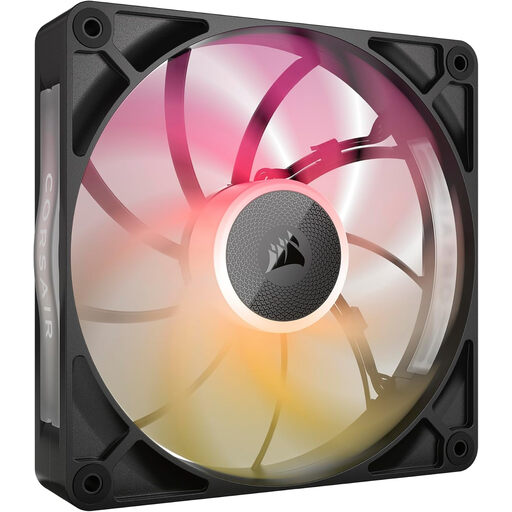
Why it suits this profile: This 140mm fan is a good match for a spacious gaming PC where airflow, PWM control and RGB lighting come together. According to the product specifications, it has 8 RGB LEDs, runs at between 300 and 1600 rpm and delivers maximum airflow of 102.9 CFM.
The PWM connection lets you set a custom fan curve. Bear in mind that this fan is an unusual 30 mm thick, and check that there’s enough clearance.
140mm size, RGB lighting, PWM support and a stated noise range of 10 to 31 dB.
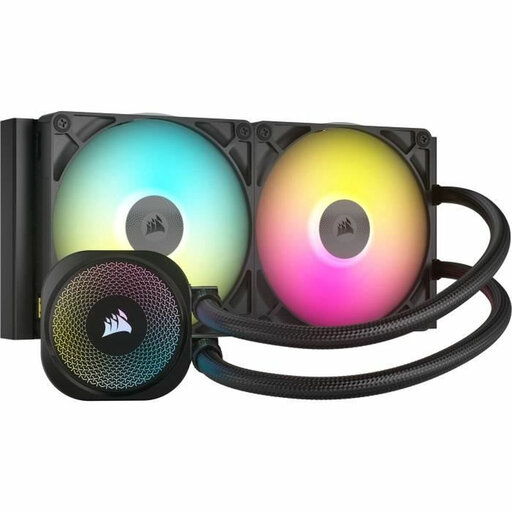
Why it suits this profile: This 280mm AIO CPU cooler is designed for users who want to cool their processor directly and have a case that supports a 280mm radiator. The product information lists two included fans and support for several modern sockets.
The radiator size and socket details make it essential to check compatibility in advance. That way, you can avoid finding that the AIO won’t fit your case or motherboard.
280mm radiator, two fans and an iCUE LINK connection; according to the product information, it supports AM4, AM5, LGA 1700 and LGA 1851.
We’ve put together a complete, up-to-date list of products that meet these strict selection criteria and current European safety regulations.
It depends on the case and its components. A basic set-up could start with one intake fan and one exhaust fan. Extra fans can help distribute airflow more effectively in a more powerful PC. Make sure they’re facing the right way: fans at the front or bottom usually draw air in, while those at the back or top expel warm air.
Not necessarily. A larger fan may move enough air at a lower speed, but the overall noise level depends on the model, bearings, fan curve and case. Compare the stated dB levels under similar conditions, and use PWM to adjust the speed.
Lifespan depends on usage, dust, temperature and mechanical wear. Clean the fan blades regularly with a soft brush or compressed air, and check that no cables are touching them. With an AIO, look out for unusual pump noises, leaks or rising CPU temperatures. Products in the EU are generally covered by a minimum two-year legal guarantee; additional rights may apply under the relevant national law.
