
Vandaag of morgen in huis

Kwaliteit gegarandeerd

Welkomstaanbiedingen ontgrendelen: GRATIS bezorging | Tot 80% korting | Gratis 30 dagen JoyPlus-proefperiode
Download de app
A spacious Corsair PC case can provide a solid foundation for a gaming PC, workstation or quiet hardware build. However, a glass side panel or a large number of fan mounts does not automatically mean that every case will suit your components. Problems often only become apparent during installation, particularly with high-end graphics cards, E-ATX motherboards and liquid cooling.
The main pitfalls are:
First, check the size of your motherboard. An ATX PC case is suitable for standard ATX, while an E-ATX case provides more room around the wider circuit board. Some models also support micro-ATX and Mini-ITX.
Also pay attention to:
The Corsair 5000T supports ATX, E-ATX, micro-ATX and Mini-ITX. The stated maximum graphics card length is 450 mm, while the maximum CPU cooler height is 170 mm. For the Corsair FRAME 5000D RS models, the CPU cooler height is specified as up to 175 mm and the graphics card length as up to 450 mm. Always check the final dimensions of your components, including cables and connectors.
A PC case with good airflow needs more than just fan mounts. The openings in the front, the direction of the fans and the presence of dust filters all play a part. A mesh front generally allows more air through than a fully closed panel, but it may also collect dust more quickly.
A practical layout is:
The Corsair 5000T has fan positions at the front, side, top and rear, with room for up to ten fans according to the product information. The FRAME 5000D RS ARGB comes with three 140mm fans at the front and one 140mm fan at the rear. This clearly illustrates the difference between “plenty of expansion capacity” and “usable cooling straight out of the box”.
If you are looking for a PC case for liquid cooling, do not only check the maximum radiator length. Also make sure that the radiator will fit alongside the motherboard, RAM modules and graphics card. The models mentioned support radiators in various positions, including 240, 280 and 360 mm. The FRAME 5000D RS ARGB is listed in the product information as supporting radiators of up to 420 mm, depending on the chosen mounting position.
The same applies to lighting. A PC case with RGB may include built-in lighting or RGB fans, but the connection may vary. PWM controls a fan’s speed. ARGB controls addressable lighting via a compatible header or controller. iCUE LINK products use their own ecosystem and may require a hub. Therefore, check:
The choices below are based on verifiable product specifications such as size, motherboard support, storage capacity, cooling positions and included fans. Descriptions of appearance or performance come from the manufacturer’s product information and are not presented as a guarantee of a particular temperature or noise level.
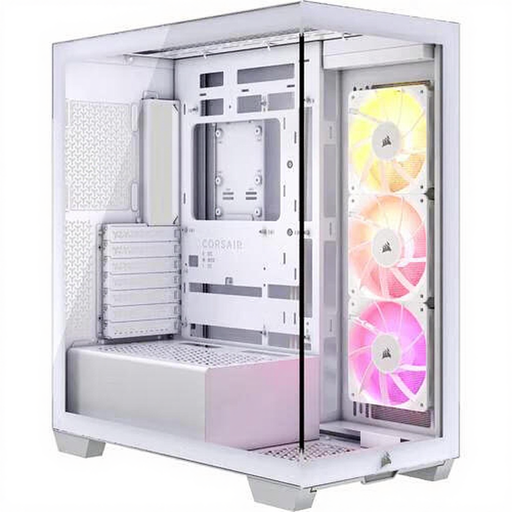
Why it suits this user profile: This white midi tower combines a tidy layout with three included 120mm ARGB fans. The case supports ATX and E-ATX, graphics cards up to 410 mm and CPU coolers up to 170 mm.
You do not need to buy extra case fans straight away to start with a basic configuration. Do check that your graphics card remains below the 410 mm limit.
Three included 120mm fans, E-ATX support, USB-C and room for a radiator of up to 360 mm.
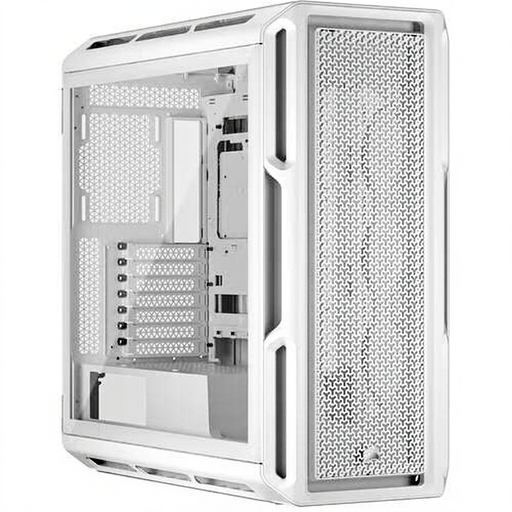
Why it suits this user profile: This white case accommodates ATX, E-ATX, micro-ATX and Mini-ITX. With support for graphics cards up to 450 mm, three 2.5-inch bays and two 3.5-inch bays, there is plenty of room for an advanced build.
The broad compatibility and cable management options reduce the risk of a large motherboard or long GPU causing fitment problems.
Support for several motherboard sizes, up to ten fans and radiators up to 360 mm at the front or top.
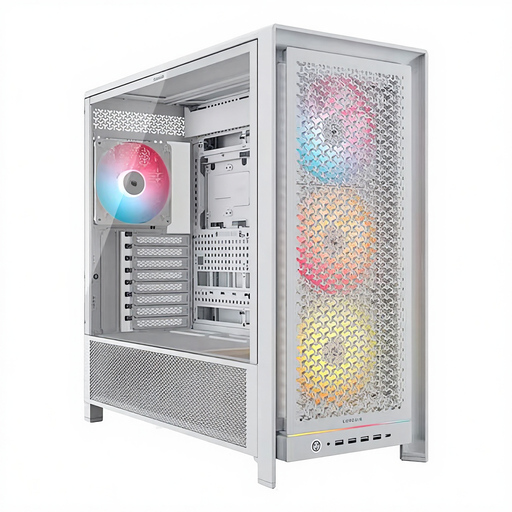
Why it suits this user profile: This white case is designed for builds with extensive cooling, storage and expansion capacity. It includes four 140mm ARGB fans and supports ATX, E-ATX, micro-ATX and Mini-ITX.
The four included fans prevent you from buying a spacious case only to start without sufficient basic ventilation. Check the exact mounting arrangement before installing a radiator.
Four 140mm ARGB fans, six 2.5-inch bays, two 3.5-inch bays and support for large radiators according to the product information.
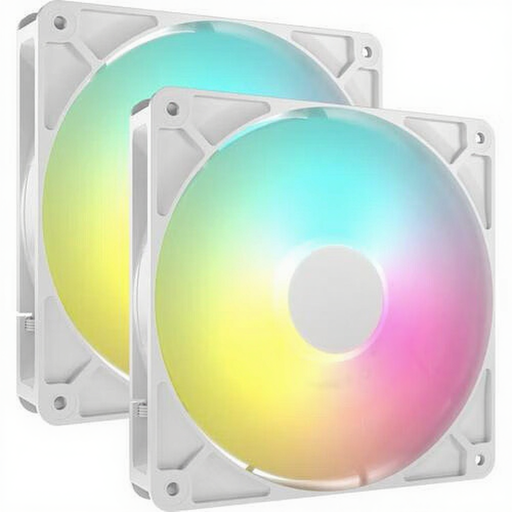
Why it suits this user profile: If you already have a Corsair case but need greater airflow, you can expand it with two 140mm fans. The fans support PWM and, according to the product specifications, have a speed range of 330 to 1700 RPM.
You can upgrade the cooling precisely where it is needed instead of buying a larger case. Check beforehand that your case has 140mm mounts and a suitable ARGB connection.
Set of two 140mm fans, PWM control, maximum stated airflow of 95.5 CFM and eight addressable LEDs per fan.
A white PC case makes RGB lighting stand out clearly and works well with a bright, coordinated build. A black PC case often hides cables and dust more effectively from view. Colour has no direct effect on compatibility or airflow. So look first at the size, panels, fan layout and cable management.
A PC case with tempered glass is ideal if you want to showcase your hardware. However, tempered glass remains vulnerable around the edges. Place the panel on a soft surface during installation and avoid hard tiles or stone surfaces.
We have put together a complete, up-to-date list of products that fully meet these strict selection criteria and the applicable European safety regulations.
Yes, provided the motherboard, graphics card, CPU cooler and power supply fall within the stated dimensions. For powerful builds, models that support long graphics cards and multiple radiator positions are more practical.
That depends on the components and the layout you choose. A basic configuration can start with one intake fan and one exhaust fan. With a powerful GPU or liquid cooling, additional fans may be useful. Pay attention to the balance between air intake and exhaust, and configure PWM fan curves via the BIOS or compatible software.
The case itself uses very little electricity for lighting and controllers. Most of the power consumption generally comes from the processor, graphics card and fans. RGB can be dimmed or switched off via software. With iCUE LINK systems, also check whether a separate hub or additional cabling is required.
