
Vandaag of morgen in huis

Kwaliteit gegarandeerd

Welkomstaanbiedingen ontgrendelen: GRATIS bezorging | Tot 80% korting | Gratis 30 dagen JoyPlus-proefperiode
Download de app
A new fan may seem like a straightforward purchase, until you find that the wrong size does not fit, an RGB system needs additional hardware or quiet PC cooling becomes noticeably loud under heavy load. That is why anyone looking for Corsair PC case fans needs to compare more than just speed and lighting.
In this guide, we focus on specifications you can verify: size, airflow, static pressure, PWM control, noise levels and connections. This helps you avoid paying for features that are not compatible with your PC case or motherboard.
A higher maximum speed, such as 2,400 RPM, does not automatically mean a fan will perform better in your system. Noise levels can rise at that speed. For everyday use, the combination of airflow, static pressure and PWM control is more important than a single high RPM figure.
A 120mm PC fan fits many standard cases, but a 140mm PC fan requires a suitable mounting position. Check your case manual or the mounting holes beforehand. With a 140mm model, RAM modules, radiator brackets or motherboard heatsinks may also get in the way.
Also pay attention to thickness. Some MAX models are 30 mm thick instead of the usual 25 mm. This can affect the available clearance around a radiator or graphics card.
A Corsair RGB case fan may require a specific controller, software or connection. An iCUE LINK product will not automatically work with every 5V ARGB connection. Check whether you have an iCUE LINK hub and whether the required cables are included.
An iCUE LINK cable is not an ordinary extension cable. The Corsair CL-9011120-WW, for example, is a 0.20-metre USB cable with iCUE LINK connections at both ends. The CL-9011130-WW is a 0.60-metre cable with an angled connection. Choose the length based on the distance between the hub, fan and cable routing point.
Airflow is often expressed in CFM or m³/h. This indicates how much air the fan can move under specific test conditions. Static pressure, expressed in mmH2O, is particularly relevant when air has to pass through a radiator, dust filter or solid front panel.
For an open case position, airflow is often the priority. For a Corsair radiator fan or a compact case, a model with higher static pressure is the more logical choice. The Corsair iCUE LINK LX120 RGB, for example, lists a maximum of 5.22 mmH2O, while the RX140 RGB Max lists 2.38 mmH2O according to the product specifications.
A PWM case fan generally uses a 4-pin connection to control speed more precisely through the BIOS, motherboard software or a controller. This allows you to set a low speed when the PC is under light use and increase it while gaming or rendering.
Pay attention to how noise levels are specified. A stated minimum of 10 dB applies at low speed; at full speed, the maximum may be 29.5, 35.1 or 36 dB, for example. According to Corsair's own product descriptions, these models are designed to balance noise and cooling, but your actual experience will also depend on the case, installation, dust levels and fan curve.
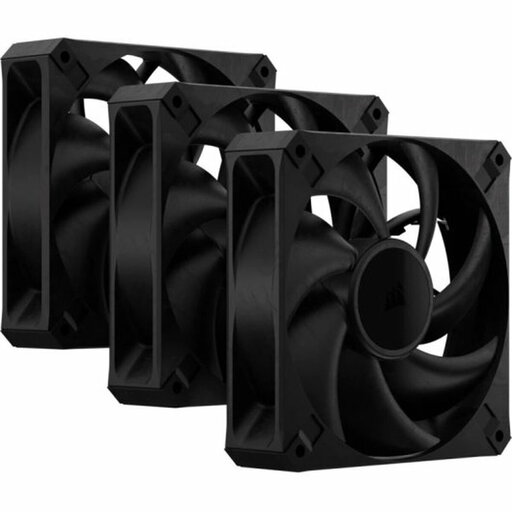
Why it suits this profile: Three black 120mm fans provide a practical starting point for a PC build without an RGB controller. The set is suitable for case and radiator positions and supports PWM via a 4-pin connector.
The product clearly states its size, pack quantity and 30 mm thickness. Check the available space before ordering.
Three fans, up to 2,000 RPM, up to 72 CFM and a stated maximum noise level of 29.5 dB.
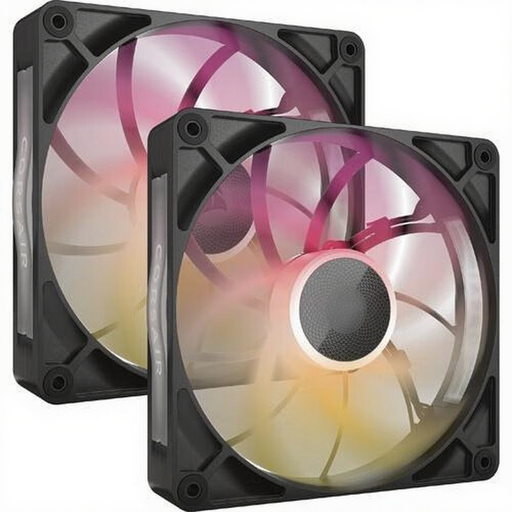
Why it suits this profile: This set is designed for a spacious 140mm mounting position and a PC where airflow, RGB and cable management all come together.
The product specifications state the 30 mm thickness and the iCUE LINK system, allowing you to check the available space and controller requirements in advance.
Two 140mm fans, PWM support, up to 102.9 CFM and a stated noise range of 10 to 31 dB.
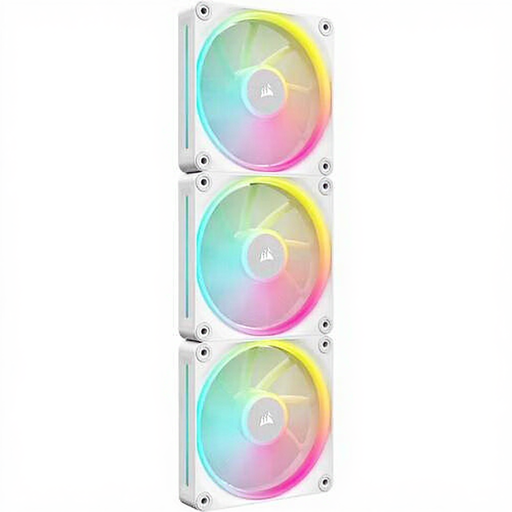
Why it suits this profile: Ideal for a white build with multiple fan positions, radiator support and individually addressable RGB lighting.
As this is a 3-pack, you do not need to combine three separate boxes. Check whether an iCUE LINK hub is available or needs to be purchased separately.
Three 120mm fans, up to 2,400 RPM, 12 individually controllable RGB LEDs per fan and up to 69.9 CFM.
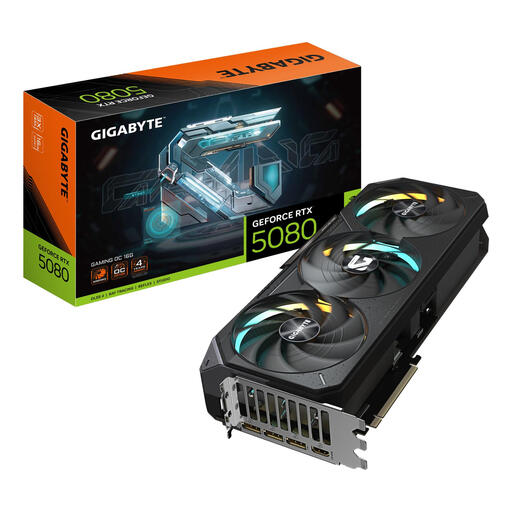
Why it suits this profile: If you are installing a powerful Gigabyte RTX graphics card, you need to plan not only your case fans but also the available space, power supply and airflow around the GPU.
According to the product specifications, the card is 340 mm long, 140 mm wide and occupies four slots. Measure your case before combining fans and the GPU.
16 GB GDDR7, PCIe 5.0 x16, three DisplayPort connections and one HDMI connection; the recommended power supply is 850 W.
Switch the PC off completely, turn off the power supply and unplug it from the mains before installing a fan. Secure the fan firmly, but do not overtighten the screws. Check the airflow arrows and keep cables away from the blades.
Clean the fan regularly with compressed air or a soft brush. Do not use water. A dust filter, cable bundle or radiator can restrict airflow, so adjust the fan curve through the BIOS or Corsair iCUE. With iCUE LINK systems, the cables must be securely connected and the permitted number of devices per hub must not be exceeded. Always check Corsair's latest manual for this information.
A large graphics card requires extra consideration. The Gigabyte RTX 5080 Gaming OC uses a semi-passive cooling system with three fans, but well-planned case airflow remains important. The Gigabyte RTX 5060 Ti EAGLE MAX OC is more compact at 281 × 115 × 40 mm, but you still need to check slot space, power requirements and cable routing.
We have put together a complete, up-to-date list of products that fully meet these strict selection criteria and the applicable European safety regulations.
Not always. A PWM fan usually uses a 4-pin connection, while RGB or iCUE LINK features may require a specific controller or header. Check your motherboard manual and the product packaging.
Not necessarily. A 140mm fan can move a lot of air at a lower speed, but the final noise level depends on the RPM, bearing, installation, case and fan curve. Compare the stated noise range rather than just the size.
The power consumption of each fan is generally limited, but the exact cost depends on its power rating, the number of fans and how many hours they run. PWM control can help fans run at a lower speed when the PC is not under heavy load. For exact figures, check the electrical specifications of the model you choose.
