
Vandaag of morgen in huis

Kwaliteit gegarandeerd

Welkomstaanbiedingen ontgrendelen: GRATIS bezorging | Tot 80% korting | Gratis 30 dagen JoyPlus-proefperiode
Download de app
Choosing a new Corsair PC case fan may seem straightforward. Yet many gamers and PC builders end up paying too much for features that are not compatible with their case. The difference is not just about RGB lighting, but also size, connector type, RPM range and how air is moved through the case or radiator.
This buying guide helps you separate marketing claims from verifiable specifications. You will learn what to look for in a Corsair case fan, which models suit different use cases and which installation issues you can prevent in advance.
A high CFM rating sounds appealing, but it does not tell the whole story. Actual airflow depends on the resistance created by your case, dust filters, radiator and cable management. A radiator fan therefore needs not only airflow, but also sufficient static pressure, measured in mmH2O.
A high-airflow model may perform well in an open case, while a radiator fan must remain effective when pushing air through the radiator fins.
A 120 mm PC fan does not automatically fit every mounting position. Check the mounting holes in your case and verify the maximum thickness, which is usually around 25 mm. A 140 mm PC fan can move more air at a lower RPM, but it will not fit in every mid-tower case. Also check the clearance around RAM modules, cables and CPU coolers.
LED lighting, an ARGB PC fan and Corsair iCUE LINK are different systems. A standard LED fan often offers limited lighting effects. ARGB typically uses a compatible 5V connector on the motherboard. iCUE LINK operates within its own ecosystem and may require a System Hub.
Check the following in advance:
A 120 mm fan is a practical choice for the front, rear, top or bottom of many PC cases. 140 mm models are especially worthwhile when your case includes compatible mounting points. Measure the available space before ordering.
For a radiator, you should also check whether the fan is suitable for the radiator length and intended configuration: intake, exhaust, push or pull.
Airflow is measured in CFM or m³/h. When comparing products, use the same unit wherever possible. The stated figures are maximum factory specifications and may be lower inside your case.
Static pressure is important for radiators and restrictive dust filters. For example, the product information for the Corsair iCUE LINK LX120 RGB lists a maximum static pressure of 5.22 mmH2O and stated airflow of 69.9 CFM. This makes this type of fan more suitable for a radiator or a case with significant airflow resistance.
A PWM PC fan uses a 4-pin connector that allows the motherboard to regulate fan speed more precisely. This helps the fan run more quietly under light loads and increase speed when temperatures rise.
Pay attention to the full operating range. According to the product information, the Corsair RX120 RGB operates from 400 to 2,100 rpm and has a stated noise level of 10 to 36 dB. The RX140 RGB reportedly ranges from 300 to 1,700 rpm, with a maximum of 36 dB. These figures come from the manufacturer’s and seller’s product descriptions; real-world performance in a specific PC depends on fan speed, resonance and case design.
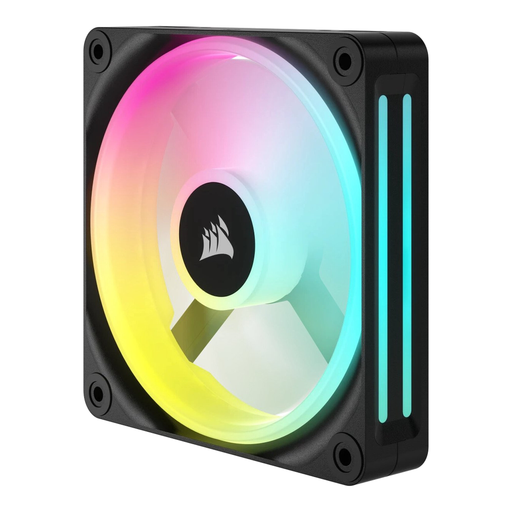
Why This Fits Their Persona: A standalone 120 mm fan is a sensible choice when replacing a worn-out fan or upgrading your airflow one step at a time.
You do not have to pay for a multi-pack straight away. However, check which connector and lighting features your PC supports beforehand.
12 cm diameter; stated speed range of 480–2,400 rpm; maximum airflow according to the product information: 63.1 CFM.
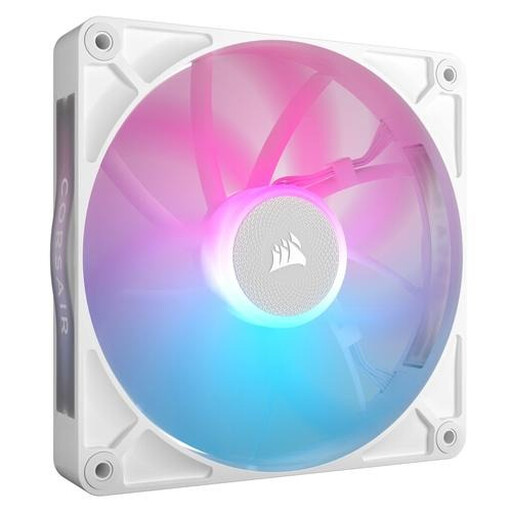
Why This Fits Their Persona: A good match for a larger case where a 140 mm fan can operate at a relatively low RPM, such as a quiet office or gaming PC.
The product specification lists both a low and a high noise level. Do not look only at the lowest dB figure; also consider the maximum of 36 dB.
140 mm; PWM support; stated airflow of 94.7 CFM and speed range of 300–1,700 rpm.

Why This Fits Their Persona: Ideal for a new gaming PC with several 120 mm mounting positions. According to the product description, the set is designed for a tidy iCUE LINK installation and includes a System Hub.
You avoid buying three standalone fans without considering how they will be controlled. Still, check the maximum number of devices per hub and plan the cable routing.
Three 120 mm fans; PWM; 400–2,100 rpm; stated maximum airflow of 74.2 m³/h per fan.
Browse a current selection of white fans and compare size, connector type, lighting and pack size before ordering.
Shut down the computer completely and unplug it from the wall before installing a fan. Check the arrows on the frame: they indicate the direction of rotation and airflow. Fans at the front or bottom typically draw in cool air, while fans at the rear or top exhaust warm air.
Connect PWM to a suitable 4-pin header. ARGB requires a compatible 5V header; never connect ARGB to a 12V RGB header. For iCUE LINK, connect the chain to the System Hub as described in the manual. After installation, make sure no cable can come into contact with the blades.
Dust increases resistance and can generate noise. Clean the fan regularly with compressed air, while holding the blades in place so they do not spin freely.
That depends on your case. A 140 mm fan can move a lot of air at a lower RPM, while 120 mm models generally offer greater mounting flexibility. Always check the mounting holes and available clearance.
Not automatically. PWM usually uses a 4-pin connector. RGB systems vary: an ARGB model requires a compatible 5V connection, while a Corsair iCUE LINK fan may require a System Hub and dedicated cables.
Power consumption depends on the motor, fan speed and operating time. PWM can reduce the speed under light loads. For an exact calculation, check the stated wattage of the specific model and multiply it by the number of operating hours.
