
Vandaag of morgen in huis

Kwaliteit gegarandeerd

Welkomstaanbiedingen ontgrendelen: GRATIS bezorging | Tot 80% korting | Gratis 30 dagen JoyPlus-proefperiode
Download de app
An extra Corsair PC case fan can improve airflow inside your computer, but not every fan fits every PC case. Gamers and PC builders mainly face three purchasing pitfalls: choosing the wrong size, confusing maximum airflow with radiator performance, and opting for RGB features that require additional connections or a controller.
For example, a fan that moves a lot of air according to its packaging will not automatically perform well on a radiator. A low stated noise level often only applies to the lowest speed, too. Always check the complete specifications and connections before placing your order.
A Corsair 120mm case fan has a mounting distance of 120 mm, while a Corsair 140mm case fan has a mounting distance of 140 mm. Check which positions your case supports: front, top, rear or bottom. A 140mm model may run more quietly at a similar airflow, but it will not automatically fit a case with only 120mm mounting points.
Also check the fan’s thickness and the space around the RAM, CPU cooler and radiator. In a small mid-tower case, a larger fan may come into contact with other components.
Airflow, usually shown in CFM or m³/h, indicates how much air the fan can move. This is relevant for open mounting positions in the case. Static pressure, expressed in mmH₂O, is more important when air has to pass through a dust filter, heatsink or radiator.
For standard PC case cooling, you should therefore look at airflow and a sensible intake and exhaust layout. For a radiator fan, also check the static pressure. A fan for a gaming PC with a radiator must be able to push air through the dense fin array.
An RGB case fan may feature lighting, but that does not mean every RGB connection is interchangeable. Check whether the model uses a standard 5V ARGB connection, a 4-pin PWM plug for motor speed control, or requires a Corsair controller.
With a Corsair iCUE LINK fan, the cabling is configured differently. Models such as the LX120-R RGB use an iCUE LINK system and a suitable hub. Check whether a hub is included or needs to be purchased separately. This prevents a situation where the fan fits physically but cannot be connected to your motherboard or controller.
Measure the available mounting points and compare them with the product dimensions. Choose 120 mm if you are looking for broad compatibility with standard cases. 140 mm may be appealing if your case supports it and you want to move sufficient air at a lower speed.
A PWM fan generally uses a 4-pin connection that allows the motherboard or a controller to regulate its speed. This is more practical than a fixed speed: the fan can run more slowly during light use, while more cooling is available during gaming.
Pay attention to the full speed range. According to the product specification, the CO-9051005-WW runs from 480 to 2400 RPM. A high maximum speed can provide additional cooling performance, but may also create more noise. The stated noise level is therefore always linked to a particular speed and measurement method; do not compare figures without this context.
A single fan is suitable as a replacement or an addition in one position. A three-pack makes more sense when you want to fill several intake and exhaust positions at the same time. When buying a set, check whether a controller, hub and the necessary cables are included. With some iCUE LINK systems, not every accessory is included as standard.
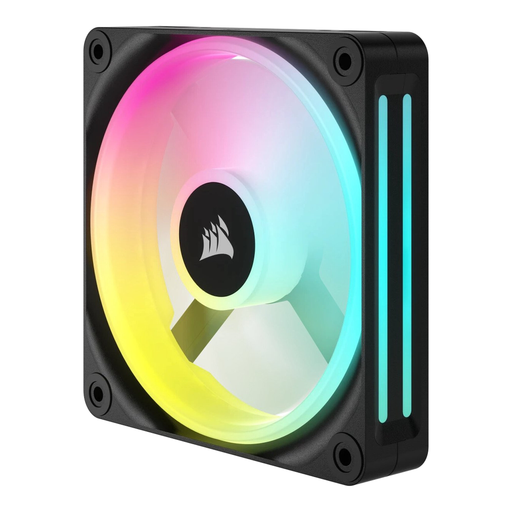
Why it suits this profile: A single 120mm PC fan is a straightforward choice when you want to replace one worn or missing fan. The product specification lists 480–2400 RPM, a maximum of 63.1 CFM and LED lighting.
The 12cm size makes it easy to check the mounting position. Before buying, however, check that your motherboard or fan hub has the correct connection.
12cm size, adjustable speed and LED lighting; one fan included.
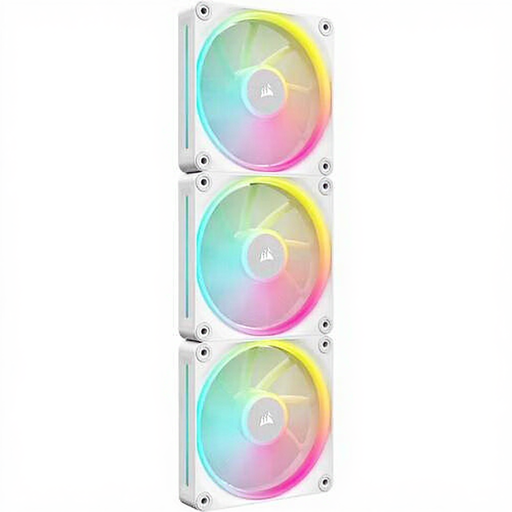
Why it suits this profile: This set is designed for a complete build with several 120mm positions. The stated specifications include PWM, a maximum of 2400 RPM, 69.9 CFM and RGB lighting.
The product information explicitly states PWM and connection to an iCUE LINK hub. Check that the required hub is available in your configuration.
Three fans, 12 individually addressable RGB LEDs per fan, and suitable for case or radiator cooling according to the product description.
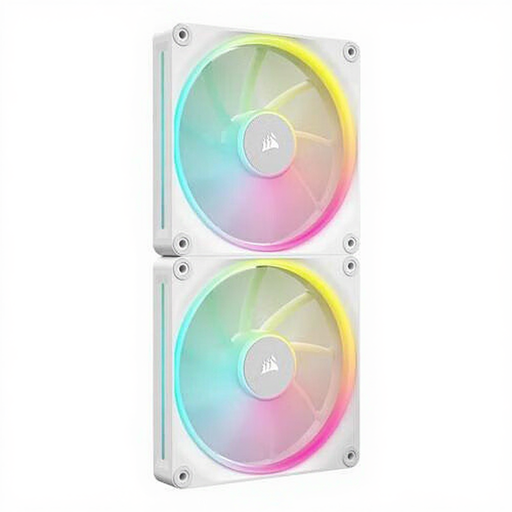
Why it suits this profile: This set is ideal for users with a larger case who want to fill several 140mm positions. The product description lists a range of 350–2000 RPM, a maximum of 84.7 CFM and PWM support.
The set saves you from having to combine two individual fans. First measure the 140mm mounting points and check the available space around other components.
Two 140mm fans, PWM control and stated RGB lighting; suitable for case and radiator cooling according to the product information.
We have put together a complete, up-to-date list of products that fully meet these strict selection criteria and the applicable European safety regulations.
Switch off the computer completely and unplug it from the mains before installing a fan. Look for the arrows on the frame: they indicate the direction of airflow. In many cases, fans at the front or bottom draw in cool air, while fans at the rear or top expel warm air.
Connect the motor speed control to a suitable 4-pin PWM header. Connect RGB only to a compatible connection or controller. Keep cables neatly away from the blades. Clean the fan regularly with compressed air or a soft brush; do not use water.
For quiet PC cooling, set a moderate fan curve in the BIOS, UEFI or associated software. A fan does not need to run at maximum speed continuously. After installation, check for vibrations, rattling noises and reversed airflow.
That depends on the case, processor, graphics card and number of existing fans. One fan can replace a faulty unit. For a new gaming PC, a combination of intake and exhaust is often more sensible than adding fans on just one side. Follow the mounting points and make sure airflow moves through the case.
Not necessarily. A 140mm fan can run at a lower speed while moving a similar amount of air, but the final noise level depends on the speed, bearing, case, dust filters and fan curve. Always compare the full speed range and stated noise levels.
No. As well as the size, check the static pressure and mounting distance. A 120mm or 140mm model may fit physically, but radiator performance varies between designs. Also check that the PWM and RGB connections match those on your motherboard or controller.
