
Vandaag of morgen in huis

Kwaliteit gegarandeerd

Welkomstaanbiedingen ontgrendelen: GRATIS bezorging | Tot 80% korting | Gratis 30 dagen JoyPlus-proefperiode
Download de app
A Corsair PC case fan can help keep your desktop cooler while adding a neat RGB look. But it’s not a good idea to choose based only on the brand, the number of LEDs or a high RPM figure. The right choice depends on your PC case, the connections available and where you want to install the fan.
Gamers, PC builders and hardware enthusiasts are particularly likely to encounter these three common pitfalls:
A 120 mm PC fan is a common size and fits many cases, radiators and CPU coolers. It’s a practical choice if you want flexibility when it comes to installation.
A 140 mm PC fan can move plenty of air at a lower RPM. This can be a good fit for a quiet PC, but only if your case has suitable mounting points. So don’t just check the diameter; check the thickness too. Some models, such as the RX120 MAX RGB and RX140 MAX, are 30 mm thick rather than the usual 25 mm or so. Make sure there’s enough room for cables, radiators and other components.
Airflow is usually measured in CFM or m³/h. This tells you how much air the fan can move according to its product specifications. A higher figure can be useful when using a case fan to draw air in or push it out.
For a radiator fan, static pressure matters too. Measured in mmH₂O, it indicates how well the fan handles resistance from a radiator, dust filter or restricted vent. So a high airflow figure alone doesn’t tell the whole story.
As a practical guide:
A PWM case fan usually uses a 4-pin connector. You can use the motherboard or a compatible controller to adjust its speed automatically based on temperature. This is more convenient than a fan that only runs at a fixed speed.
Also check the lighting system:
Some models list a low noise level of 10 dB, with a higher maximum at full speed. Treat these as the product specifications provided; your actual experience will also depend on the case, resonance, fan curve and distance from the fan.
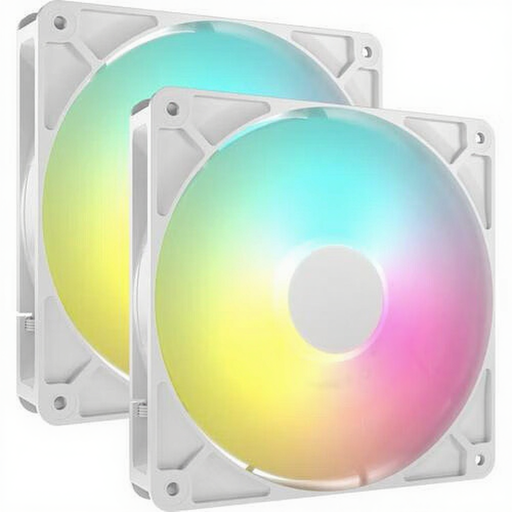
Why it suits this profile: This pack includes two 140 mm fans, making it a good choice if you want to fill several positions in a larger case without buying individual fans.
The size, pack quantity and connections are clearly listed. Check in advance that your case has 140 mm mounting points.
Two fans, PWM control, 8 individually addressable LEDs per fan, up to 95.5 CFM and a listed speed range of 330 to 1700 RPM.

Why it suits this profile: This pack is designed for a complete 120 mm set-up with three fans and an iCUE LINK System Hub included.
According to the product information, the required hub is included. That means you won’t find out after buying that your RGB system isn’t compatible.
Three 120 mm fans, PWM support, up to 74.2 CFM, 400–2100 RPM and 8 RGB LEDs per fan according to the product specifications.
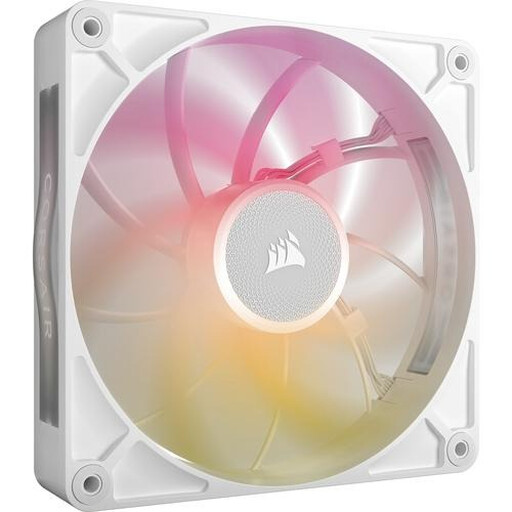
Why it suits this profile: This 140 mm fan is aimed at users who want to fit a larger, thicker fan in a compatible case or radiator.
Its 30 mm thickness is listed, so measure the available space first. Don’t use longer screws if they could touch other components.
Up to 102.9 CFM, PWM control, 8 RGB LEDs and a listed speed range of 300 to 1600 RPM. This model is designed for case and radiator cooling.
We’ve put together a complete, up-to-date list of products that meet these strict selection criteria and the applicable European safety regulations.
Shut down your PC completely and unplug it from the mains before installing a fan. Check the arrows on the frame: they show the direction of airflow. As a general rule, position fans at the front or bottom as intakes, and at the back or top as exhausts.
Connect the PWM cable to a compatible 4-pin header or controller. For RGB, use only a compatible connector or hub. Keep cables neatly tucked away from the fan blades. Clean the fan regularly with compressed air or a soft brush; don’t use water.
According to the product information provided, products in this category come with a minimum of two years’ statutory warranty under European consumer rules. When you buy, also check the latest product specifications and the accessories included.
No. Check the size, thickness and static pressure. A 120 mm model will only fit a radiator with 120 mm mounting points. If you’re choosing a 30 mm-thick model, make sure there’s enough clearance.
No. iCUE LINK uses its own system with compatible cables and usually a hub. A standard 5V ARGB header on your motherboard isn’t automatically compatible with an iCUE LINK fan.
A case fan typically uses very little power. Consumption depends on the model, speed and controller used. With PWM control, the fan can run at a lower RPM when the system is under light load. This can reduce noise and power consumption, but the exact figures vary by product.
