
Vandaag of morgen in huis

Kwaliteit gegarandeerd

Welkomstaanbiedingen ontgrendelen: GRATIS bezorging | Tot 80% korting | Gratis 30 dagen JoyPlus-proefperiode
Download de app
A Corsair PC case fan can improve airflow in your computer, but not every fan fits every case or application. A model designed for a radiator, for example, may be too thick for a compact case. RGB connections and controllers can also lead to unexpected extra costs.
For gamers, PC builders and workstation users, there are three common pitfalls:
First check the manual or product specifications for your PC case, radiator or CPU cooler. A 120mm PC fan fits many standard positions and often offers greater flexibility. A 140mm PC fan can move a lot of air at a lower rotational speed, but requires larger mounting positions.
According to the product information, the Corsair FRAME 5000D RS supports 120, 140 and 200 mm fans, among others. The case has three pre-installed 140mm fans at the front and one at the rear. However, the available space may be more limited in a compact case.
Do not just look at the diameter. The Corsair RX140 MAX and RX120 MAX are 30 mm thick, while many standard fans are approximately 25 mm thick. So check the clearance around your RAM, radiators, cables and the top of the case.
For an open front or rear panel, airflow, usually stated in CFM, is an important criterion. For a radiator, dust filter or dense mesh, static pressure, expressed in mmH2O, is also relevant. A radiator fan needs to be able to push air through resistance.
Examples from the product data:
These figures are manufacturer specifications. They do not, on their own, indicate how quiet or cool your complete PC will be. Actual airflow also depends on the case, dust filters, radiator, cable management and configured fan curve.
A PWM fan generally uses a 4-pin connection. This allows the motherboard or fan controller to adjust the speed precisely. That is useful when you want low noise under light loads but need additional cooling under heavy loads.
Several models state a low noise level of 10 dB, but this applies at low speed. The maximum figures for the models mentioned are higher:
So do not use dB figures as the only basis for your choice. In practice, a quiet PC fan is often quiet because it runs gently thanks to a well-configured fan curve, not because it is inaudible in all circumstances.
For RGB, check whether you need a standard motherboard connection, a Corsair controller or an iCUE LINK system. Some iCUE LINK models require a hub, or do not include one. Also check that the necessary power and data cables are included.
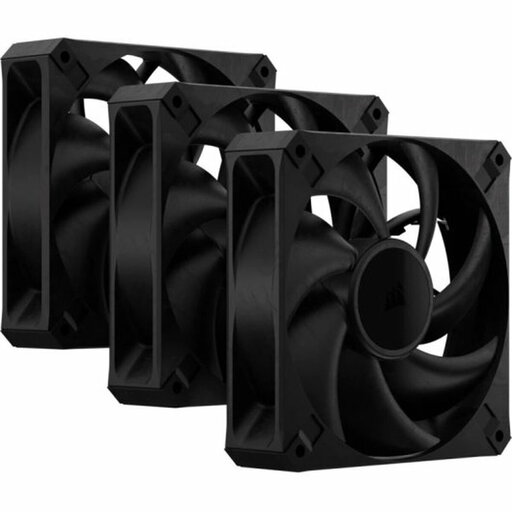
Why it suits this profile: This set contains three 120mm fans and focuses on PWM control without RGB lighting. That makes it suitable for anyone who mainly wants to expand airflow.
The 30 mm thickness is clearly stated, so you can check the available clearance beforehand. The set uses a 4-pin PWM connection and does not add the cost of an RGB controller.
Three fans, up to 2,000 RPM, stated airflow of 72 CFM and up to 29.5 dB according to the product information.
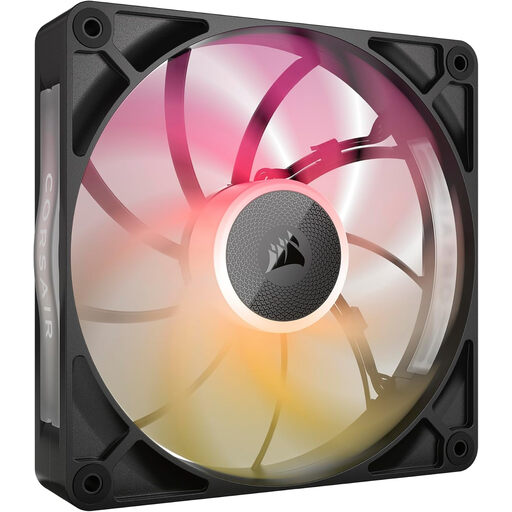
Why it suits this profile: This 140mm RGB PC fan combines iCUE LINK, PWM control and a 30 mm-thick frame for users who want to fine-tune their system precisely.
The product information states both the maximum thickness and the required 4-pin connection. However, check beforehand that your iCUE LINK setup and case are compatible.
140 mm, up to 1,600 RPM, up to 102.9 CFM and RGB lighting. The stated noise level ranges from 10 to 31 dB.
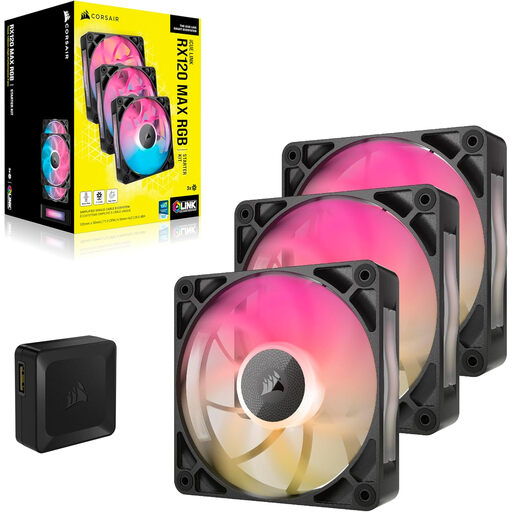
Why it suits this profile: This 3-pack is designed for systems with multiple 120mm positions, such as a radiator, top panel or the front of a gaming PC.
The set specifies airflow, static pressure, PWM and a 30 mm thickness. This allows you to assess it more effectively for radiator or case cooling, rather than basing your decision on RGB alone.
Three 120mm fans, up to 2,000 RPM, up to 71.3 CFM, 4.16 mmH2O static pressure and eight RGB LEDs per fan.
We have compiled a complete, up-to-date list of products that fully meet these strict selection criteria and the applicable European safety regulations.
Switch off the computer completely and unplug it from the mains before installing or removing a fan. During installation, pay attention to the arrows on the frame: they indicate the direction of rotation and airflow. A commonly used layout is:
Connect the fan to a suitable 4-pin PWM header or fan controller. Then set a fan curve in the BIOS/UEFI or Corsair iCUE. Start at a low speed when temperatures are low and allow the fan speed to increase as component temperatures rise.
Clean dust filters and fan blades regularly using compressed air or a soft brush. Keep cables away from the blades. If you notice vibrations or a new rattling noise, it is advisable to switch off the PC and check the installation and cable routing.
No. Check the supported size, mounting holes, thickness and available clearance. A 30 mm-thick MAX model will not automatically fit every 120mm or 140mm position.
This depends on the model and the components supplied. Check whether an iCUE LINK hub is required and whether it is included in the product packaging. PWM control via the motherboard is not the same as iCUE LINK communication or RGB control.
Power consumption varies by model and speed. A fan generally uses little power compared with a processor or graphics card, but several RGB fans and a controller will increase total consumption. Check the stated current and connections before connecting multiple fans to a single header.
