
Vandaag of morgen in huis

Kwaliteit gegarandeerd

Welkomstaanbiedingen ontgrendelen: GRATIS bezorging | Tot 80% korting | Gratis 30 dagen JoyPlus-proefperiode
Download de app
A Corsair PC case can look impressive in photos, but an attractive side window or plenty of RGB lighting does not automatically make it suitable in practice. For a gaming PC, workstation or content creation system, the internal space, airflow and connectivity options are the main factors that determine whether you can enjoy upgrading it for years to come.
The most common buying mistakes arise from three pitfalls:
Below, you’ll find out which specifications to check before buying and which type of Corsair case suits different uses.
First, check which motherboard you use. An ATX PC case is suitable for many standard gaming and workstation configurations. If you use a wider motherboard, look specifically for an E-ATX case. Not every case described as ATX automatically provides enough space for E-ATX.
Also pay attention to these measurements:
A Corsair midi tower is often sufficient for one powerful graphics card and a standard ATX system. For multiple expansion cards, lots of storage or a sizeable liquid-cooling system, a Corsair full tower may be more practical.
A PC case with good airflow has more than just fans. It also provides sufficient openings at the front, top or side. Check how many fans are pre-installed and how many mounting positions are available for future expansion.
According to the product specifications, the Corsair FRAME 5000D models support fans in different sizes and provide space for radiators. When installing a radiator, you must also take the RAM, VRM heatsinks and the combined thickness of the radiator and fans into account.
For a system with a powerful processor or graphics card, these points are useful:
Brands may present cooling performance based on their own measurements. Treat such results as dependent on the model and configuration. Actual temperatures also depend on the processor, graphics card, fan curve, ambient temperature and installation.
A PC case with cable management has cable pass-throughs, cable channels and space behind the motherboard tray. This makes installation more orderly and helps prevent cables from obstructing airflow.
Also check:
A PC case with tempered glass requires extra care. Lift the panel by its edges and do not place it on tiles or stone. Tempered glass can become damaged or break if the edge receives a hard impact.
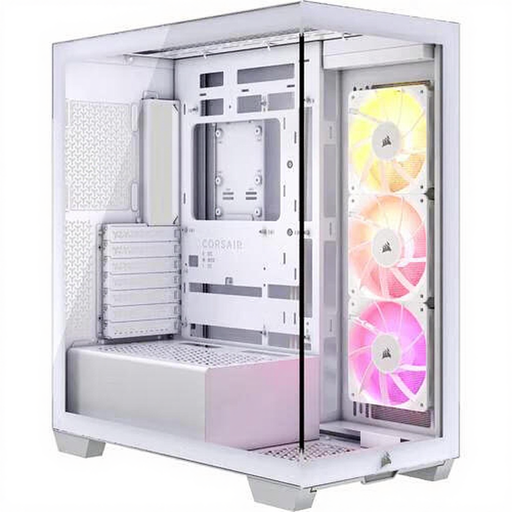
Why it suits this profile: This Corsair midi tower provides a well-organised foundation for a gaming PC with an ATX or E-ATX motherboard, without having to move straight to a full tower.
The product specifications list three pre-installed 120mm ARGB fans, two 2.5-inch and two 3.5-inch positions. However, check beforehand that a graphics card up to 410 mm and a CPU cooler up to 170 mm will fit.
E-ATX support, USB-C, three included ARGB fans, dust filters and room for a radiator up to 360 mm according to the product specifications.
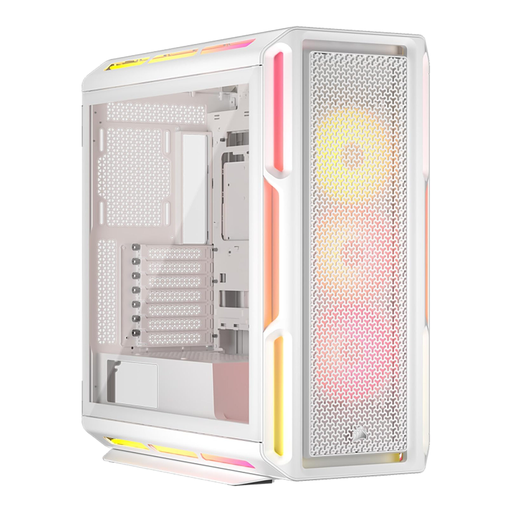
Why it suits this profile: Ideal for users who want a polished showcase build with addressable RGB and a strong focus on finishing touches.
The case combines RGB with cable management and room for a GPU up to 450 mm. The lighting is therefore not the only reason to buy it.
Three pre-installed 120mm RGB fans, support for ATX and E-ATX, tempered glass and liquid-cooling support according to the product specifications.
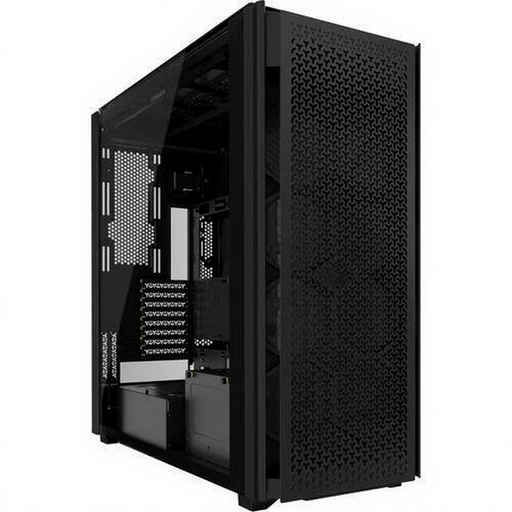
Why it suits this profile: A Corsair full tower is designed for large systems with extensive storage, expansion cards and advanced air or custom liquid cooling.
According to the product specifications, the case offers six 2.5-inch and five 3.5-inch positions, ten expansion slots and multiple fan mounting points. Check the current manual for your specific radiator and GPU configuration.
Lots of storage space, USB-C, dust filters, cable management and support for large 120, 140 and 200 mm fans according to the product specifications.
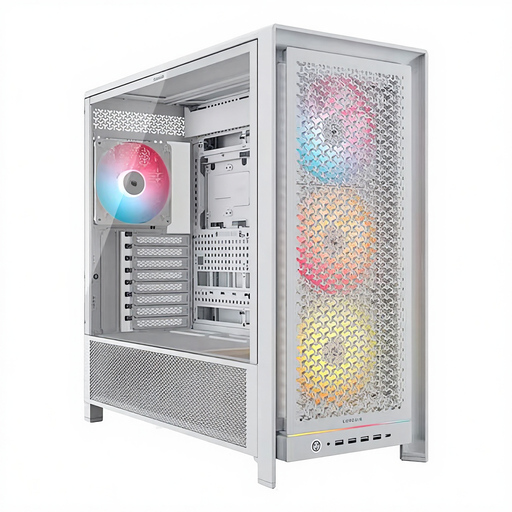
Why it suits this profile: An interesting choice for anyone looking for a spacious midi tower with plenty of mounting options, RGB and flexibility for future upgrades.
The four included 140mm fans, InfiniRail mounting system and multiple fan positions make the cooling setup adaptable. The empty case weighs 15,5 kg, so plan the installation on a stable surface.
Support for ATX, E-ATX, micro-ATX and Mini-ITX, a GPU up to 450 mm, six 2.5-inch positions and two 3.5-inch positions according to the product specifications.
We’ve put together a complete, up-to-date list of products that fully meet these strict selection criteria and the applicable European safety regulations.
No. Check the maximum GPU length for the specific case and allow for a radiator or front fans. For example, the Corsair 3500X states that it supports graphics cards up to 410 mm, while the 5000D models specify up to 450 mm. Always check the card’s thickness as well as the space available for power cables.
RGB lighting and additional fans use electricity, but the difference depends on the number of components, the brightness setting and how long the system is used. An included fan is also not the same as a built-in fan controller. Before choosing an RGB model, check which hubs, connections and software are required.
Its lifespan depends on installation, transport, dust maintenance and future upgrades. A steel case with replaceable dust filters and sufficient internal space can remain practical for longer when you replace components. Models with tempered glass require careful handling during transport. According to the product information, the products mentioned come with at least the statutory two-year guarantee within the European Union; additional rights may apply.
