
Vandaag of morgen in huis

Kwaliteit gegarandeerd

Welkomstaanbiedingen ontgrendelen: GRATIS bezorging | Tot 80% korting | Gratis 30 dagen JoyPlus-proefperiode
Download de app
A Corsair PC case can give a powerful build a neat finish, but good looks don’t tell you whether it’s practical for your setup. For a gaming PC or workstation in particular, the size, airflow and compatibility all affect how well your system performs.
The most common buying mistakes are:
Start by checking your motherboard’s form factor. Many Corsair PC cases support ATX, while some models also accommodate EATX, micro-ATX and Mini-ITX. You should also check:
For example, the Corsair 3500X ARGB Midi Tower White supports EATX motherboards, graphics cards up to 410 mm and CPU coolers up to 170 mm tall. That leaves room for a wide range of modern hardware, but always check your components against the manufacturer’s specifications.
A PC case for water cooling needs to support more than just a radiator. Check where the radiator can go, its maximum thickness with fans fitted, and how much room there is around the motherboard.
Look out for:
A mesh or airflow front panel can let more air through than a closed panel. That doesn’t mean every mesh case will automatically be quieter or cooler. The result depends on the fan layout, components and fan curve settings.
A PWM PC fan typically uses a 4-pin connection and lets you adjust its speed more precisely through the motherboard. Check that your motherboard has enough fan headers.
There are several different lighting systems. A standard ARGB fan often uses a compatible 5V ARGB header. An iCUE LINK case fan works with the Corsair iCUE LINK system and typically needs a compatible hub. According to the product information, some iCUE LINK models include a hub, while other versions may require you to buy one separately.
More RGB LEDs mainly give you more ways to customise the look. According to the product descriptions, some models have 8 or 18 LEDs, while other versions list 34 individually addressable LEDs. Check each product to see exactly what’s included.
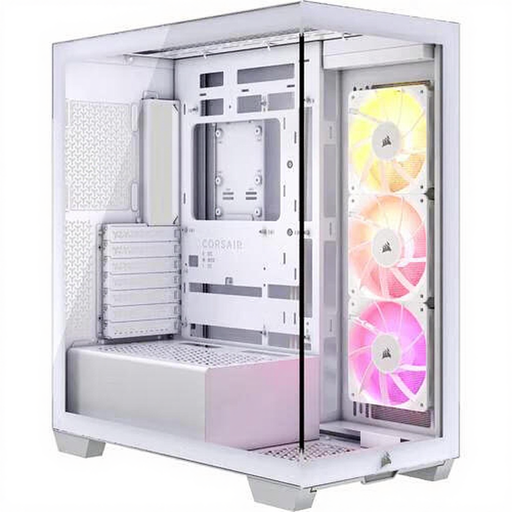
Why it suits this profile: This white PC case combines a standard midi tower size with three pre-installed 120 mm ARGB fans. That means fewer separate components to buy straight away.
The maximum GPU length of 410 mm and CPU cooler height of 170 mm are listed, so you can check your components in advance rather than choosing based on looks alone.
EATX support, two 2.5-inch and two 3.5-inch drive positions, USB-C and support for water cooling up to 360 mm.
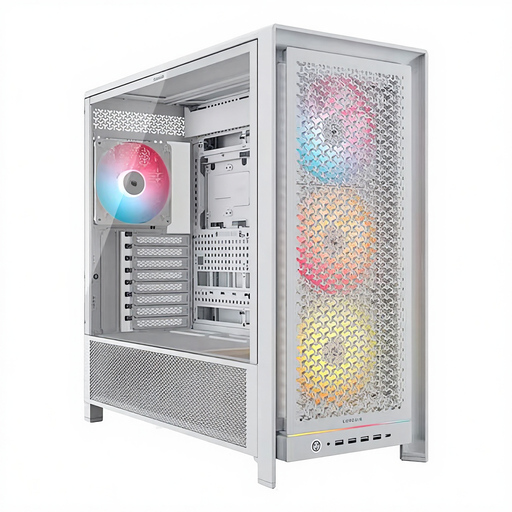
Why it suits this profile: This spacious midi tower is designed for builds with multiple storage drives, large components and an extensive cooling system.
The case supports radiators up to 420 mm, GPUs up to 450 mm and CPU coolers up to 175 mm. This makes it easier to plan a high-performance setup in advance.
Four included 140 mm ARGB fans, six 2.5-inch and two 3.5-inch bays, plus support for ATX, EATX, micro-ATX and Mini-ITX.
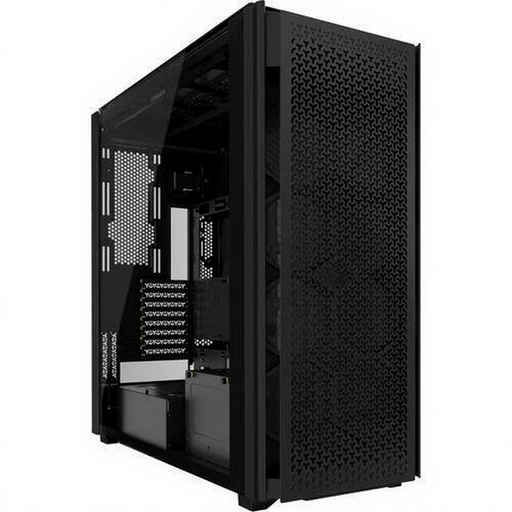
Why it suits this profile: For extensive gaming or workstation builds, this black PC case offers plenty of internal space and multiple positions for air and water cooling.
The airflow design, dust filters and support for multiple fan sizes make it easier to put together a suitable cooling plan. Its large dimensions do mean you’ll need enough space beside or under your desk.
Six 2.5-inch and five 3.5-inch bays, two USB-C ports, ten expansion slots and support for 120, 140 and 200 mm fans.
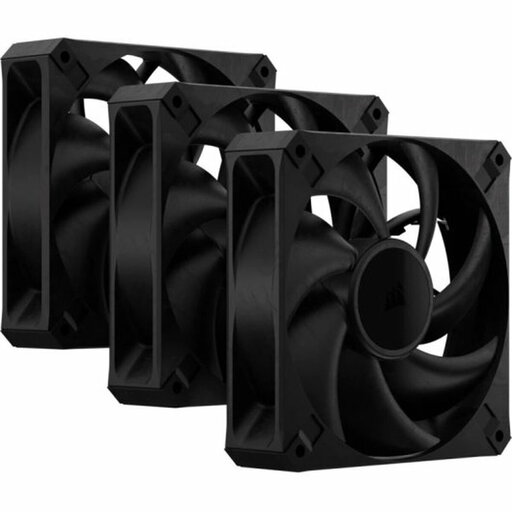
Why it suits this profile: This set is a practical choice if you want to add three black 120 mm fans without RGB lighting to an existing PC.
The 4-pin PWM connection lets you control the fan speed. Be sure to check the available space: according to the product information, these fans are 30 mm thick, compared with around 25 mm for many standard models.
Three fans, up to 2,000 rpm, an airflow rating of up to 72 CFM and a maximum noise level of 29.5 dB, according to the product description.
We’ve put together a complete, up-to-date list of products that meet these strict selection criteria and comply with current European safety regulations.
No. The case needs to have a mounting position for a 140 mm fan. Check the fan’s thickness too, especially for MAX models at around 30 mm, and make sure it won’t interfere with the radiator, memory modules or cables.
It depends on the components and the case. A practical starting point is often to have fans at the front or bottom as intakes, and one or more fans at the rear or top as exhausts. A Corsair gaming case with fans included can give you a good starting point, but check the direction of airflow and set an appropriate PWM fan curve if needed.
Tempered glass lets you show off your components and RGB lighting, but handle the panel with care. Don’t rest its edge on a hard tiled or stone surface, and keep the ventilation openings clear. A glass side panel won’t automatically make a case quieter or cooler; the internal layout and airflow matter more.
