
Vandaag of morgen in huis

Kwaliteit gegarandeerd

Welkomstaanbiedingen ontgrendelen: GRATIS bezorging | Tot 80% korting | Gratis 30 dagen JoyPlus-proefperiode
Download de app
A white PC build with ARGB lighting looks polished, but you don’t buy a water cooler based on looks alone. The Corsair Nautilus 240 RS ARGB White Water Cooler combines a 240mm radiator with two PWM fans and addressable lighting. However, there are a few things you need to check beforehand. The wrong socket, insufficient space in your case, or an impractical cable layout can make installation unnecessarily tricky.
This buying guide from the Joybuy Product Recommendation Officer will help you assess the specifications practically.
“240 mm” doesn’t mean every case is automatically compatible. You need a mounting spot for a radiator with two 120mm fans. So check your PC case manual to see if mounting at the top or front is possible. Also pay attention to clearance around the motherboard, RAM and graphics card.
A water cooler for AM5 doesn’t automatically fit every AMD system. The same goes for a water cooler for LGA 1700 with Intel. The required mounting bracket and the space around the socket are what matter. The product specifications for the Nautilus 240 RS ARGB list Intel LGA 1851 and LGA 1700, plus AMD AM4 and AM5. Check before you buy that your version includes the correct mounting hardware.
A stated noise level usually applies at a specific fan speed. The Nautilus 240 RS ARGB is listed at a maximum of 34 dB at high speed. In everyday use, the noise level depends on the fan curve, case insulation, ambient temperature and processor load. A PWM connection helps adjust the speed automatically, but quiet operation isn’t guaranteed in every configuration.
The aluminium radiator on this all-in-one liquid cooler measures 240mm and works with two fans. According to the product information, these fans reach a maximum of 2100 rpm, with a maximum airflow of 74.37 cfm and static pressure up to 4.91 mmH2O.
These values are product specifications, not a guarantee of a specific processor temperature. The final cooling performance also depends on the processor, mounting method, thermal paste, case and ventilation.
PWM stands for pulse-width modulation. Via a 4-pin connection, the motherboard can control the fan speed based on temperature. The Nautilus 240 RS ARGB supports PWM control and, according to the product description, has a built-in fan controller. This can help you find a balance between cooling power and noise output.
Check beforehand how many connections your motherboard has and where you connect the pump, fans and ARGB cables. ARGB lighting requires a suitable 3-pin 5V header or compatible controller. Do not connect a 5V ARGB cable to a 12V RGB header; this can damage components.
The white finish suits a light-coloured gaming PC or a build with white components. The integrated ARGB LEDs offer customisable lighting, depending on your motherboard’s connection and software. The radiator is made of aluminium and the product weighs approximately 1.94 kg. Make sure the radiator is mounted securely and that the tubes are not sharply kinked.
You must not open or dismantle a closed-loop water cooler yourself. Follow the installation manual and place the pump correctly on the processor. The product information also warns against unnecessarily tilting or turning the unit over, to prevent leakage.
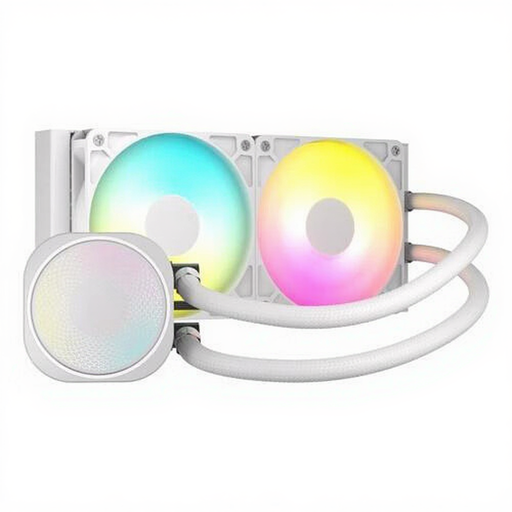
Why this fits the profile: A straightforward 240mm solution for anyone looking for a white CPU cooler with ARGB lighting without immediately going for a larger radiator size.
The key compatibility specifications are clearly stated: LGA 1851, LGA 1700, AM4 and AM5. Do check your case and the included brackets.
240mm radiator, two fans up to 2100 rpm, PWM support and a built-in fan controller.
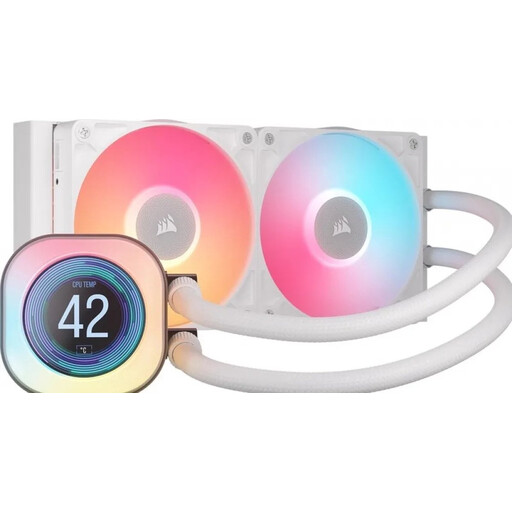
Why this fits the profile: For PC builders who value temperature information and a more advanced appearance alongside cooling performance.
The LCD function makes it clear exactly which extra feature you’re buying, rather than relying solely on general performance claims.
240mm radiator, 2.1-inch LCD display, two fans and PWM support; compatible with AM4, AM5, LGA 1700 and LGA 1851 according to the product specifications.
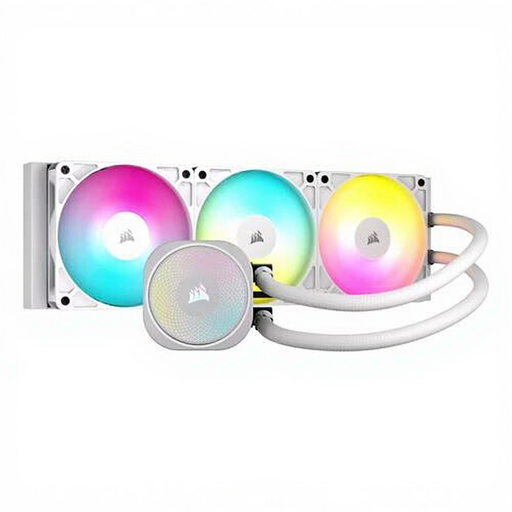
Why this fits the profile: For heavy gaming or workloads where your case has room for a 360mm radiator.
The larger size makes it clear that case compatibility is a priority. Measure your mounting space before ordering.
Three fans, maximum 94.87 cfm airflow, 33.2 dB at high speed and PWM support.
We’ve put together a full, up-to-date list of products that fully meet these strict selection criteria and comply with current European safety regulations.
Mount the radiator in a suitable location and place the pump block evenly on the processor. Connect the pump to the designated connection, for example CPU_FAN or AIO_PUMP if the manual instructs this. Connect the fans to PWM and only connect ARGB to a suitable header.
Then set a fan curve in the BIOS or motherboard software. Start with a moderate speed and increase it when the processor temperature rises during gaming or rendering. Keep the radiator and filters free of dust. A closed-loop water cooler does not need refilling, but if you notice unusual noises, leakage or suddenly higher temperatures, check the connections immediately and switch off the PC.
According to the stated product specifications, this model supports AMD AM4 and AM5. Check before installation that the correct AM5 mounting hardware is included and follow the Corsair manual.
It can be, depending on the processor and the case. A 240mm CPU water cooler offers a radiator with two 120mm fans and is a practical option for many gaming PCs. For sustained heavy loads, a 360mm model could be worth considering, provided your case supports it.
The lifespan depends on use, ambient temperature, dust and correct installation. There is no fixed duration that applies to every PC. Watch for changes in pump noise, temperatures and any signs of leakage. According to the product information, the models listed fall under a minimum of two years’ statutory warranty within the EU; additional rights may apply under Dutch law.
