
Vandaag of morgen in huis

Kwaliteit gegarandeerd

Welkomstaanbiedingen ontgrendelen: GRATIS bezorging | Tot 80% korting | Gratis 30 dagen JoyPlus-proefperiode
Download de app
As a Joybuy Product Recommendation Officer, I see PC builders strive for the perfect balance between aesthetics and performance every day. A sleek, all-white PC build is a popular goal, but achieving it can be a challenge. In particular, managing the cables for multiple RGB fans often leads to frustration. You want a powerful cooling system that looks great, without a tangled mess of wires.
This article is designed to help you choose a cooling solution that addresses these problems. We'll take a specific look at the Corsair iCUE LINK white 3-pack series. These starter kits offer a combination of performance, style, and simplified installation that can take your build to the next level.
Before making a decision, it's helpful to understand a few technical aspects. This will help you select the fan that best suits your specific system.
Not all fans are created equal. The specifications tell you what a fan excels at.
Therefore, choose based on the intended placement: high airflow for the case, high static pressure for radiators.
One of the biggest advantages of the Corsair iCUE LINK ecosystem is the dramatic reduction in cables. Traditional RGB fans often require two cables each (one for power, one for RGB), which quickly results in a chaotic mess behind your motherboard.
The iCUE LINK system works differently. You simply click the fans together and connect the entire chain to the included iCUE LINK hub with just a single cable. This hub, which connects to your power supply and motherboard, manages both power and data for all connected components. An RGB fan starter kit with this system makes achieving a tidy build significantly easier.
Nobody wants a PC that sounds like a jet engine. Therefore, pay attention to the following specifications:
Below is an overview of three popular Corsair 120mm fan starter kits from the iCUE LINK series. Each model has its own strengths.
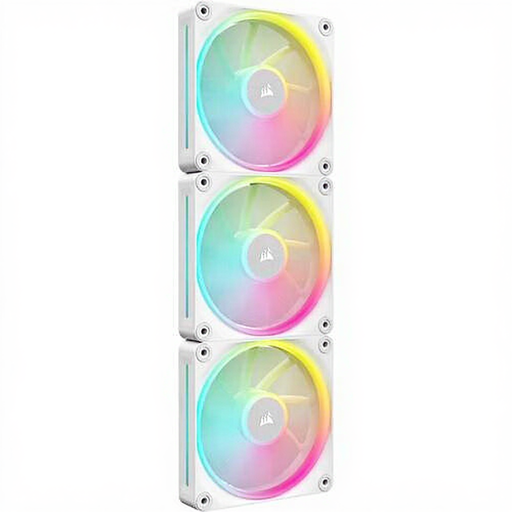
Why this model stands out: The LX120 is a versatile fan that excels with its high static pressure, making it highly suitable for use on radiators.
Advantages:
Who is this for? For the PC builder looking for an all-around solution that performs excellently as both a case fan and a radiator fan. Ideal for systems with AIO water coolers.
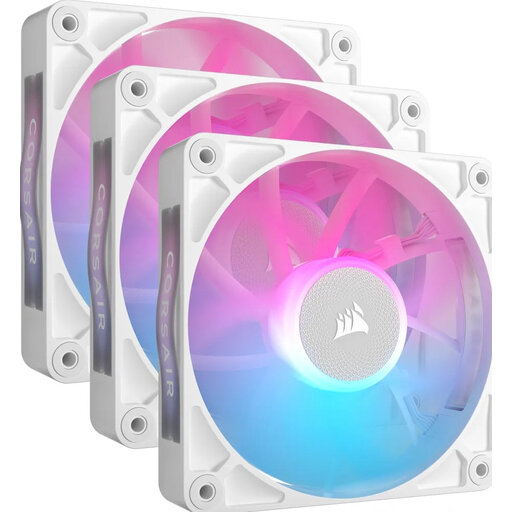
Why this model stands out: The RX120 is optimized for maximum airflow within the case, supported by Corsair's AirGuide technology.
Advantages:
Who is this for? For users who prioritize maximum airflow through their computer case to keep components like the graphics card and motherboard cool.
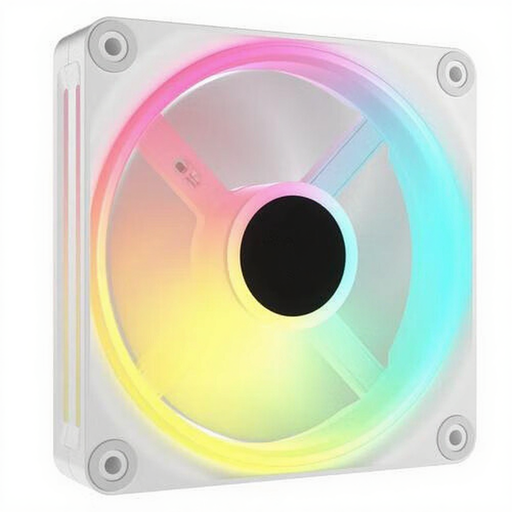
Why this model stands out: The Corsair QX120 is the flagship model for lighting, boasting an impressive 34 RGB LEDs per fan for the most extensive lighting effects.
Advantages:
Who is this for? For the PC builder for whom aesthetics and personalization are top priorities. If you want the most impressive RGB setup without compromising on cooling performance, the QX120 is a strong contender.
The iCUE LINK series offers a specific solution for a clean, high-end build. However, if you're looking for other brands, sizes, or perhaps a non-RGB variant, there are plenty of other options available. Proper cooling is essential, and the right choice depends entirely on your system and preferences.
Check out our full range of white RGB coolers for more options.
What is the advantage of the Corsair iCUE LINK system? The main advantage is the simplicity of installation. Instead of multiple cables per fan, you connect the fans to each other and use just one cable to connect the entire group to the included hub. This significantly reduces cable clutter and results in a much cleaner PC build.
How quiet are these Corsair fans? The LX120, RX120, and QX120 models have a minimum noise level of 10 dB, which is very quiet in practice. Thanks to PWM support, you can adjust the fan speed based on temperature. During light tasks like browsing the internet, they run slowly and quietly, and only spin up to dissipate extra heat during heavy gaming or workloads.
Are these fans suitable for radiators? Yes, but some are more suitable than others. Models with high static pressure, like the Corsair iCUE LINK LX120 RGB (5.22 mmH2O), are specifically designed to be effective on water cooler radiators. Models that are more focused on airflow, like the RX120, perform better as case fans. The QX120 is a good all-rounder for both applications.
