
Vandaag of morgen in huis

Kwaliteit gegarandeerd

Welkomstaanbiedingen ontgrendelen: GRATIS bezorging | Tot 80% korting | Gratis 30 dagen JoyPlus-proefperiode
Download de app
A CPU cooler with RGB lighting and an LCD screen can look impressive in a glass-sided gaming PC. But a good-looking display says little about whether the cooler is right for your system. Before buying a Corsair iCUE LINK TITAN 240 RX LCD CPU cooler, focus on socket compatibility, radiator clearance, noise levels and how the software works.
This buying guide helps gamers and PC builders in the Netherlands distinguish marketing claims from verifiable product specifications.
A 240 mm AiO liquid cooler typically uses two 120mm fans and a radiator that needs room for both its length and thickness. So check your PC case manual to find out:
So, a size that looks like it should fit isn’t enough. The exact mounting options vary from case to case.
The Corsair TITAN 240 RX LCD combines a liquid cooling circuit with lighting and a display. These are extra features, but they don’t replace checking the technical essentials. Start by looking at the number of fans, PWM support, radiator size and socket compatibility.
The software setup can also affect your experience. If you use several RGB components, it’s worth checking which controller, cables and connections you’ll need. A CPU cooler with an LCD screen is most appealing if you want to display temperature information, images or animations.
A processor’s temperature depends on the CPU model, power limits, ambient temperature, airflow and installation. Corsair’s product description says the cooler is designed for efficient processor cooling; this doesn’t mean every processor will reach the same temperature in every PC.
Check the warranty and safety instructions too. According to the information provided, this product comes with at least a two-year statutory guarantee under EU consumer law. The sealed liquid-cooling unit must not be dismantled, turned upside down or shaken vigorously.
According to the product specifications, the Corsair iCUE LINK TITAN 240 RX LCD supports:
This Intel and AMD CPU cooler is therefore suitable for a range of modern desktop platforms. Before buying, check your exact motherboard model and make sure all the necessary mounting parts are included in the box. Socket support may change when you upgrade in the future, even if the radiator and pump are still usable.
The set includes a 240 mm radiator and two 120mm RX fans. According to the listed product specifications, these fans deliver airflow of up to 124,88 m³/u and static pressure of up to 4,33 mmH₂O. Static pressure matters because fans need to push air through the radiator’s closely spaced fins.
The fans support PWM control, so their speed can be adjusted by the motherboard or compatible software to match CPU load. The actual noise level will depend on the speed setting, the case and resonance within your system.
According to the product information, the integrated screen measures 2,1 inch diagonally. You can use it to display system temperatures, images and animations, among other things. It’s controlled using iCUE LINK software.
The white finish makes this white CPU cooler a good match for systems with a light colour scheme. The integrated LED lighting is a visual feature; when building your PC, also check which USB, PWM and any controller connections are available.
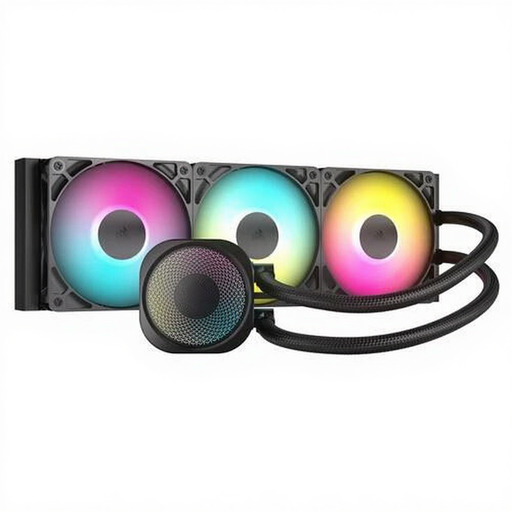
Why it suits this buyer: This 360 mm liquid cooler is an alternative for anyone who prioritises radiator capacity and PWM control over an LCD screen.
The product specifications list PWM support, an aluminium radiator and three fans. Just make sure your case has room for a 360 mm radiator.
Three fans, PWM control and support for AM4, AM5, LGA 1700 and LGA 1851.
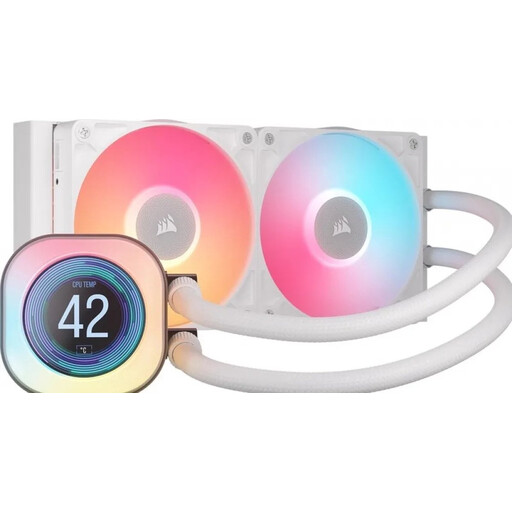
Why it suits this buyer: This model combines a 240 mm AiO liquid cooler with a 2,1-inch LCD screen, a white finish and iCUE LINK control.
The key specifications are clearly listed: 240 mm, two 120mm fans, PWM and four widely used sockets. Also check that your case has enough physical clearance for the radiator.
LCD display, iCUE LINK software, white finish and support for AM4, AM5, LGA 1700 and LGA 1851.
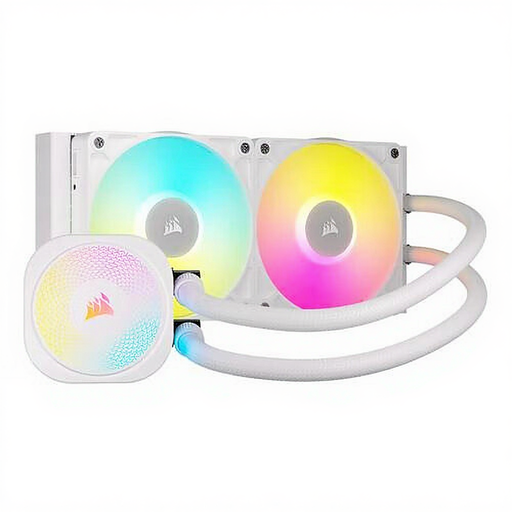
Why it suits this buyer: A good choice for builders who value iCUE LINK, RGB lighting and a white look, but don’t need an LCD screen.
You won’t be paying for a screen you don’t use. The product specifications do list RGB, PWM and an adjustable speed range of 300 to 2100 rpm.
Two 120mm RGB fans, a white finish and compatibility with AM4, AM5, LGA 1700 and LGA 1851.
An AiO liquid cooler is a sealed system. Don’t dismantle the liquid-cooling unit, and stop using it if you notice a leak or damaged tubes.
We’ve put together a complete, up-to-date list of products that meet these strict selection criteria and the applicable European safety regulations.
According to the listed product specifications, it does. Before installation, check that the correct bracket and mounting parts are included, and that your motherboard and case layout leave enough room.
Its lifespan depends on use, installation, pump load and how well the fans and radiator are maintained. A sealed AiO system doesn’t need to be topped up by the user. Removing dust and listening out for unusual pump or fan noises can help you spot problems sooner.
Power consumption comes from the pump, fans, lighting and screen. The exact amount varies with the speed and brightness settings. If you want to limit energy use, you can turn off the RGB lighting and screen animations when you don’t need them.
