
Vandaag of morgen in huis

Kwaliteit gegarandeerd

Welkomstaanbiedingen ontgrendelen: GRATIS bezorging | Tot 80% korting | Gratis 30 dagen JoyPlus-proefperiode
Download de app
An additional 140mm PC fan can improve airflow in a gaming PC or workstation, but not every RGB case fan fits every enclosure. With Corsair iCUE LINK products in particular, unsuitable purchases often result from incompatible connections, limited clearance or unclear performance claims.
The Corsair iCUE LINK RX140 RGB Computer Case Fan, 14cm, Black (Pack of 2) is designed for users looking for two black 140mm fans with PWM control, RGB lighting and support for radiator and case cooling. Before purchasing, make sure your system is compatible with the iCUE LINK platform.
A 140mm fan is larger than a standard 120mm model. Check your PC case specifications carefully:
For example, the Corsair FRAME 5000D RS supports 140mm fans on multiple sides. Other mid-tower cases may only offer 120mm mounting positions at the top or rear. If in doubt, consult your case manual.
PWM controls fan speed through a 4-pin connection. RGB lighting uses a separate system or controller. A motherboard may have a 4-pin PWM header without being automatically compatible with Corsair iCUE LINK.
Therefore, check the following:
An iCUE LINK fan can simplify cable management, but the platform does not work like a standard 5V ARGB connection. Do not buy solely because a product description says “RGB”.
The RX140 RGB product description specifies a speed range of 300 to 1700 RPM, a noise level of 10 to 36 dB and maximum airflow of 94.7 CFM. These are stated values from the product information. The noise level at maximum speed is not the same as the noise level during normal desktop use.
The product specifications also list airflow units that do not correspond directly to CFM. Compare models only when the measurement units and test conditions are equivalent. A higher RPM rating does not automatically mean a quieter PC fan.
The RX140 RGB measures 140mm and is intended for compatible case or radiator positions. The airflow direction is generally indicated by arrows on the frame. Front and bottom fans are often used as intake fans, while rear and top fans exhaust warm air.
The ideal configuration depends on the rest of your PC. Additional fans are not always necessary if the case already provides sufficient intake and exhaust airflow.
PWM allows the fan speed to adjust automatically according to your computer’s temperature or workload. During light tasks, the fan can run more slowly; while gaming or rendering, its speed can increase.
According to the product description, the RX140 RGB operates between 300 and 1700 RPM. After installation, set an appropriate fan curve through BIOS/UEFI or Corsair iCUE. This prevents the fan from running at high speed unnecessarily.
According to the product description, the Corsair RX140 RGB uses magnetic levitation bearing technology. Corsair associates this design with smooth and quiet operation. This is a claim from the manufacturer and product information, not a universal guarantee of noise levels in every PC.
The black housing complements many modern builds. The multicolour RGB lighting can be customised through a compatible Corsair system. Keep in mind that lighting is primarily visual and has no direct impact on cooling performance.

Why it suits this profile: A practical choice for anyone replacing or adding two 140mm fans who already uses a compatible Corsair iCUE LINK system.
Before purchasing, check the 140mm mounting points and iCUE LINK compatibility. A standalone ARGB header is not automatically sufficient.
2 fans, PWM support, 300–1700 RPM, black finish and RGB lighting.
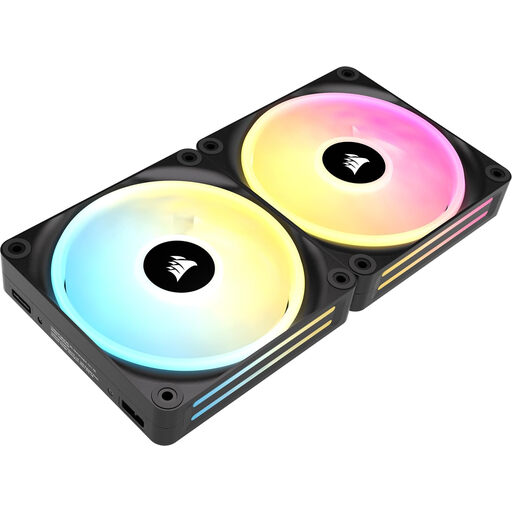
Why it suits this profile: Suitable for PC builders who want to expand a 140mm RGB setup with a kit designed around the Corsair ecosystem.
Check the included components and hub requirements. The product listing describes PWM and iCUE LINK, but connection accessories should be verified before ordering.
Two 140mm fans, PWM control, magnetic levitation bearing technology according to the product description, and addressable RGB LEDs.
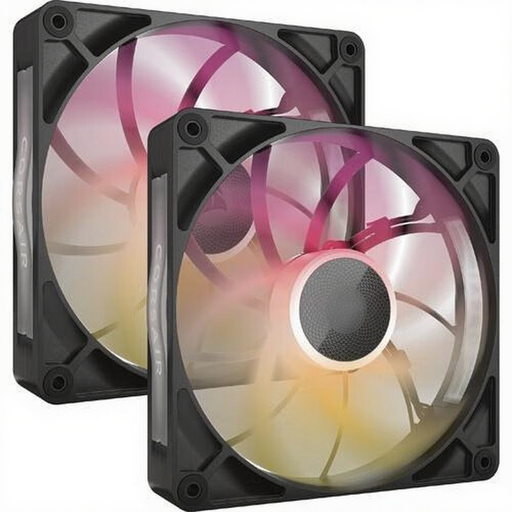
Why it suits this profile: An appealing option for systems with high thermal loads, provided the case has clearance for the specified 30mm thickness.
Measure the available clearance around the radiator, memory and side panel. A 30mm-thick fan cannot be installed in every standard 140mm position.
According to the product listing, up to 102.9 CFM airflow, 300–1600 RPM, PWM support and 8 RGB LEDs per fan.
Shut down the computer completely and unplug it from the mains before installing or removing a fan. Pay attention to the airflow direction and tighten the mounting screws securely without overtightening them.
Connect the PWM cable to a suitable header or controller. For iCUE LINK, use only compatible cables and connections. Route cables away from the blades and, after startup, check that every fan is spinning and detected by the software.
Dust can restrict airflow over time. Clean the blades with compressed air or a soft brush. Do not use water on the fan, and keep the power supply disconnected during maintenance.
Browse a current selection of black PC cases and check which models offer room for 140mm fans and modern cooling systems.
No. The case must have mounting points for 140mm fans. Also check the available clearance around radiators, RAM modules, cables and the side panel. With a radiator or compact case, the total thickness is particularly important.
That depends on your existing configuration and the exact version. The Corsair iCUE LINK RX140 RGB is designed for the iCUE LINK system. Check whether you already have a compatible System Hub and the appropriate cables, or whether they need to be purchased separately. A standard PWM header does not automatically control iCUE RGB lighting.
Actual power consumption depends on the electrical specifications, selected speed and number of fans. A maximum speed of 1700 RPM does not, by itself, indicate power consumption. Check the product documentation and the capacity of the fan controller or motherboard header. With a 2-pack, account for the combined load of both fans.
