
Vandaag of morgen in huis

Kwaliteit gegarandeerd

Welkomstaanbiedingen ontgrendelen: GRATIS bezorging | Tot 80% korting | Gratis 30 dagen JoyPlus-proefperiode
Download de app
If you're planning to install multiple fans in a white gaming PC, an RGB case fan 3-pack might seem like a straightforward purchase. However, most issues arise not from the lighting, but from incorrect connections, unsuitable dimensions, or unclear performance claims. The Corsair iCUE LINK RX120 RGB 3-pack in white is particularly interesting for PC builders who want to manage three 120 mm fans with a single system.
Brands sometimes list airflow in CFM and sometimes in m³/h. These values are not directly comparable. Therefore, always check the unit. The RX120 RGB lists a maximum airflow of 74.2 m³/h, with a speed range of 400 to 2,100 rpm.
Also, pay attention to the difference between the minimum and maximum noise levels. A rating of 10 dB typically applies at low speeds, while the maximum value can increase under heavier loads. The product listing for this set mentions 10 to 36 dB. This provides a more useful picture than just the lowest value.
A PWM fan typically uses a 4-pin connector for dynamic speed control. RGB lighting works via a separate system or a compatible RGB controller. So, a fan might support PWM, but it won't automatically work with every RGB header on a motherboard.
The RX120 RGB uses the iCUE LINK system. This starter kit includes an iCUE LINK System Hub, so you don't need to find a separate controller. However, do check that the power supply, internal USB connection, and available space in your PC case match the installation instructions.
Three fans aren't necessary for every case. First, check the available mounting positions: front, top, rear, or bottom. A 120 mm PC fan will only fit if the case has the corresponding mounting points. Also, ensure that the radiator, motherboard, and cables leave enough clearance.
Additionally, pay attention to the airflow direction. The arrows on the frame indicate which way the air will flow. A practical setup is often to have air intake at the front and exhaust at the rear or top, depending on the case.
A standard 120 mm PC fan usually has a frame of about 120 × 120 mm. The exact thickness, screw positions, and clearance remain important. Check your PC case manual before you order. If you're replacing a 140 mm fan with a 120 mm model, you'll also need to verify that the mounting holes align.
A higher maximum speed can move more air, but it can also produce more noise. The RX120 RGB supports PWM and, according to the product data, operates between 400 and 2,100 rpm. This allows you to set a fan curve in the BIOS or Corsair iCUE: lower speeds for light tasks and higher speeds when components require more cooling.
According to the product description, the set also supports a Zero RPM mode under low load. After installation, check in iCUE whether this feature is available for your configuration and if the fans restart correctly when the temperature rises.
The most significant practical difference compared to individual PC case fans is the iCUE LINK connection. According to the product information, the fans can be connected to each other and then routed to the included System Hub. This can simplify cable management, but it's not a universal connection.
Use the specified cables and do not exceed the maximum number of devices per port as stated in the manual. Completely shut down your computer and unplug it from the wall socket before connecting any internal hardware. After booting up, you can configure the RGB lighting and fan speed via Corsair iCUE.

Why it fits this profile: You get three white 120 mm fans and an iCUE LINK System Hub in one package. This makes it straightforward for a first white PC build with RGB cooling.
The set lists both PWM support and the included hub. This makes it clearer from the start which components are needed for speed and RGB control.
Three fans, 400–2,100 rpm, a maximum of 74.2 m³/h according to the product listing, and a Zero RPM mode as per the description.
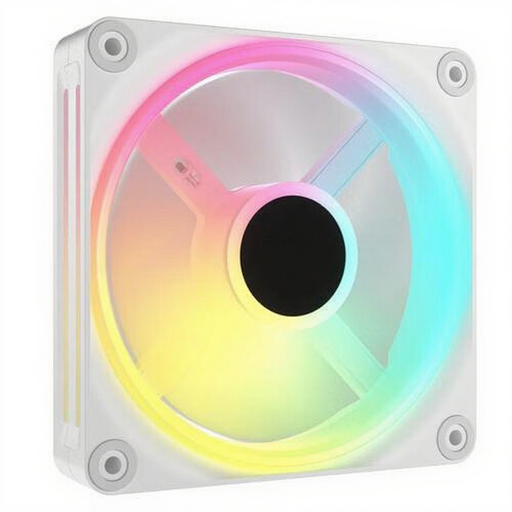
Why it fits this profile: These three 120 mm fans are aimed at users who value a uniform Corsair iCUE RGB setup for their case or radiator.
The 120 mm size remains widely applicable, while PWM control prevents the fans from constantly running at maximum speed.
Three fans, PWM support, 400–2,400 rpm, and a maximum of 63.1 CFM according to the product data.
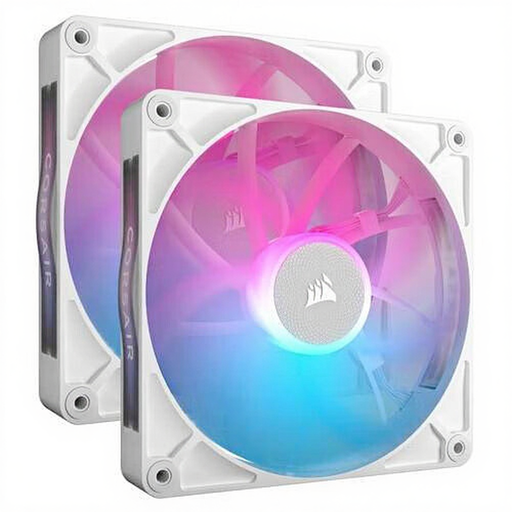
Why it fits this profile: Suitable for a spacious case with 140 mm mounting points, for example, if you want to install two larger fans at the front or top of the case.
Choosing 140 mm fans prevents you from buying three 120 mm fans for positions that are actually designed for a larger size. Check the available clearance beforehand.
Two 140 mm fans, PWM support, 300–1,700 rpm, and a stated maximum airflow of 95.7 m³/h.
We have compiled a complete, up-to-date list of products that fully meet these strict selection criteria and comply with current European safety regulations.
According to the product information, the legal warranty is at least two years under European consumer regulations. Keep your proof of purchase and check the current terms and conditions with the seller.
According to the product listing, this starter kit comes with an iCUE LINK System Hub. However, you should check if the necessary power and USB connections are available in your PC. For additional devices, you'll need to consult the maximum capacity per hub port.
The product description mentions use for both PC cases and radiators. Before purchasing, check that your radiator has 120 mm mounting points and that the fan's thickness will fit in the available space.
Power consumption depends on the speed, lighting, and the number of connected devices. PWM control can make the fans run slower under light loads. According to the product description, the Zero RPM mode can even bring them to a standstill when the load is low. For an exact calculation, you should check the electrical specifications in the manual.
