
Vandaag of morgen in huis

Kwaliteit gegarandeerd

Welkomstaanbiedingen ontgrendelen: GRATIS bezorging | Tot 80% korting | Gratis 30 dagen JoyPlus-proefperiode
Download de app
Choosing a new set of 120mm RGB case fans seems straightforward. Yet PC builders often run into the same problems: the fans do not fit the case properly, the connection turns out to be incompatible or the promised quiet operation only applies at very low speeds. If you are building a white gaming PC, you will also want to avoid making cable management untidy with three separate cables and extra controllers.
The Corsair iCUE LINK RX120 RGB 3-pack in white is aimed at users looking for three fans, PWM control and an iCUE LINK System Hub in one package. Below, you can find out which specifications to check before ordering and which type of Corsair fan suits your setup.
A high maximum speed sounds appealing, but it does not tell you everything about everyday performance. According to the product information, the RX120 RGB has a range of 400 to 2100 RPM. A lower speed may be sufficient for normal desktop use, while demanding games or a radiator may require greater airflow.
So always check the full speed range, PWM support and stated noise levels. The RX120 RGB is specified with a noise level of 10 to 36 dB. These are product specifications; actual noise output also depends on the fan curve, case and other components.
Not every RGB fan works with the same controller. A standard 4-pin PWM case fan can be connected directly to a suitable motherboard or fan-controller connection. An iCUE LINK product, on the other hand, uses the Corsair LINK ecosystem.
With the RX120 RGB 3-pack, the iCUE LINK System Hub is included in the starter pack. The fans can be connected to one another through the LINK system, after which you can control the lighting and speed using Corsair iCUE. Before buying, check how much space your power supply, internal USB connection and cable routing provide. Fully shut down the PC and unplug it from the mains before connecting internal hardware.
A 3-pack is not automatically suitable for every PC. First, measure how many positions for 120mm fans are available at the front, top, rear or bottom of the case. Also check whether the fans need to be mounted on a radiator. For radiator use, static pressure and fan thickness are just as relevant as airflow.
The RX120 RGB has a standard diameter of 120 mm. Also check the clearance around the motherboard, memory and any radiator. Cables must not hang near the rotating blades.
A 120mm fan fits many mid-tower and full-tower cases, but the exact mounting holes and available clearance vary by model. According to the product information, the RX120 RGB has a maximum airflow of 74,2 m³/u. This figure is primarily useful as a comparison point within the same product category. Airflow alone does not determine how effectively your complete PC cooling system works: fan direction, filters, radiator and internal cables also play a role.
The usual arrangement is:
A PWM case fan generally uses 4-pin control to adjust its speed dynamically. This allows you to set a fan curve in BIOS/UEFI or compatible software. As a result, the fans do not run continuously at maximum speed when the PC is under light load.
The RX120 RGB supports PWM and has a stated range of 400–2100 RPM. Precise control depends on the controller and software configuration being used.
Zero RPM mode can stop the fans at low load, provided that the connected controller and configured curve support this. This can be useful for light office work or watching media. As temperatures rise, the fans will start again according to the configured settings.
For the lighting, the product information states that each fan has eight RGB LEDs. The effects are configured through Corsair iCUE, along with the fan speed. However, check that your motherboard, internal USB connection and power supply are suitable for the iCUE LINK system.

Why it suits this profile: A single 120mm fan is practical when you want to upgrade an existing PC or replace a faulty unit.
You do not have to buy an unnecessary 3-pack when only one mounting position is available. The fan uses PWM and has a standard size of 120 mm.
34 individually addressable LEDs, PWM control and a stated range of 480–2400 RPM.

Why it suits this profile: Suitable for a new white build with three 120mm positions and a preference for one tidy Corsair iCUE LINK system.
The included iCUE LINK System Hub reduces the need for separate fan controllers. However, check compatibility and available mounting positions in advance.
Three fans, white design, PWM, 400–2100 RPM, Zero RPM mode and a stated airflow of 74,2 m³/u per fan.
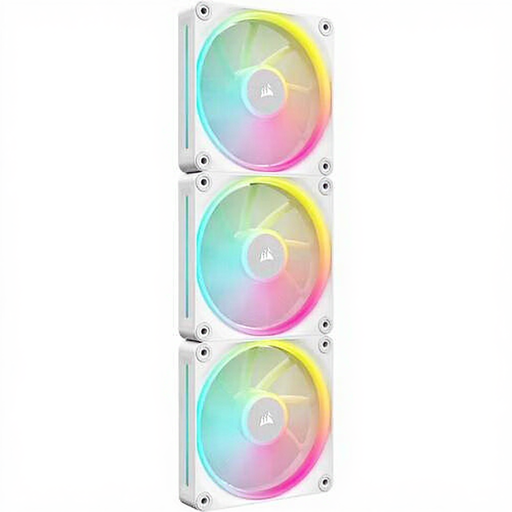
Why it suits this profile: An option for users who want to combine 120mm RGB case or radiator fans with a LINK setup.
The product information explicitly mentions PWM and a LINK system. Even so, check that the required hub and cables are available for your configuration.
Three white 120mm fans, a stated range of up to 2400 RPM and maximum airflow of 69,9 CFM.
Position the fans according to your preferred airflow direction and secure each fan firmly without overtightening the screws. Route cables along the back of the motherboard tray and keep them away from the blades. Connect the iCUE LINK System Hub according to the manual and do not exceed the stated maximum number of devices per port.
After installation, you can set a quiet curve for light loads and a more powerful curve for gaming in iCUE. Clean dust from the fans regularly with the PC switched off. If a fan suddenly starts vibrating or becomes unusually noisy, switch it off and inspect it.
We have put together a complete, up-to-date list of products that fully meet these strict selection criteria and the applicable European safety regulations.
No. Check that your case has three positions for 120mm fans and that there is sufficient clearance around the radiator, memory and motherboard. Also check the internal connections required for the LINK hub.
The mode can stop the fans at low load, but this depends on the controller, software settings and temperature curve. The fans will start running again under heavier loads.
A single fan is suitable as a replacement or for a small upgrade. The 3-pack makes more sense when you want to fill three mounting positions at once and build an integrated iCUE LINK system.
