
Vandaag of morgen in huis

Kwaliteit gegarandeerd

Welkomstaanbiedingen ontgrendelen: GRATIS bezorging | Tot 80% korting | Gratis 30 dagen JoyPlus-proefperiode
Download de app
A white PC case with RGB lighting looks smart, but you do not buy a set of case fans for appearance alone. The Corsair iCUE LINK RX120 RGB 3-pack is aimed at gamers and PC builders who want to combine three 120 mm fans with tidy cable management, PWM control and control via Corsair iCUE.
There are, however, a few potential pitfalls. For example, a high maximum speed does not automatically mean that a fan will remain quiet in your PC. RGB compatibility is not universal either. Before buying, check the connections, dimensions and how the fans are controlled.
A product page often lists the maximum airflow at the highest speed. The RX120 RGB is specified as delivering up to 74.2 m³/h, with a range of 400 to 2,100 RPM. In practice, air movement depends on the fan curve, your case filters and the resistance of a radiator.
A fan running mainly at low speed produces less noise, but it also moves less air. So do not just look at the highest figure. Also consider PWM support, the speed range and where you want to install the fan.
A standard 5V ARGB connector, a 4-pin PWM connection and Corsair iCUE LINK are different systems. A Corsair iCUE LINK fan will not automatically work with every RGB header on a motherboard.
According to the product description, the RX120 RGB 3-pack includes an iCUE LINK System Hub. The three fans are linked to one another, while the hub is connected to the power supply and the system. Nevertheless, check the manual and your PC’s available connections before installation.
Three fans are useful if, for example, your case has two positions at the front and one at the rear. However, not every case supports three 120 mm fans in the same way. Check:
A 120 mm PC fan fits many ATX, micro-ATX and compact gaming cases. However, the size alone says nothing about actual cooling performance. Also consider the maximum airflow and, when mounting on a radiator, the static pressure. For a radiator, pressure-building characteristics are more important than simply having a high airflow figure.
According to the product details, the RX120 RGB is intended for PC cases and radiators. Use the arrows on the frame to determine the direction of airflow. Fans at the front or bottom will often draw in cool air, while fans at the top or rear expel warm air.
With PWM, the motherboard or controller can adjust the speed more precisely than with simple fixed-voltage control. This allows you to set a quiet curve for light tasks and request greater airflow when gaming or rendering.
According to the product description, the RX120 RGB supports a Zero RPM mode. In this mode, the fans can stop under low loads, depending on the configured curve and the Corsair software being used. This can make the system quieter when full cooling is not required. It does not guarantee that the entire PC will be silent: the power supply, processor cooler and graphics card cooler can also produce noise.
The stated figures for this model range from 10 to 36 dB. Such figures are useful for comparing models, but the audible experience depends on the measurement method, distance, resonance within the case and the speed at which the fan is running. A poorly secured fan can also cause vibrations, even if the stated maximum noise level appears limited.
According to Corsair’s own product description, the RX120 RGB uses AirGuide technology to direct airflow more precisely. Treat this as a brand product specification rather than a universal performance guarantee for every case.

Why it suits this profile: You receive three 120 mm fans and an iCUE LINK System Hub in one package. This makes it easier to create a complete basic setup without having to source the controller separately.
The included hub reduces the risk of needing an incompatible controller after purchase. However, check the power requirements and supported device limit in the manual.
3 fans, PWM control, 400–2,100 RPM, stated noise level of 10–36 dB and Zero RPM mode.
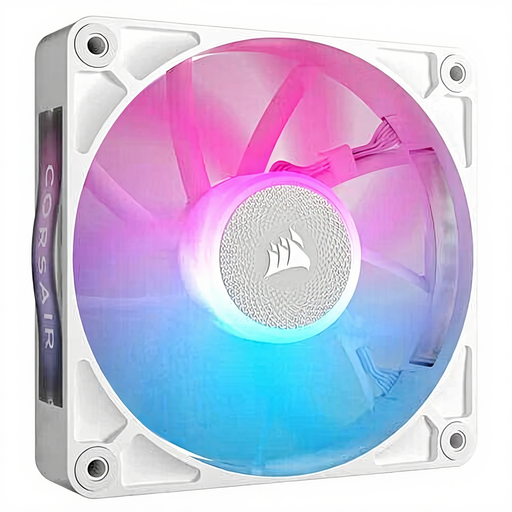
Why it suits this profile: Ideal if you already have an iCUE LINK setup and need one extra fan for a rear exhaust position, radiator or expansion.
You do not need to buy an unnecessary extra controller or a second set when your installation already has a compatible iCUE LINK hub.
120 mm size, PWM, 400–2,100 RPM, white finish and RGB lighting according to the product details.
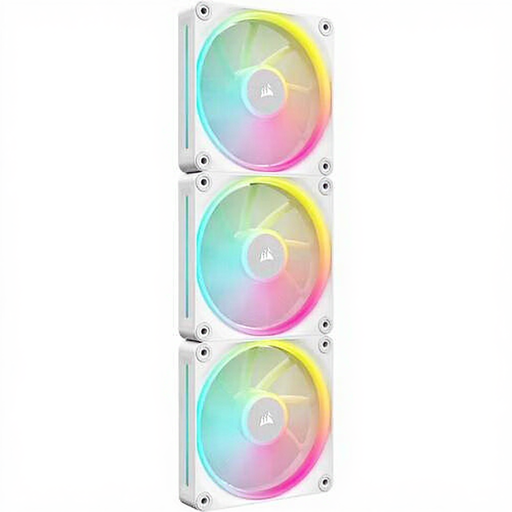
Why it suits this profile: Suitable for a white build where three 120 mm positions with RGB lighting and high adjustable speeds are required.
The product description mentions PWM and a system hub setup. Before buying, check that the required hub is actually included in the package you have chosen.
3 white 120 mm fans, PWM, up to 2,400 RPM and, according to the product details, up to 69.9 CFM per fan.
We have put together a complete, up-to-date list of products that fully meet these strict selection criteria and the applicable European safety regulations.
Clean the fans periodically with a soft brush or compressed air. Never work on spinning fans and do not use water inside the case.
According to the supplied product description, the RX120 RGB Starter Pack includes an iCUE LINK System Hub. Always check the current contents of the specific package before ordering, as a standalone RX120 fan may be a different bundle.
The product details state that they can be used for both PC cases and radiators. However, check the mounting holes, available space and required static pressure. A fan suitable for a case position will not automatically be suitable for every radiator.
When a fan is stationary, it does not use power to drive its motor at that moment. The actual saving is usually limited and depends on the configured curve and the rest of your PC. The main practical benefit is less motor and airflow noise under low loads.
