
Vandaag of morgen in huis

Kwaliteit gegarandeerd

Welkomstaanbiedingen ontgrendelen: GRATIS bezorging | Tot 80% korting | Gratis 30 dagen JoyPlus-proefperiode
Download de app
A Corsair iCUE LINK RGB PC case fan can cool your computer case while giving it a neat RGB look. However, attractive lighting does not guarantee that the fan will suit your case, radiator or noise preferences. Particularly when upgrading, three things are often overlooked: choosing the wrong size, not having a controller and excessive noise at maximum speed.
This buying guide from the Joybuy Product Recommendation Officer helps you compare product specifications in practical terms. The stated values are based on the product information for the models concerned. Always check the latest specifications and package contents before buying.
A 120 mm PC fan will not automatically fit a 140 mm mounting point. Measure the available space in your case and check the mounting holes. A 140 mm fan can move more air at a lower rotational speed, but it also takes up more space. Be aware of possible clashes with RAM, a radiator, cables or a large CPU cooler.
The iCUE LINK system reduces cable clutter by allowing fans to be linked together. However, this requires a suitable iCUE LINK System Hub or controller. A standalone Corsair iCUE LINK fan does not always include a hub. A starter kit may include one. Also check that the power and data cables are suitable for your PC build.
A higher maximum speed of, for example, 2400 RPM may sound appealing, but it does not tell you everything about everyday use. Also look at airflow, static pressure and the stated noise level. A PC fan for a radiator generally benefits from sufficient static pressure, whereas a fan at the front of the case may be geared primarily towards moving air.
The most common sizes in this selection are 120 mm and 140 mm. As well as the diameter, check the thickness. For example, the RX120 MAX is 30 mm thick, while many standard models are approximately 25 mm thick. This extra thickness can affect the available space and the choice of mounting screws.
A PWM case fan generally uses a 4-pin connection to control speed more precisely via the motherboard or a controller. This allows you to set a lower speed during light workloads and increase ventilation while gaming or rendering. Check whether your motherboard has a free 4-pin fan header or whether the selected controller supports the required control.
Airflow is often stated in CFM or m³/h. Static pressure is usually expressed in mmH2O and is relevant when air has to pass through a radiator, filter or restrictive fan grille. Stated noise levels are points of comparison, not a guarantee of the noise produced by your complete system. Case panels, vibrations, dust and the selected fan curve also have an impact.
A model with magnetic bearing technology, such as certain RX and LX versions, is designed for smooth operation according to the product description. This may be of interest if you are looking for a quiet PC fan, but the actual result depends on the mounting and speed.

Why it suits this profile: A 3-pack of 120 mm fans is practical for a case with several standard mounting points. The stated speed ranges from 400 to 2400 RPM, and the fans support PWM control.
The 120 mm size is widely compatible. However, check whether an iCUE LINK hub needs to be purchased separately; the product information states that the hub may be sold separately.
3 fans, 18 RGB LEDs per fan, PWM and a stated maximum airflow of 70 CFM.
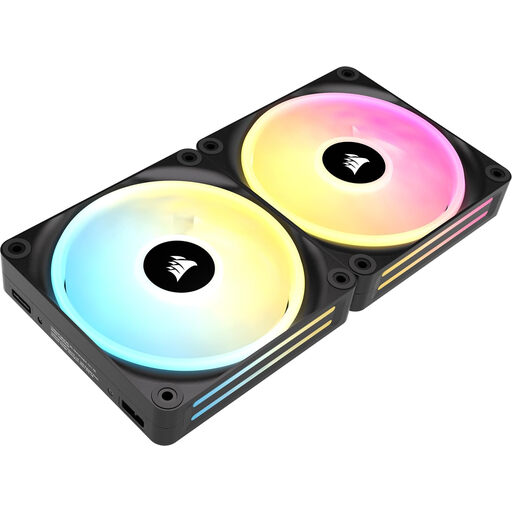
Why it suits this profile: If you have a larger case and want a complete starting setup with 140 mm RGB fans, this set gives you two fans with PWM support.
The set clearly states that these are 140 mm models. Measure your case beforehand so that you do not discover space issues during installation.
140 mm size, 2 fans, magnetic bearing technology according to the product description and support for PWM control.
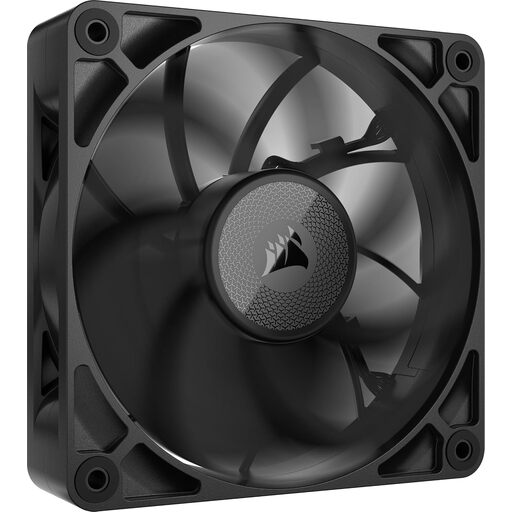
Why it suits this profile: This model is aimed at users who want to add a fan to a radiator or case with higher static pressure requirements. However, its 30 mm thickness means you need to check the available space carefully.
The product information states the non-standard thickness and a maximum static pressure of 4,18 mmH2O. This allows you to assess the model more selectively than by looking only at its RGB lighting or RPM.
30 mm thickness, PWM control, stated airflow of up to 71,6 CFM and a maximum noise level of 29,5 dB.
We have put together a complete, up-to-date list of products that fully meet these strict selection criteria and the applicable European safety regulations.
Switch off the computer completely and unplug it from the mains before installing a fan. Look for the arrows on the frame: they show the direction of airflow. In general, use the front and bottom for intake and the rear or top for exhaust, depending on the layout of your case.
Connect PWM and iCUE LINK cables carefully, and keep cables away from the rotating blades. Clean the fan with compressed air or a soft brush. Do not use water. According to the supplied product information and EU consumer rules, a statutory warranty of at least two years applies; additional rights may arise under national legislation.
It can be, provided the model in question is specified for this purpose and the dimensions match. Pay particular attention to static pressure, thickness and the radiator’s mounting holes. Not every model or package includes the same cables or controller.
This depends on the model, speed and RGB lighting. PWM does not automatically reduce maximum power consumption, but it can make the fan run more slowly under light loads. Check the current rating in the product specifications and avoid running a controller above its stated capacity.
Service life depends on dust, temperature, mounting and intensity of use. If a fan rattles, vibrates heavily or shows visible damage, switch it off and inspect it. Regularly removing dust and setting an appropriate fan curve will help avoid unnecessarily high speeds.
