
Vandaag of morgen in huis

Kwaliteit gegarandeerd

Welkomstaanbiedingen ontgrendelen: GRATIS bezorging | Tot 80% korting | Gratis 30 dagen JoyPlus-proefperiode
Download de app
Building a powerful PC is one thing, but neatly managing the tangled mess of cables and perfectly synchronising the RGB lighting is a challenge in itself. This is especially true when you're aiming for a system that's not only visually stunning but also cools quietly and efficiently. The search for the right RGB PC fan can be overwhelming.
This article is designed to help you navigate the options within the Corsair iCUE ecosystem. We'll review the Corsair iCUE LINK RGB fan series, a popular choice for PC builders who value both performance and a clean, tidy build. We'll compare the specifications side-by-side to help you make an informed choice for your next upgrade or new PC.
Before we dive into specific models, here are a few key factors to consider that will help you choose the right fan for your system.
Not all fans are created equal. The specifications that truly matter are airflow and static pressure.
120mm case fan that needs to blow air unimpeded through the case.radiator fan or for mounting in locations with restricted airflow.Therefore, choose based on the intended placement in your PC case.
One of the biggest advantages of the iCUE LINK series is its simplified cabling. Traditional RGB fans often require two separate cables per fan: one for power (PWM) and one for the RGB lighting. In a build with six or more fans, this quickly leads to massive cable chaos.
The iCUE LINK system combines power, data, and lighting into a single cable. You can connect multiple fans directly to each other, meaning you only need to run one cable to the central hub in the end. This makes the building process significantly faster and cable management much easier.
Nobody wants a PC that sounds like a jet engine taking off. Quiet PC cooling depends on the fan blade design, the bearing type, and the ability to control its speed. All fans in the iCUE LINK series are PWM fans. This means you can precisely adjust the rotational speed (RPM) via software (or the motherboard). This allows you to find a balance between maximum cooling performance when you're gaming and whisper-quiet operation during lighter tasks.
Below is a selection of popular Corsair fan models from the iCUE LINK series. We've listed the most important specifications and features for you.
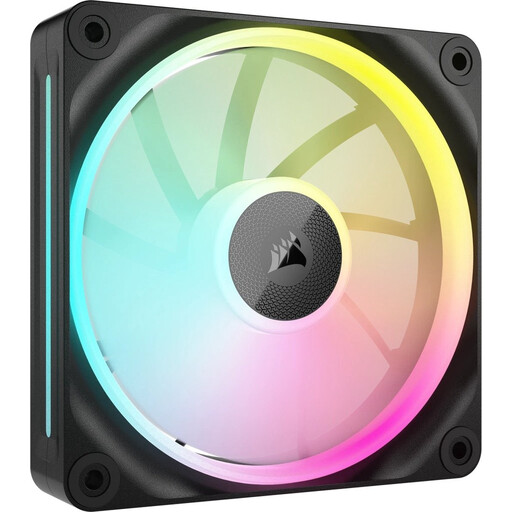
Why It Stands Out The LX120 is designed as a true all-rounder. It combines respectable airflow with very impressive static pressure, making it suitable for almost any application, whether you use it as a case fan or mount it on a radiator. According to Corsair, its magnetic levitation bearing ensures less friction, resulting in quieter operation and a longer lifespan.
Pros
Who Is It For? For the PC builder looking for a flexible and powerful Corsair fan that performs well in any situation. If you don't want to choose between a pure airflow or static pressure fan, the LX120 offers an excellent compromise.
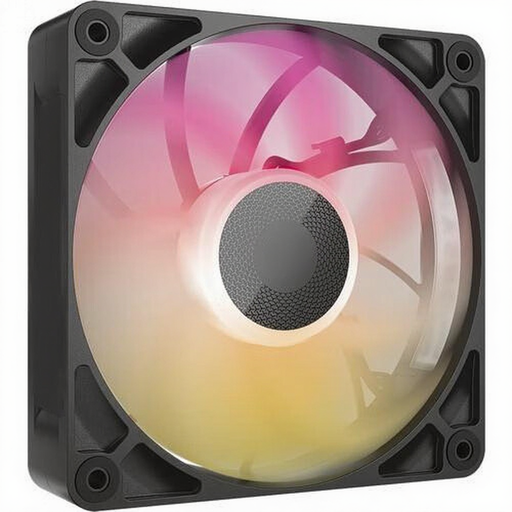
Why It Stands Out The RX120 MAX is distinguished by its thickness. With a 30 mm frame, it is 5 mm thicker than a standard fan. This extra volume allows Corsair to optimise the fan blades for better performance at lower speeds. Please note: check if your case or radiator has enough clearance for this thicker format.
Pros
Who Is It For? For the enthusiast who demands maximum cooling performance and has the space for a thicker fan. Ideal for high-end builds with custom water cooling or thick AIO radiators where every degree counts.
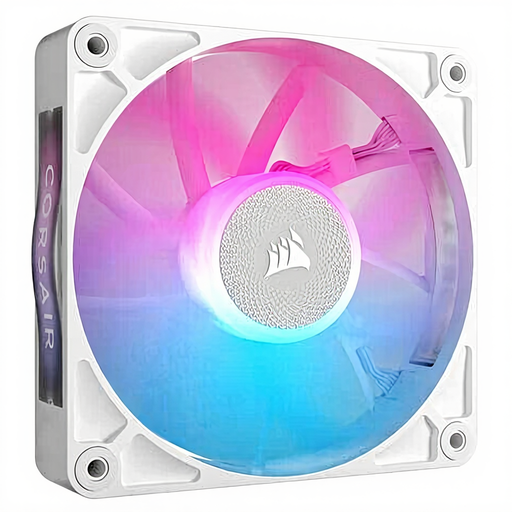
Why It Stands Out This fan shares many of its performance characteristics with the other RX models but comes in a sleek, white finish. For builders aiming for a light and minimalist aesthetic, this is the perfect choice. The white housing and blades reflect the RGB lighting in a bright, vibrant way.
Pros
Who Is It For? For the PC builder to whom aesthetics are just as important as performance. If you have a white case or want to create a build with a bright, clean theme, this fan is the logical choice.
The Corsair iCUE LINK series offers a specific solution for those seeking simplicity and performance. However, if you wish to explore other specifications, brands, or price points, a wide range of options is available.
Check out our full range of RGB PC Coolers for more choices to suit your unique build and budget.
1. What is the main advantage of the Corsair iCUE LINK system? The biggest advantage is the drastic reduction in cable clutter. Instead of two cables per fan, you connect the fans directly to each other and only need a single cable running to the iCUE LINK System Hub. This simplifies the building process and ensures a much cleaner final result.
2. Can I combine different iCUE LINK fans, like the LX and RX series? Yes, the iCUE LINK ecosystem is designed to be modular. You can connect different types of iCUE LINK devices (fans, AIO coolers, etc.) to the same hub and control them all through the iCUE software.
3. Do I need a special controller for these fans? Yes, to use the iCUE LINK functionality, you need a Corsair iCUE LINK System Hub. This is often included in the starter kits (multi-packs) for the fans but is also available separately. This hub acts as the central brain for power and data distribution.
