
Vandaag of morgen in huis

Kwaliteit gegarandeerd

Welkomstaanbiedingen ontgrendelen: GRATIS bezorging | Tot 80% korting | Gratis 30 dagen JoyPlus-proefperiode
Download de app
A new Corsair iCUE LINK RGB case fan may seem straightforward to choose at first glance. Yet many PC builders end up buying a fan that does not fit their case properly, lacks a suitable controller or is only quiet on paper. The right choice depends not just on RGB lighting, but also on size, airflow, static pressure and connectivity.
In this buying guide, the Joybuy Product Recommendation Officer helps you distinguish marketing claims from verifiable specifications.
A high maximum speed does not automatically mean that a fan will deliver the right airflow in your PC. A fan reaching 2400 rpm may provide powerful cooling, but it can also produce more noise at maximum speed. Always check the combination of speed, airflow, static pressure and noise level.
A 120mm case fan and a 140mm case fan have different mounting points. A 140mm model often moves a lot of air at a lower speed, but it will not fit every mid-tower case. Check your case manual for the supported fan sizes and the available space around the RAM, radiator and motherboard coolers.
Daisy-chaining fans reduces the number of cables inside the case, but a Corsair iCUE LINK fan operates within a specific ecosystem. Several models require an iCUE LINK System Hub. This is not included with every individual fan. Also check whether the set includes a hub or is intended only as an expansion.
The most common sizes are 120 x 120 mm and 140 x 140 mm. The thickness is usually around 25 mm, but a thicker model such as the Corsair iCUE LINK RX120 MAX is 30 mm. This can offer benefits in terms of airflow and static pressure, but it requires additional space.
Check the following before buying:
Airflow, often shown in CFM or m³/h, describes how much air the fan can move. This is relevant for open positions at the front or rear of the case.
Static pressure, expressed in mmH2O, is important when using a radiator, dust filter or closed front panel. For a radiator fan, you should therefore look at more than just CFM. A model with higher static pressure may be more suitable, depending on the rest of your configuration.
The product data comes from the supplied product specifications. Values may vary between versions, so always check the product page for the exact model.
A PWM case fan generally uses a 4-pin connector to control the speed automatically or manually. This allows you to set a fan curve in the BIOS or software: slower at lower temperatures and faster when the components get warmer.
Pay attention to the difference between minimum and maximum noise levels. Some models are specified from 10 dB, but reach 35 to 37 dB at high speed. This makes a good fan curve important if you want a quiet PC fan.
RGB is primarily a design choice and has no direct effect on cooling performance. With iCUE LINK models, the fans are connected to one another using a single system connection. This can simplify cable management. Check the following before buying:

Why it suits this profile: A set of three 120mm fans is practical for a new build or for replacing several case fans at once.
The set clearly states how many fans are included. The specifications list PWM, a maximum speed of 2400 rpm, up to 70 CFM and 35.1 dB at maximum speed.
Three 120mm fans, 18 RGB LEDs per fan, and suitable for case and radiator cooling according to the product description.

Why it suits this profile: This starter set is aimed at users who want to install several fans and start using an iCUE LINK hub straight away.
The set explicitly includes an iCUE LINK System Hub. This reduces the risk of forgetting a hub during your first installation.
Three 120mm PWM fans, stated airflow of 74.2 m³/h, a range of 400 to 2100 rpm and a Zero RPM mode in the product description.
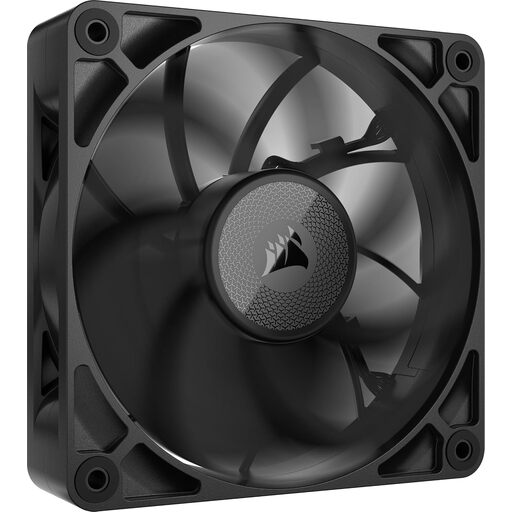
Why it suits this profile: Suitable for a build where radiator or filter resistance is an important factor and 30 mm of installation space is available.
The 30 mm thickness is clearly stated. This allows you to check the available space in the case beforehand instead of looking only at the 120mm size.
Stated airflow of up to 71.6 CFM, static pressure of up to 4.18 mmH2O, PWM control and a stated maximum noise level of 29.5 dB.
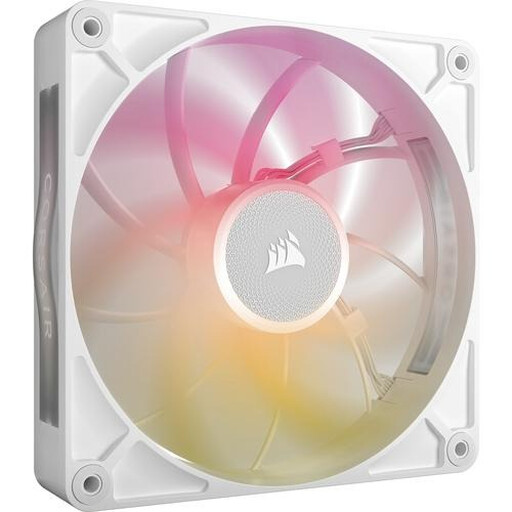
Why it suits this profile: A 140mm fan is a good choice for a spacious case that supports larger fans and where low speeds are preferred.
The product specifications state both the maximum airflow and the speed and noise ranges. This lets you match the fan more effectively to your fan curve.
140mm size, airflow of up to 102.9 CFM, PWM support and a stated noise level of 10 to 31 dB.
We have put together a complete, up-to-date list of products that fully meet these strict selection criteria and the applicable European safety regulations.
Switch off the computer completely and unplug it from the mains before installing a fan. Look for the arrows on the frame: they show the direction of airflow. A commonly used layout is:
Connect PWM to a suitable 4-pin header or controller. For iCUE LINK models, follow the instructions for the relevant hub. Keep cables away from the blades and secure the fan firmly to reduce vibrations. Clean the blades with compressed air or a soft brush; do not use water.
Not every product listing contains the same items. Individual models may require a hub separately, while a starter set may include one. Always check the packaging and product details before buying.
Not necessarily. A 140mm fan can move a lot of air at a lower speed, but the actual noise level depends on the model, the selected speed, the installation and the case’s airflow resistance.
The lifespan depends on usage, dust, temperature and installation. Models with magnetic bearings are described as offering smooth operation. This is not a guarantee of a specific service life. According to the supplied product information, the statutory warranty is at least two years under EU consumer rules.
