
Vandaag of morgen in huis

Kwaliteit gegarandeerd

Welkomstaanbiedingen ontgrendelen: GRATIS bezorging | Tot 80% korting | Gratis 30 dagen JoyPlus-proefperiode
Download de app
A Corsair iCUE LINK RGB case fan can make your PC quieter, improve airflow and give your desktop a consistent look with coordinated lighting. However, not every RGB fan will suit every case. Choosing the wrong size, missing a controller or buying a radiator fan that’s too thick can lead to frustration after purchase.
The main pitfalls are:
A 120 mm case fan fits many compact and mid-sized PC cases. This size is also common for radiators and gives you plenty of mounting options. A 140 mm case fan can move more air at a similar speed, but it will only fit if your case has the right mounting holes and enough space.
So check your case manual:
You can’t simply fit a 140 mm fan in a 120 mm mounting position.
Airflow is often given in CFM or m³/h. This tells you how much air the fan can move according to its product specification. Static pressure, usually shown in mmH₂O, is particularly relevant when air has to pass through a radiator, dense dust filter or narrow opening.
High airflow can be useful with an open front panel. For a radiator fan or a case with a restrictive front panel, static pressure is just as important.
Check the stated noise level too. Corsair product details often give a range, such as 10 to 36 or 37 dB. The maximum level applies at high speed; in everyday use, your fan curve determines how often the fan reaches that speed. A PWM case fan can adjust automatically to the temperature via your motherboard or a compatible controller.
PWM typically uses a 4-pin connection for precise speed control. RGB lighting, however, can use different connections and ecosystems. An ARGB PC fan with a 5V connection isn’t automatically compatible with a Corsair iCUE LINK fan.
So check:
A Corsair case fan 3-pack may be better value for a new build, but only if the number of fans and included accessories suit your setup.

Why it suits this profile: This pack includes three 120 mm PWM fans and an iCUE LINK System Hub. It’s a good fit if you want to fill several positions at once without having to put together a set of separate components.
The bundle makes it clear how many fans and which system component you’ll receive. The stated speed range is 400 to 2100 RPM, and a Zero RPM mode is listed.
Three fans, PWM control, eight RGB LEDs per fan and an included hub, according to the product specification.
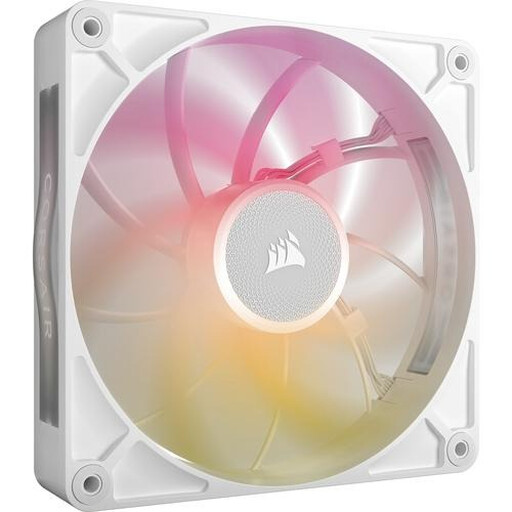
Why it suits this profile: This 140 mm fan is aimed at users with a compatible, larger case who want to combine airflow, a low minimum speed and RGB lighting.
Check the size and maximum thickness before you buy: this model is 140 mm, and the MAX version can be 30 mm thick.
The product details state up to 102,9 CFM, a range of 300 to 1600 RPM, PWM support and eight RGB LEDs.
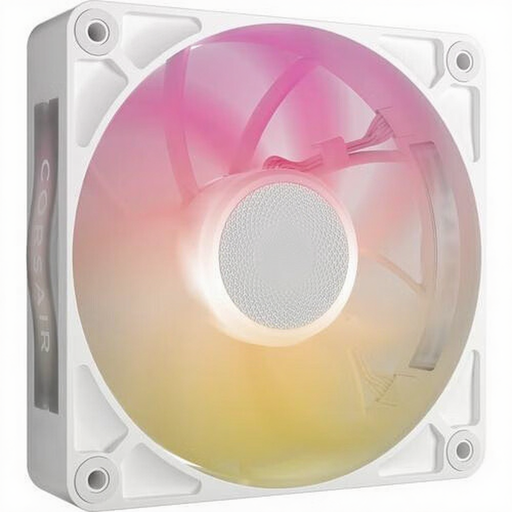
Why it suits this profile: This 120 mm MAX fan is designed for builds where a radiator, dust filter or restricted airflow calls for extra pressure capacity.
The product specification lists both airflow and static pressure. Check in advance that your case has room for a 30 mm thickness and supports an iCUE LINK hub.
The stated maximums are 71,3 CFM and 4,16 mmH₂O, with a range of 400 to 2000 RPM and eight RGB LEDs.
Turn off your PC completely and unplug it before installing a fan. Then check the arrows on the frame: they show the direction of rotation and airflow. Front and bottom fans often draw air in, while rear and top fans exhaust warm air.
Connect PWM to a suitable fan header or controller. For iCUE LINK, use only compatible cables and connections. Keep cables clear of the blades and tighten the mounting screws securely without forcing them. Clean off dust with a soft brush or compressed air; don’t use water.
According to the stated product information, a legal guarantee of at least two years applies under EU consumer rules. A fan’s expected lifespan also depends on usage, dust, temperature and bearing design. So treat a manufacturer’s claim about a longer lifespan as a brand claim, not as a guarantee.
We’ve put together a complete, up-to-date list of products that meet these strict selection criteria and the applicable European safety regulations.
The contents can vary between product packages. A starter pack may include an iCUE LINK System Hub, while a standalone fan may only include the fan itself. Check which accessories are included before you order.
Not necessarily. A 140 mm fan can move a lot of air at a lower speed, but its actual noise level depends on the model, fan curve, bearing and case. Compare the stated dB figures at the speeds that matter to you.
RGB LEDs add to power consumption, but the total varies by model and number of fans. With a multi-pack, check that the hub, power supply and number of supported devices on the iCUE LINK channel are suitable for your PC.
