
Vandaag of morgen in huis

Kwaliteit gegarandeerd

Welkomstaanbiedingen ontgrendelen: GRATIS bezorging | Tot 80% korting | Gratis 30 dagen JoyPlus-proefperiode
Download de app
A Corsair iCUE LINK RGB case fan can give your PC case a tidier look and adjustable cooling. However, choosing one involves more than simply checking the number of RGB LEDs or the maximum speed. The wrong size, a missing hub or an unsuitable connection can mean that your fan won’t fit or won’t work as intended.
These points will help gamers, PC builders and hardware enthusiasts choose the right Corsair RGB fan, radiator fan or complete kit.
RGB lighting tells you nothing about cooling performance. Check the maximum airflow, static pressure and speed too. A radiator fan, for example, needs sufficient static pressure to push air through a dense array of fins. For an open front or rear position in your case, airflow is often more important.
iCUE LINK models use their own connection system. Some versions are designed to expand an existing chain, while a starter pack includes a System Hub. Before buying, check:
A 3-pack isn’t automatically enough for every setup. Some versions may require a separate hub.
A 120mm computer case fan won’t automatically fit a 140mm mounting position. Measure the mounting points in your PC case or check your radiator’s manual. Pay attention to the thickness too: some MAX models are listed as 30 mm thick, while many standard fans are around 25 mm thick. Check the clearance between the fan, motherboard, radiator and side panel.
A 120mm PC fan with RGB lighting is a popular choice for rear, top or radiator positions. A 140mm model can move more air at a lower speed in a compatible case, but the mounting holes need to line up.
As well as the diameter, check:
Airflow is often measured in CFM or cubic metres per hour. A higher figure can be useful for open case grilles, but it isn’t the only thing to consider. Static pressure, measured in mmH₂O, matters when using a fan with a radiator or heatsink.
The Corsair iCUE LINK LX120 RGB is listed in the product information with airflow of up to 69.9 CFM and static pressure of 5.22 mmH₂O. The QX120 RGB is listed with airflow of up to 63.1 CFM. Compare these figures for fans of the same size and intended use; testing methods and conditions can vary between manufacturers.
A PWM case fan uses a 4-pin connection to give you more precise speed control via your motherboard or software. This lets you set a lower speed under light loads and increase cooling when temperatures rise.
Check the difference between the minimum and maximum settings. For example, the product information lists the LX120 RGB with a speed range of 400 to 2400 RPM and a noise level of 10 to 36 dB. How loud it sounds in practice also depends on your fan curve, case resonance and other fans.
For models with magnetic levitation bearings, Corsair describes the operation as smooth in the product description. Treat this as a brand specification, not a guarantee that every PC setup will be completely silent.
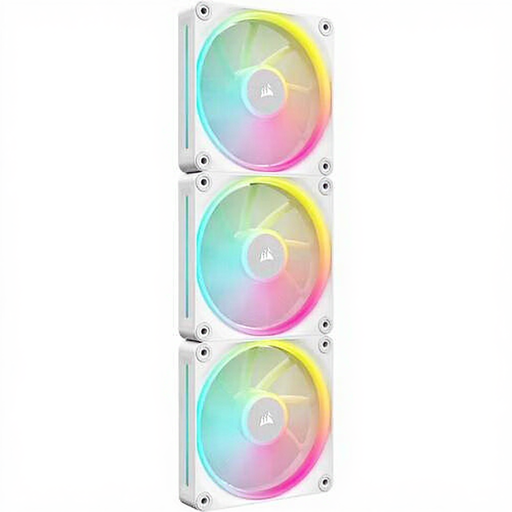
Why it suits this profile: A set of three 120mm fans is a practical choice for a new build with several standard mounting positions, and gives your setup a consistent white look straight away.
You won’t accidentally buy a single expansion fan when you want to fill several positions. Just check whether you need a compatible hub.
Three 120mm fans, PWM support, speeds of up to 2400 RPM and individually controllable RGB LEDs, according to the product information.
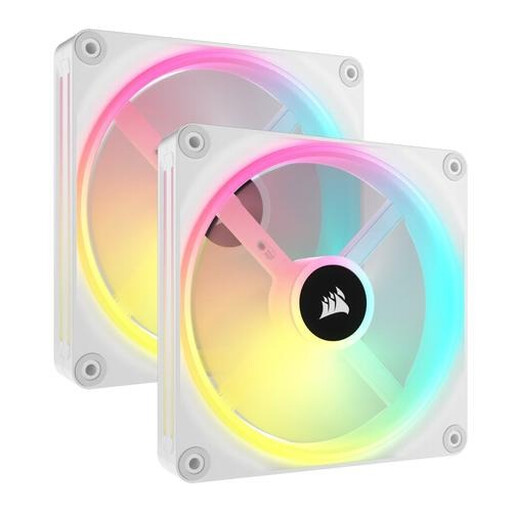
Why it suits this profile: A great fit for a case with 140mm mounting positions, if you’re looking to create a clean, bright build with plenty of customisable lighting.
The set makes it easier to keep the size and colour consistent. Check in advance that your case supports 140mm fans.
Two 140mm fans, PWM control, airflow of up to 82.5 CFM and 34 individually controllable LEDs per fan, according to the product description.
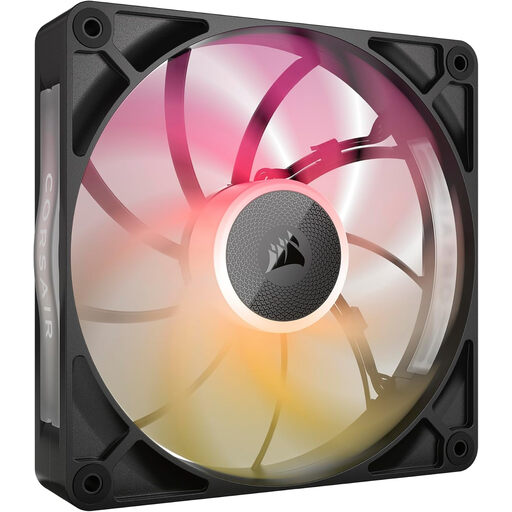
Why it suits this profile: A single 140mm fan is ideal for a targeted upgrade to an intake, exhaust or radiator position in a black build.
The size, thickness and product specifications are clearly listed. Be sure to measure the additional 30 mm frame thickness before ordering.
Airflow of up to 102.9 CFM, 300–1600 RPM, PWM support and a maximum noise level of 31 dB, according to the product specifications.
We’ve put together a complete, up-to-date list of products that meet these strict selection criteria and the current European safety requirements.
Switch off your computer, unplug it from the mains and wait until all the fan blades have stopped. Secure the fan firmly, but don’t overtighten the screws. The arrows on the frame show the direction of airflow. Keep cables away from moving blades and connect the PWM and iCUE LINK cables as instructed in the manual.
Dust on the blades can affect noise levels and airflow. Clean them with a soft brush or compressed air; don’t rinse a computer case fan with water. According to the information provided, products are covered by a minimum two-year statutory warranty in the EU. Additional rights may apply under Dutch law.
Not always. A starter pack may include an iCUE LINK System Hub, while a single fan may be intended to expand an existing chain. Check the contents of the specific product package before ordering.
That depends on the speed, case design, bearings and fan curve. A 140mm fan can move plenty of air at a lower speed when suitably mounted, but the stated dB values vary by model. Compare the specifications of the models that will actually fit your case.
Power consumption comes from the motor and the LEDs. The exact amount varies by model and operating level. For an accurate comparison, check the technical specifications and connect your fans using the recommended hub and power configuration.
