
Vandaag of morgen in huis

Kwaliteit gegarandeerd

Welkomstaanbiedingen ontgrendelen: GRATIS bezorging | Tot 80% korting | Gratis 30 dagen JoyPlus-proefperiode
Download de app
A Corsair iCUE LINK PC case fan can be a neat way to improve airflow and reduce cable clutter in your desktop PC. However, it’s not a good idea to focus only on RGB lighting or maximum speed. The right choice depends on your case, radiator, connections and preferred noise level.
According to their stated specifications, a 140mm PC fan often moves more air at a lower speed than a 120mm model. That sounds appealing, but your case needs to have suitable mounting points. Check the following before you buy:
A high RPM range can be useful under heavy load, but the fan will generally be more audible at higher speeds. Check the minimum speed, maximum noise level and support for PWM too. PWM lets the fan speed adjust automatically according to the temperature.
For example, the Corsair iCUE LINK RX120 has a stated speed range of 400 to 2100 RPM, while the RX140 MAX models are listed with a range of 300 to 1600 RPM. A lower minimum speed can help keep your PC quiet while you’re working or browsing.
An RGB case fan can use different connections. A standard ARGB fan connects via a compatible 5V header on the motherboard. iCUE LINK products, on the other hand, use their own connection system and may need an iCUE LINK hub.
Before you buy, check:
A 120mm PC fan is versatile and fits many compact and mid-sized cases. This size is also often suitable for radiators with 120mm mounting points. A 140mm PC fan needs more room, but can move a large amount of air at a lower speed.
Choose 120mm if compatibility and flexibility are important to you. Choose 140mm if your case supports it and you have enough space around the mounting point.
Airflow is usually stated in CFM or m³/h. This indicates how much air the fan can move. Airflow is important for open case positions. For a radiator fan or a dusty front panel, static pressure matters too. Higher static pressure can help push air through a dense radiator or filter.
Only compare these figures under similar test conditions. A stated maximum isn’t a guarantee that your PC will achieve the same result in practice.
Product pages often list minimum and maximum noise levels, such as 10 dB at low speed and around 30 to 37 dB at maximum speed. These are product specifications, and figures can vary depending on the measurement method. Set a custom fan curve in your BIOS, UEFI or iCUE.
A practical setup is to:
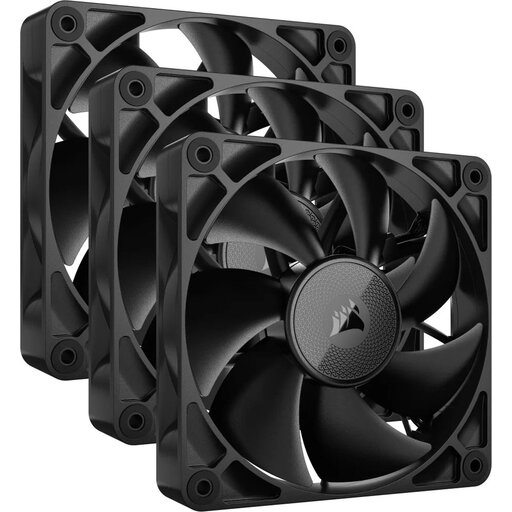
Why it suits this user: A set of three 120mm fans is a practical choice if you want to fill several positions at once and keep cables tidy. According to the product listing, the speed ranges from 400 to 2100 RPM.
Rather than buying individual fans without a plan, the 3-pack lets you create a balanced intake and exhaust setup. Check that an iCUE LINK hub and the required cables are available for your configuration.
Three fans, PWM control and a maximum stated airflow of 74,2 CFM according to the product page.
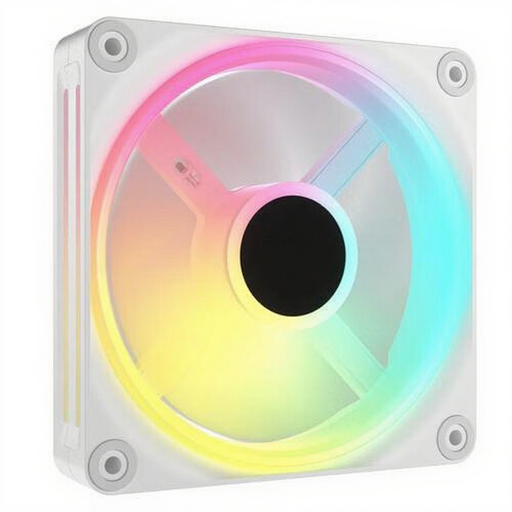
Why it suits this user: This set is a great fit for a striking white build where RGB lighting is part of the design. The listing specifies 34 individually controllable LEDs per fan and PWM support.
The product specifications list both lighting and speed control. Still, check the connection and the controller you need beforehand, so the RGB feature doesn’t go unused.
Three 120mm fans, 34 addressable LEDs per fan and a stated speed range of 400 to 2400 RPM.
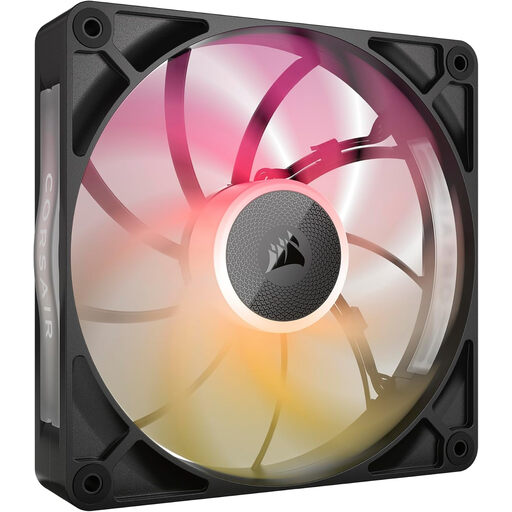
Why it suits this user: This 140mm fan is designed for users with a spacious case or radiator setup. According to the product details, the fan is 30 mm thick and suitable for case and radiator cooling.
The extra thickness is clearly stated. Measure the available space before ordering to avoid the fan hitting memory modules, radiator components or the side panel.
140mm size, PWM control, eight RGB LEDs and a stated maximum airflow of 102,9 CFM.
We’ve put together a complete, up-to-date list of products that meet these strict selection criteria and the applicable European safety regulations.
Switch off your PC completely and unplug it before installing a Corsair RGB fan. For iCUE LINK models, connect the fans to a compatible hub according to the instructions. Don’t use damaged cables, and check after installation that nothing is touching the blades.
Next, set a fan curve. A quiet PC fan doesn’t run at maximum speed all the time; noise levels depend heavily on the RPM setting and the airflow resistance inside the case. Clean the dust filters regularly, as built-up dust can reduce airflow and create extra noise.
That depends on the specific model and what’s included in the box. Check whether an iCUE LINK hub is included or needs to be bought separately. A standard 4-pin PWM connection and an iCUE LINK connection aren’t interchangeable.
Not necessarily. According to the product specifications, a 140mm fan can move a lot of air at a lower speed, but the noise you hear will depend on the RPM, case, radiator and fan curve. Compare both the dimensions and the stated noise levels.
It depends on your case and hardware. A basic setup often has an intake fan at the front and an exhaust fan at the rear. A set of three may suit a case with several mounting points, but always check the airflow direction and available connections.
