
Vandaag of morgen in huis

Kwaliteit gegarandeerd

Welkomstaanbiedingen ontgrendelen: GRATIS bezorging | Tot 80% korting | Gratis 30 dagen JoyPlus-proefperiode
Download de app
A tidy PC build depends on more than just choosing the right processor, graphics card and case. Cabling also determines whether components remain easy to access and whether your build looks neat and organised. If you are specifically looking for the Corsair iCUE LINK ARGB extension cable 600 mm white, the connection, cable length and connector angle are particularly important.
The Corsair CL-9011130-WW is designed for PC builders who want greater freedom when connecting iCUE LINK components. However, there are several pitfalls that can easily lead to buying a cable that is not suitable for your system.
ARGB, RGB, USB-C and iCUE LINK are not interchangeable standards. A cable may look similar in product photos but still have a different connector or intended use. Always check that both connections are explicitly listed as iCUE LINK.
According to the product specifications, the CL-9011130-WW has an iCUE LINK connection at both ends. This makes the cable suitable as an extension within a compatible iCUE LINK configuration. Do not use it as a general replacement for a standard 3-pin or 4-pin ARGB cable.
A 600 mm cable may sound generous, but some of its length disappears into cable channels, behind the motherboard or along the back of the case. Measure the route between the two components, rather than just the straight-line distance.
The cable is 0.60 metres long, placing it in the medium-length category. This is practical when components are not positioned directly next to each other, but you do not want to store away a large amount of excess cable.
With radiators, fans, side panels or a tight cable opening, a straight connection may press against another component. A 90-degree cable routes the cable directly along the edge of the component. This helps to reduce kinks and unnecessary loops.
However, pay attention to the direction of the angled connector. Check where the cable needs to come from and whether the connection needs to point upwards, downwards or sideways. An angled connection does not solve every space-related problem.
For this application, the most important checks are:
A PC case cable with a different connector cannot simply be placed between Corsair iCUE LINK components. Also check that your controller, fans or other components genuinely support iCUE LINK.
The 600 mm length is particularly useful in larger cases, with multiple mounting points or when routing the cable behind the motherboard tray. For a direct connection between two components positioned close together, a shorter cable may be more practical.
Too much unused cable can unnecessarily complicate airflow and cable management. Too little length can put strain on the connector. Measure in advance and allow for bends.
The white cable is a visual match for a white PC case or a light-coloured build. The 90-degree design is also useful for connections in confined spaces. According to the product description, the cable is CE marked. A CE mark indicates that the manufacturer declares compliance with the relevant EU requirements; it does not guarantee that the cable will work with every PC configuration.
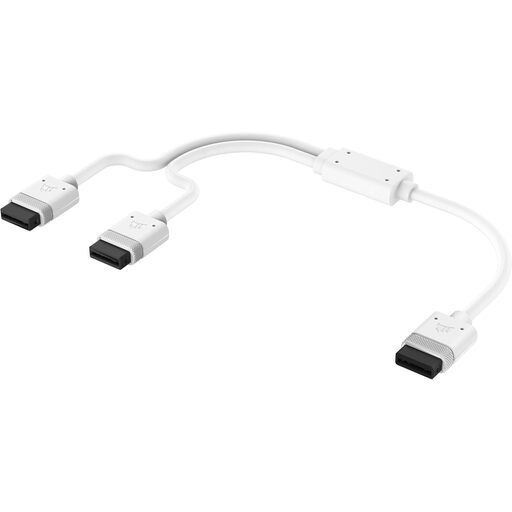
Why it suits this profile: This white 600 mm cable offers a similar length for users who do not need an angled connection and are primarily checking basic compatibility.
The first and second connections are listed as iCUE LINK. However, check beforehand that there is enough room in your case for a straight connector.
White finish, 0.60 metre length and iCUE LINK at both ends. The product specifications do not mention a 90-degree connection.
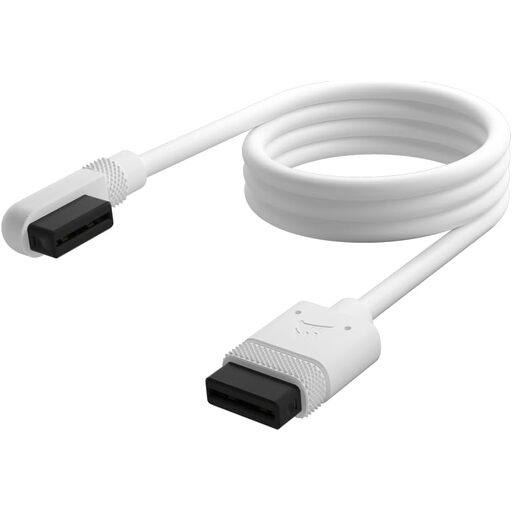
Why it suits this profile: This option is ideal for PC builders looking for a white 600 mm iCUE LINK connector cable with an angled connection for a neat-looking build.
The length, colour and connection are clearly specified. The 90-degree design can help when a straight cable would come into contact with a panel or component.
White cable, 600 mm long, one piece per pack and iCUE LINK connections at both ends.
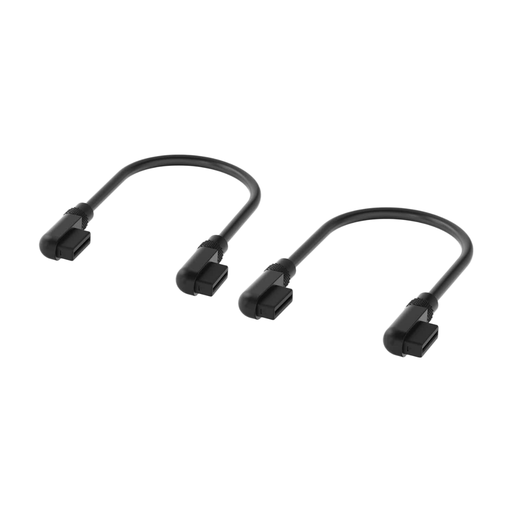
Why it suits this profile: This short cable is designed for tight connections between iCUE LINK components positioned close together, for example in a compact PC case.
The short length limits excess cable in small cases. This cable is black and 135 mm long, so it is not a direct replacement for a white 600 mm cable.
Two slim 90-degree connectors and two cables per pack. Check the colour and required length before buying.
Use only compatible Corsair iCUE LINK components. A cable for conventional 5V ARGB lighting has a different purpose and should not simply be connected to an iCUE LINK port.
We have put together a complete, up-to-date list of products that fully meet these strict selection criteria and the applicable European safety regulations.
No. The CL-9011130-WW has an iCUE LINK connection at both ends. Check that your Corsair components and controller support this system. A standard 3-pin or 4-pin ARGB header is not automatically compatible.
That depends on the route. Measure the distance between the components, including the bends behind the motherboard. The cable is 0.60 metres long and may be suitable for medium-length connections, but a very spacious case may require additional length.
A straight cable comes directly out of the port. A 90-degree cable bends immediately alongside the case or component. This can be useful in tight spaces, but always check the direction of the connector and the available clearance.
