
Vandaag of morgen in huis

Kwaliteit gegarandeerd

Welkomstaanbiedingen ontgrendelen: GRATIS bezorging | Tot 80% korting | Gratis 30 dagen JoyPlus-proefperiode
Download de app
A Corsair PC case fan can help remove warm air from your case and draw cool air in. But it’s not wise to choose based on RGB lighting or the highest speed alone. The connection, dimensions and airflow all determine whether a fan is right for your PC.
A 120mm PC fan and a 140mm PC fan use different mounting holes. So check your case, radiator or CPU cooler manual first. A 140mm model may also take up more space around the motherboard, memory or radiator.
Pay attention to the thickness, too. Standard fans are often around 25 mm thick, while some MAX models measure 30 mm. In a compact case, this can affect the available clearance.
A fan with a wide RPM range can provide powerful cooling, but it won’t run at its maximum speed all the time. Noise levels, airflow and static pressure are just as important. For example, the noise levels listed in the product descriptions across this range vary from around 10 dB at low speed to approximately 29.5–37 dB at high speed.
Bear in mind that noise measurements depend on the method used and the conditions. Treat the dB figure as a point of comparison, not a guarantee of a completely silent PC.
A Corsair RGB case fan won’t necessarily work with every RGB connection. Check whether your motherboard has a suitable 5V ARGB connection, or whether you need a compatible Corsair controller. For an iCUE LINK fan, you should also check whether the System Hub, cables and power supply are included.
If you’re buying a multipack, check exactly what’s in the box. A pack of three fans won’t necessarily include all the controllers or extension cables you need.
First, choose between 120 mm and 140 mm:
The airflow direction is usually shown by arrows on the frame. Fans at the front or bottom often draw air in, while those at the rear or top expel warm air. A balanced setup usually works better than having several fans all blowing in the same direction.
A PWM case fan typically uses a 4-pin connection for more precise speed control. You can then set a fan curve through the BIOS, UEFI or compatible software. The fan runs more quietly at lower temperatures and can speed up when the system is under heavier load.
Check that your motherboard has enough fan headers. If you’re using several fans, you may need a fan hub. Don’t assume that RGB uses the same connection as PWM: they serve different functions.
Airflow is often given in CFM or m³/h. A higher figure can be useful in an open space inside the case. For a radiator fan, static pressure, measured in mmH2O, is also relevant. According to the product specification, this indicates how well a model is suited to pushing air through a dense grille or radiator.
A quiet PC fan doesn’t necessarily run slowly. PWM control lets you adjust the speed to suit how you use your PC. So look at the full range, not just the maximum RPM figure.
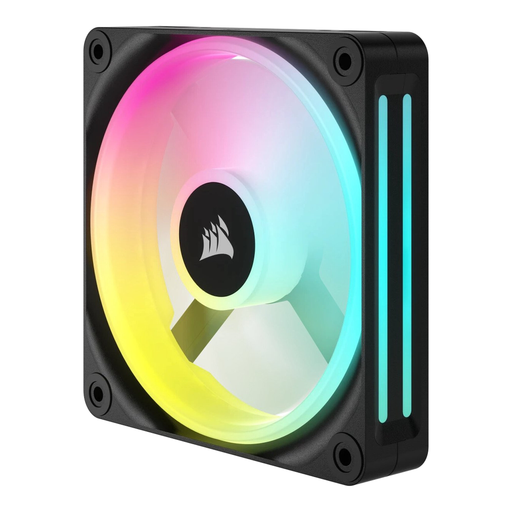
Why it suits this profile: A single 120mm fan is a practical choice if you want to upgrade an existing PC one step at a time. According to the product description, this model has a speed range of 480 to 2400 RPM and LED lighting.
You won’t end up buying an unnecessary multipack if you only have room for one 120mm fan. Just check the connection and available fan header beforehand.
120 mm size, LED lighting, PWM support according to the product specifications, and one fan in the box.
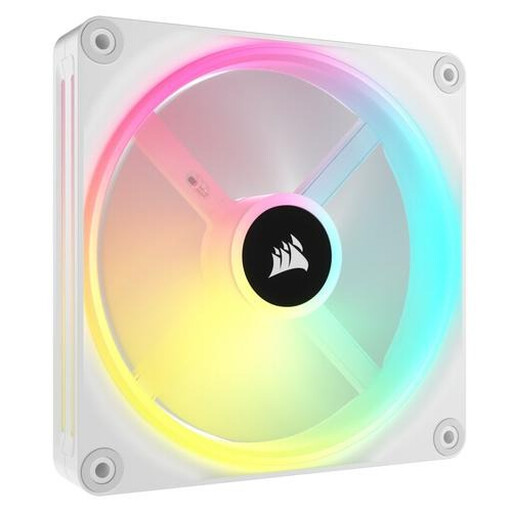
Why it suits this profile: For a spacious build with 140mm mounting, this model offers PWM control and, according to the product description, 34 individually addressable LEDs. The iCUE LINK connection is a good fit for an ecosystem of linked components.
The specifications list the size, PWM and RGB. Still, check that your case supports 140 mm fans and that you have a suitable iCUE LINK controller.
140 mm size, PWM support, iCUE LINK and 34 individually addressable LEDs according to the product information.
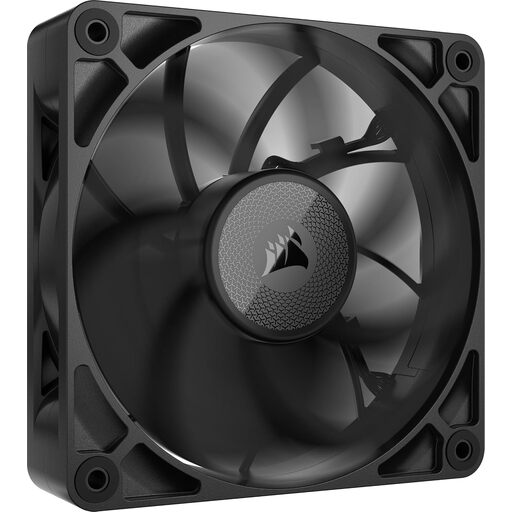
Why it suits this profile: According to the product description, this 120mm model is 30 mm thick and has a maximum static pressure of 4,18 mmH2O. That makes it suited to setups where air needs to be pushed through a radiator or dense grille.
Its thicker design makes clearance especially important. Measure the distance to the radiator, memory modules and side panel first.
30 mm thickness, PWM control, up to 71,6 CFM and 4,18 mmH2O static pressure according to the product description.
We’ve put together a complete, up-to-date list of products that meet these strict selection criteria and current European safety regulations.
Switch off your computer completely and unplug it before installing a fan. Check the airflow arrows and keep cables away from the blades. Connect PWM to a suitable 4-pin fan header. For RGB, follow the instructions for your specific model; an iCUE LINK system uses a different connection method from a standard 5V ARGB header.
Remove dust with compressed air or a soft brush. Don’t use water, and don’t let the fan spin while you’re cleaning it. Securing the fan firmly helps prevent unnecessary vibration and noise.
Not necessarily. A 140mm fan can move enough air at a lower speed, but the final noise level depends on the model, the fan curve and the case. Compare the stated dB and airflow figures.
Not without checking first. PWM and RGB use different connections. Check that your motherboard has the right 4-pin PWM and 5V ARGB connections, or use a compatible Corsair controller. For iCUE LINK models, check the System Hub and cabling.
That depends on your case, hardware and airflow layout. Start by checking the available mounting positions, then choose a sensible combination of intake and exhaust fans. Also check how many fan headers your motherboard supports and whether you’ll need any controllers.
