
Vandaag of morgen in huis

Kwaliteit gegarandeerd

Welkomstaanbiedingen ontgrendelen: GRATIS bezorging | Tot 80% korting | Gratis 30 dagen JoyPlus-proefperiode
Download de app
When building or upgrading a PC, proper cooling is essential. A quality set of case fans not only keeps your components at a safe temperature but can also significantly reduce your system's noise level. However, the market for Corsair case fans is vast and filled with technical specifications. It's easy to get lost in marketing jargon and make a purchase you'll later regret.
As a Joybuy Product Recommendation Officer, I'm here to help you make the right choices. We'll look past the hype and focus on what truly matters. Here are the most common pitfalls and how to avoid them.
To avoid the pitfalls above, you need to pay attention to a few core specifications. This objective data will help you choose a fan that fits your specific system.
Size: 120mm Fan vs. 140mm Case Fan The two most common sizes are 120mm and 140mm. A 140mm case fan can move the same amount of air as a 120mm fan at a lower speed (RPM). This means they are generally quieter. However, always check if your PC case has mounting points for 140mm fans.
Airflow (CFM) and Static Pressure (mmH2O) These are the two most important performance metrics.
Control and Connection: PWM and Corsair iCUE A PWM fan (Pulse Width Modulation) has a 4-pin connector that allows the motherboard or a controller to precisely regulate its speed based on temperature. This ensures a quiet PC fan when the PC is under light load and maximum cooling when needed. Systems like Corsair iCUE take it a step further. With iCUE LINK technology, you can connect multiple fans with a single cable, drastically reducing cable clutter and centralising control over speed and ARGB fan lighting.
Below are some popular choices, matched with different user types. These recommendations are based on objective product specifications.

Why This Fits Their Persona: For the builder who wants a visually stunning and clean system. The focus is on vibrant RGB effects and minimal cable hassle, without compromising on performance.
Tackles the 'cable spaghetti' pitfall. Thanks to the iCUE LINK system, you can connect the three fans with a single cable, which extremely simplifies cable management.
Good all-round performance: With a maximum static pressure of 3.8 mmH2O and 70 CFM airflow, it's suitable for both cases and radiators. Vibrant lighting: Each fan has 18 RGB LEDs for smooth effects.
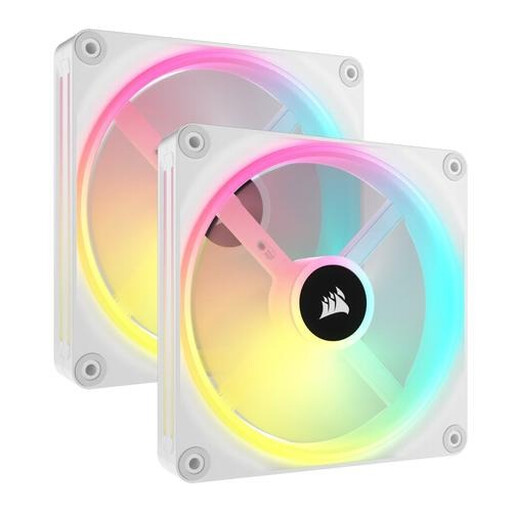
Why This Fits Their Persona: This user wants maximum cooling performance to achieve the highest framerates. The 140mm size offers an excellent balance between high airflow and an acceptable noise level.
Avoids the 'wrong airflow type' pitfall. The QX140 offers a strong combination of 82.5 CFM airflow and 3.5 mmH2O static pressure, making it highly versatile.
Powerful cooling: The 140mm size moves a lot of air, even at lower speeds. PWM control: Precise speed regulation from 480 to 2000 RPM for a balance between silence and performance.
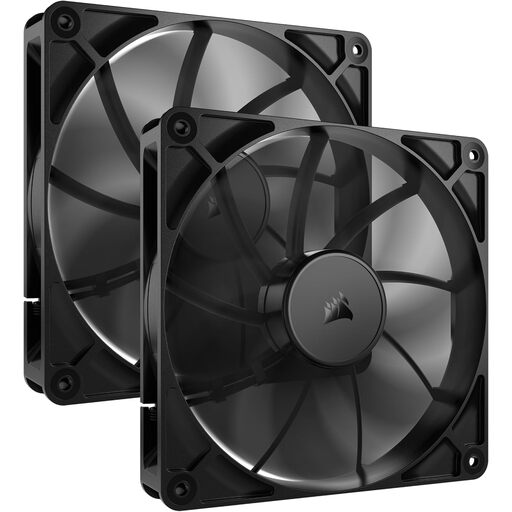
Why This Fits Their Persona: This user is looking for a no-nonsense solution. Performance and a low noise level are important, but RGB lighting is not a priority. A functional and affordable choice comes first.
Bypasses the 'RGB obsession' trap. This fan focuses purely on function: moving air. You don't pay extra for lighting you might not need.
Quiet operation: According to the manufacturer, it produces only 10 dB at low speed, ideal for a silent PC. High airflow: With a maximum of 95.5 CFM, this is a powerful fan for case cooling.
We have compiled a complete, up-to-date list of products that fully meet these strict selection criteria and UK regulations.
A good rule of thumb for a standard gaming PC is at least two to three fans. A typical setup is one or two fans at the front pulling cool air in (intake) and one fan at the back pushing warm air out (exhaust). This creates a positive or neutral air pressure, which helps keep dust out and cools components effectively.
The difference lies in how the LEDs are controlled. A standard RGB fan can only display one colour at a time across all its LEDs. An ARGB fan (Addressable RGB) has individually controllable LEDs. This allows for complex, multi-colour effects, such as rainbows or other dynamic patterns. ARGB fans typically require a 3-pin 5V header on the motherboard or a dedicated controller.
Yes, you can. Most Corsair fans are PWM fans and can be connected to your motherboard via the 4-pin connector. You can then control the speed through your motherboard's BIOS/UEFI. However, to customise the RGB/ARGB lighting and leverage the benefits of the iCUE LINK ecosystem, the Corsair iCUE software is required. Without the software, the LEDs may not light up or will operate in a default mode.
