
Vandaag of morgen in huis

Kwaliteit gegarandeerd

Welkomstaanbiedingen ontgrendelen: GRATIS bezorging | Tot 80% korting | Gratis 30 dagen JoyPlus-proefperiode
Download de app
When building or upgrading a PC, proper cooling is essential. A quality set of fans keeps your components at a safe temperature, which improves performance and longevity. Corsair is a popular name in PC cooling, but its wide range of products can be overwhelming. Many PC builders fall for marketing traps and end up with fans that don't suit their system. Let's look at the most common pitfalls and how to avoid them.
Before you buy a Corsair fan, it's important to know what to look for. Much of the marketing focuses on aesthetics, while functionality can sometimes be an afterthought.
To make the right choice, it helps to understand a few technical specifications. This will help you see past the marketing and choose a fan that truly works for your situation.
Size: 120mm fan vs. 140mm fan The two most common sizes are 120mm and 140mm. A 140mm fan can move the same amount of air as a 120mm model at a lower speed (RPM), which generally makes it quieter. However, a 120mm fan fits in more cases and can often reach higher speeds, which is useful for focused cooling as a radiator fan. Always check which sizes your PC case supports.
Airflow (CFM) vs. Static Pressure (mmH2O) This is the most critical technical trade-off.
Connection and Control: PWM and Corsair iCUE LINK Modern fans use a 4-pin PWM connector. This allows your motherboard to automatically adjust the fan's speed based on temperature. This ensures a quiet case fan when the PC is not under heavy load. Systems like Corsair iCUE LINK go a step further by connecting multiple fans with a single cable for both power and RGB, which drastically reduces cable clutter.
Based on these criteria, we have selected a few Corsair fans that suit different user profiles.
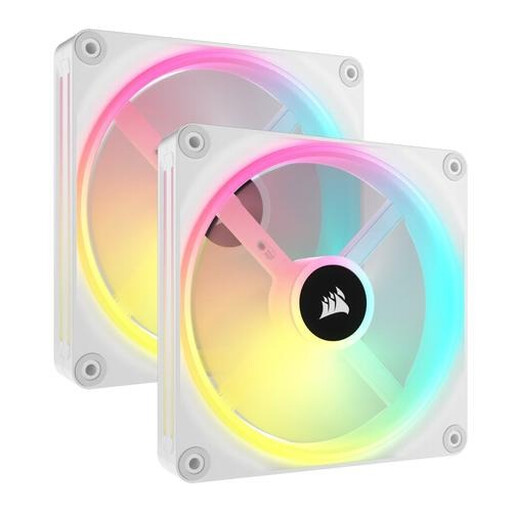
Why This Fits Their Persona: Perfect for those who want to build a visually stunning PC with minimal hassle. The sleek white finish and extensive RGB options make this a showpiece, while the iCUE LINK system ensures an exceptionally clean build.
Tackles the 'cable nightmare' with the iCUE LINK system, which connects multiple fans via a single cable. It combines advanced RGB (34 LEDs per fan) with strong performance (82.5 CFM), thus avoiding the 'RGB trap'.
Outstanding RGB personalization and drastically simplified cable management. The 140mm fans offer a great balance between quiet operation and powerful airflow.
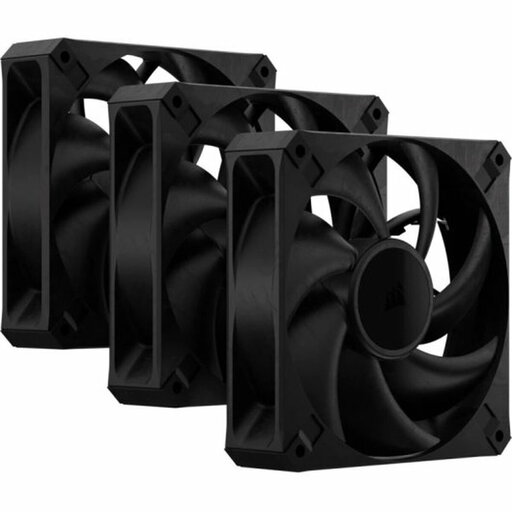
Why This Fits Their Persona: For the user who prioritizes pure cooling power above all else. These fans are designed for maximum performance, with a focus on high static pressure, making them ideal for water cooling radiators and systems pushed to their limits.
Completely sidesteps the 'RGB trap' by having no lighting. The focus is 100% on performance. With a static pressure of up to 4.2 mmH2O, this is a prime example of a fan that solves the 'specification chaos' for radiator use.
Very high static pressure thanks to the thicker 30mm frame, ensuring excellent performance on radiators. No frills, just pure cooling power.

Why This Fits Their Persona: An excellent choice for anyone looking to upgrade their standard PC with a great balance of performance, aesthetics, and ease of installation. This case fan 3-pack offers a complete, out-of-the-box solution.
Offers a balanced solution that doesn't fall into extremes. The performance (2400 RPM, 3.8 mmH2O) is solid for both case and radiator cooling, and the iCUE LINK system prevents the cable nightmare.
A complete and balanced package. You get good cooling, vibrant RGB, and the installation convenience of iCUE LINK, all in a handy 3-pack.
We have compiled a complete, up-to-date list of products that meet these selection criteria and comply with current regulations.
For a standard PC, a setup with two or three fans is a good starting point: one at the front for cool air intake and one at the back for warm air exhaust. An additional fan at the top can further improve exhaust. For high-end gaming PCs, four or more fans can noticeably lower temperatures.
The main difference is cable management. A standard RGB fan typically has two cables per fan: one for power (PWM) and one for RGB lighting. Corsair iCUE LINK uses an ecosystem where you can connect multiple fans with a single cable for both power and data. This results in significantly fewer cables and a much cleaner build.
Yes, you certainly can. However, it's important to choose a model with high static pressure (indicated in mmH2O). These fans are specifically designed to effectively push air through the dense fins of a radiator fan. A fan optimized for airflow (CFM) will be less efficient here. Models like the RS120 MAX are a good example of this.
