
Vandaag of morgen in huis

Kwaliteit gegarandeerd

Welkomstaanbiedingen ontgrendelen: GRATIS bezorging | Tot 80% korting | Gratis 30 dagen JoyPlus-proefperiode
Download de app
If you're considering building a high-end gaming PC or a powerful workstation, the case is much more than just a box. It's the foundation of your system. A model like the Corsair 9000D RGB AIRFLOW is on many wish lists, but before you make a final decision, it's crucial to know what to look for. The market for premium cases is filled with marketing claims that don't always reflect reality.
Many builders fall into the same traps. They invest in an expensive case that looks impressive, only to encounter unexpected problems during the build process. Here are the most common mistakes:
To avoid these problems, you need to look beyond the product photos. Focus on the objective specifications that determine whether a case is suitable for your dream PC.
The term 'airflow' is more than a marketing buzzword. Check the concrete options for cooling. A high-end gaming PC case must offer flexibility.
A large ATX case must accommodate the biggest components of today and tomorrow. Measure your components and compare them with the case's specifications.
Not everyone has the same needs. We've matched several popular choices with different types of builders, based on their objective specifications.
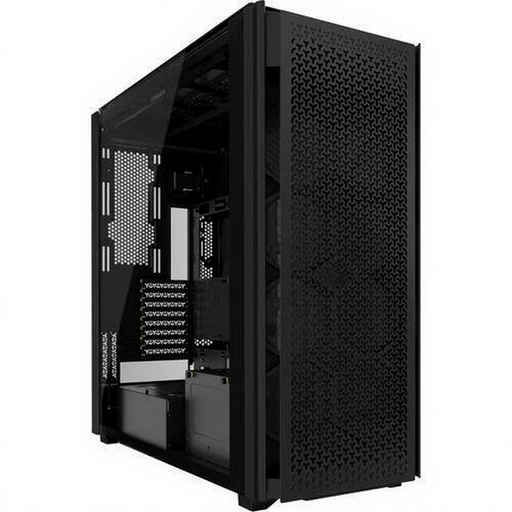
Why This Fits Their Persona: For the builder who accepts zero compromises. Ideal for complex custom water cooling loops, multiple radiators, and the largest components for an extreme gaming PC or workstation.
This case completely sidesteps the 'hidden space constraints' pitfall. Its enormous internal volume and modular design can accommodate virtually any conceivable configuration, now and in the future.
Exceptional cooling flexibility with support for multiple large radiators simultaneously. Massive internal space for a clean and straightforward building experience.
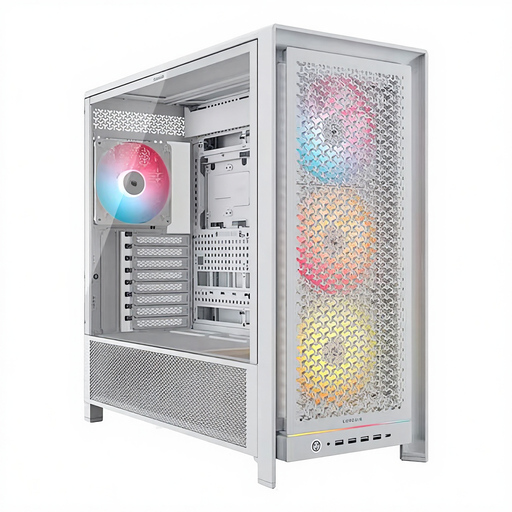
Why This Fits Their Persona: For those who want a visually stunning build with powerful performance, without the extreme size of a full tower. Perfect for a clean gaming setup that deserves to be shown off.
This case tackles 'cable management frustrations' head-on. With a thoughtful design and ample space behind the motherboard, achieving a clean, professional-looking build is simple.
Excellent balance between size, aesthetics, and cooling performance. Offers space for GPUs up to 450mm and features a smart cable management system.
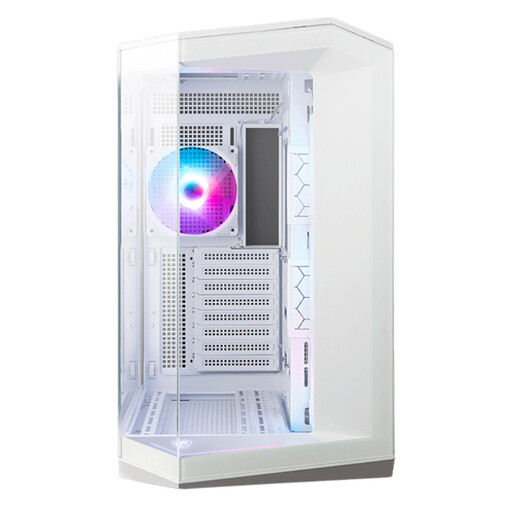
Why This Fits Their Persona: For the builder who wants to showcase their components. The panoramic glass design is made to impress, while the dual-chamber layout ensures a clean look and good airflow.
This case avoids the 'airflow illusion'. Despite the focus on glass, the dual-chamber design and support for 10 fans ensure effective component separation and cooling.
Panoramic view of components through seamless tempered glass. Supports back-connect motherboards for an ultra-clean build with no visible cables.
We've compiled a complete, up-to-date list of products that meet our strict selection criteria.
For most gamers and standard users, a good mid-tower is often sufficient. However, a full tower like the 9000D is a godsend for PC enthusiasts who engage in complex custom water cooling, use multiple large GPUs (for AI or rendering), or simply want maximum flexibility and building space for their workstation.
Regular maintenance is recommended to keep airflow optimal. Depending on the amount of dust in your environment, it's wise to check and clean the filters every 1 to 3 months. On cases like the 9000D, the filters are designed for easy access, allowing you to remove, clean, and replace them without any tools.
Yes, the Corsair 9000D supports graphics cards up to 400 mm in length. This is more than enough for most high-end models on the market, including the larger custom versions of cards like the NVIDIA GeForce RTX 4090. It is always good practice to check the exact dimensions of your specific card model and compare them with the case's specifications.
