
Vandaag of morgen in huis

Kwaliteit gegarandeerd

Welkomstaanbiedingen ontgrendelen: GRATIS bezorging | Tot 80% korting | Gratis 30 dagen JoyPlus-proefperiode
Download de app
Building a new PC is an exciting project. You carefully select the processor and graphics card, but the case is often overlooked. This can lead to unexpected problems and disappointment. Much of the marketing focuses on flashy lights but ignores the crucial details that determine whether your build is a success or a source of frustration. Before you buy a gaming pc case, it's important to recognise a few common pitfalls.
Pitfall 1: The "High Airflow" Myth A perforated front panel looks promising, but it doesn't guarantee good cooling. If the internal layout obstructs airflow, fan positions are limited, or the included fans are low quality, you'll still end up with overheating components. True airflow depends on the overall design, not just the front panel.
Pitfall 2: Unexpected Compatibility Issues The specifications might state "supports ATX motherboards" but fail to mention that a top-mounted 360mm radiator won't fit if your RAM modules are too tall. Or that your new, extra-long graphics card will butt up against the drive bays. These details often only become apparent during the build process, when it's too late.
Pitfall 3: Poor Cable Management and Flimsy Materials A case might look sleek in photos, but a lack of space behind the motherboard, too few tie-down points, and poorly placed cutouts can turn cable management into a nightmare. This not only looks messy but can also block airflow.
To avoid these pitfalls, focus on a few objective specifications. These determine the functionality and future-proofing of your build.
This is the most critical factor. Always check the maximum dimensions the case can accommodate.
Corsair 5000D RS ARGB offers up to 450 mm of clearance, which is essential for the latest generation of cards.water-cooling case, look at the supported radiator sizes (e.g., 240mm, 280mm, 360mm) and the possible mounting locations (front, top, side). Flexibility here is a sign of a well-thought-out design.Most builders opt for an ATX motherboard. A Midi Tower case is the most popular choice for this, as it offers a good balance between size and internal space. Some midi-towers, including models in the Corsair 5000 series, also support larger EATX motherboards. Even if you're using a standard ATX board, an EATX computer case provides extra room, which makes the building process and cable management significantly easier.
A good PC case with ARGB offers more than just lighting. It's about the combination of aesthetics and performance.
Based on these criteria, we have selected a few popular choices that suit different types of builders.
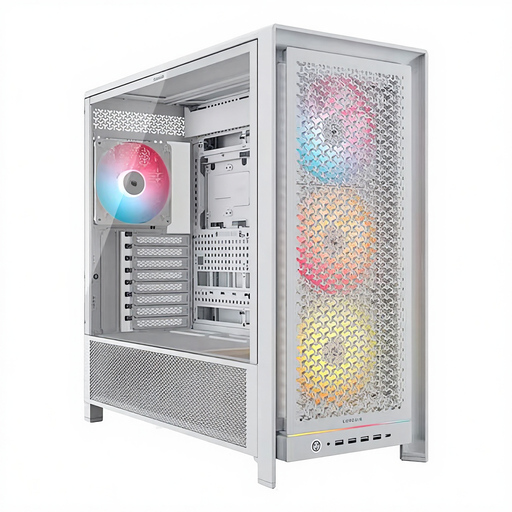
Why This Fits Their Persona: Ideal for the builder who wants maximum flexibility for now and the future. This case is designed for the largest components and complex water-cooling setups, without compromise.
Tackles the compatibility pitfall with enormous clearance for GPUs (450 mm) and multiple 360mm/420mm radiators. The "high airflow" myth is debunked by an optimised design and four included 140mm ARGB fans.
The modular FRAME system and InfiniRail fan mounts offer unprecedented flexibility. Ample cable management (RapidRoute) makes a clean build simple.
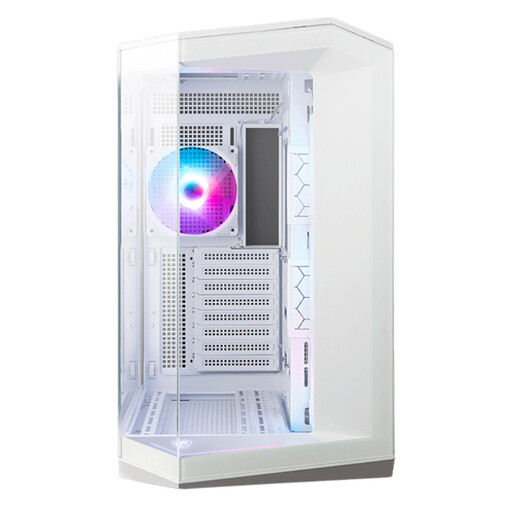
Why This Fits Their Persona: For the builder who wants to showcase their components. The panoramic glass design offers an unobstructed view of the hardware, perfect for a visually stunning setup.
Avoids the poor cable management pitfall with a dual-chamber design, which hides the power supply and cables. This also improves airflow to the main components. The steel and tempered glass construction feels solid.
270-degree panoramic glass panel. Supports back-connect motherboards (like MSI Project Zero) for an extremely clean look with no visible front-side cables.
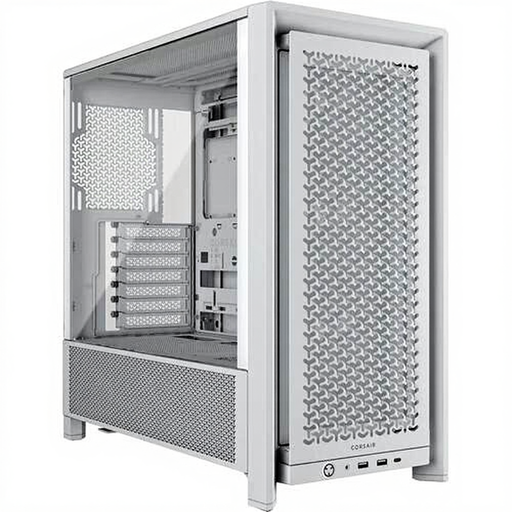
Why This Fits Their Persona: For the gamer seeking the renowned Corsair quality and airflow philosophy in a more compact and accessible package. A no-nonsense choice for a powerful gaming PC.
Debunks the "airflow myth" with a ventilated front panel and a smart internal layout. Although more compact, its dimensions (max GPU 370 mm) are clear, helping you avoid the compatibility pitfall by measuring beforehand.
Excellent price-to-performance ratio. Offers core Corsair features like good cable management and solid build quality in a standard midi-tower form factor. Includes three RS120 ARGB fans.
We have compiled a complete, up-to-date list of products that fully meet these strict selection criteria and Dutch safety regulations.
Will my NVIDIA 50-series graphics card fit in the Corsair 5000D RS ARGB? Yes, with a maximum GPU length of 450 mm, the Corsair 5000D RS ARGB is designed to house even the largest and most powerful graphics cards of the latest generations. To be certain, always check the specific dimensions of the graphics card model you intend to buy.
What is the difference between the Corsair 5000D Airflow and the 5000D RS ARGB? The main difference lies in the included components and the front panel. The Corsair 5000D Airflow white typically comes with non-RGB fans and is focused on pure cooling performance, allowing the user to choose their own lighting. The 5000D RS ARGB, as its name suggests, comes with four 140mm ARGB fans and a matching front panel, providing a complete out-of-the-box solution for both cooling and aesthetics.
Is an EATX computer case necessary for a standard ATX motherboard? No, it is not strictly necessary. An ATX motherboard fits perfectly into a standard ATX case. However, using a larger case that also supports EATX, like the 5000D, offers significant advantages. You get noticeably more room for cable management, larger radiators for water cooling, and an overall more comfortable building experience.
