
Vandaag of morgen in huis

Kwaliteit gegarandeerd

Welkomstaanbiedingen ontgrendelen: GRATIS bezorging | Tot 80% korting | Gratis 30 dagen JoyPlus-proefperiode
Download de app
Choosing the right PC case can feel like navigating a maze of marketing claims. You want a sleek build you can proudly display, but you also need your high-end components to run cool and efficiently. Unfortunately, there are a few common pitfalls many builders fall into.
Before making a decision, it's crucial to know what to look for. Many PC builders make costly mistakes by focusing on the wrong aspects. The most common blunders include:
A good case, like the Corsair 4000D RS case, is designed to prevent these problems. Let's look at the key specifications that truly make a difference.
To avoid buyer's remorse, focus on the specs that determine performance and ease of building, not just aesthetics.
The debate between a closed, sleek front panel and a ventilated mesh panel is crucial. While a solid panel might look minimalist, it severely restricts the amount of cool air reaching your components.
A Corsair airflow case with a perforated or mesh front panel provides direct air intake. This is essential for high-performance builds where the CPU and GPU generate significant heat. Always check how many fan mounts a case has and whether there's room for radiators (e.g., 360 mm) if you're considering water cooling. Dust filters on the front, top, and bottom are a practical necessity to keep your system's interior clean.
The term midi tower ATX is a standard size suitable for most builds. These cases offer a good balance between internal space and a manageable footprint. However, always check the details:
A white PC case can give your setup a fresh, modern look. Combine this with a PC case with ARGB, and you have a visual centerpiece. The Corsair 4000D RS, for instance, comes with three pre-installed RS120 ARGB fans.
It's important that aesthetics don't compromise functionality. A well-designed case with a glass side panel makes it easy to remove the panel for maintenance. Furthermore, smart cable management options, like built-in channels and Velcro straps, are essential for a clean build.
Not every builder has the same needs. Here are a few choices tailored to different profiles.
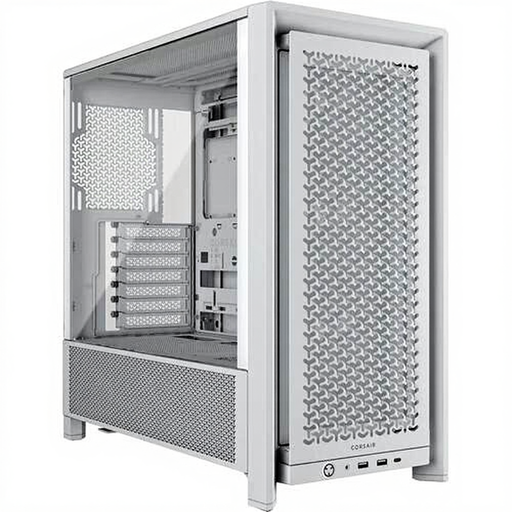
Why it's a match: This is the ideal choice for those seeking a perfect blend of excellent airflow, a sleek modern aesthetic, and ample space for a powerful gaming PC without going to extremes.
The ventilated front panel directly tackles the "glass box" trap. Its spacious interior and cable management channels prevent a cable spaghetti nightmare.
Includes 3 ARGB fans for out-of-the-box cooling and aesthetics. Clearance for GPUs up to 43 cm makes it future-proof.
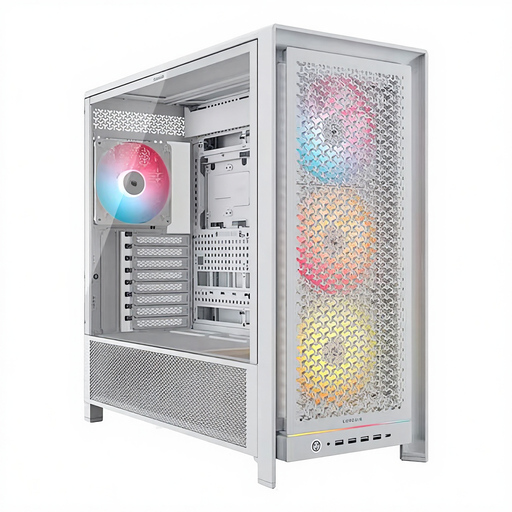
Why it's a match: For the builder who makes no compromises. You want the largest components, maximum cooling options, and the flexibility for extensive custom water cooling.
This case solves the "near-miss" compatibility trap by offering enormous space for GPUs (up to 45 cm) and multiple radiators simultaneously.
Superior cooling flexibility with 4 included 140mm ARGB fans and room for up to 12 fans. Ideal for complex builds.
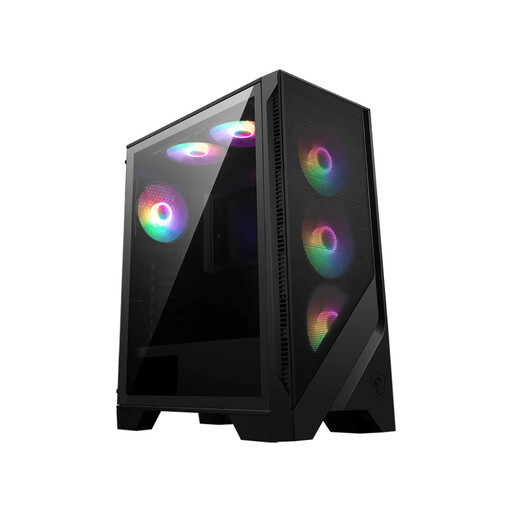
Why it's a match: Perfect for first-time builders who want a complete solution with good airflow and RGB lighting right away, without needing to buy extra fans.
This case provides a complete airflow solution right out of the box, saving you from the unexpected extra cost of fans.
Comes with 6 pre-installed auto-RGB fans. This offers great value and a quick, aesthetically pleasing start.
Now that your PC build is planned out, it's also important to think about your own comfort. Long gaming or work sessions are much more pleasant in a cool and comfortable environment.
A cool workspace is essential for concentration and comfort. We've compiled an up-to-date list of products to help you keep your environment pleasant.
Here are answers to some questions we often get about the Corsair 4000D RS.
No, the 4000D RS is specifically designed for ease of building. The case features the Corsair RapidRoute cable management system, which provides a deep 25 mm channel behind the motherboard, along with various routing channels and Velcro straps. This makes it easy to achieve a clean and tidy build, even for beginners.
The Corsair 4000D RS offers flexible cooling options. You can install up to 12 x 120mm fans, or a combination of different sizes. The default configuration includes three RS120 ARGB fans in the front. Additionally, there is room for radiators up to 360mm in the front and top, making the case suitable for advanced air and water cooling.
Yes, the case is designed with future upgrades in mind. According to its specifications, the Corsair 4000D RS provides clearance for graphics cards up to a maximum length of 430 mm (43 cm). This is more than enough for most high-end graphics cards currently on the market and also provides headroom for future generations. However, it is always wise to double-check the exact dimensions of your chosen card.
