
Vandaag of morgen in huis

Kwaliteit gegarandeerd

Welkomstaanbiedingen ontgrendelen: GRATIS bezorging | Tot 80% korting | Gratis 30 dagen JoyPlus-proefperiode
Download de app
A Corsair 140mm RGB case fan can improve airflow through your PC case while giving it a personal touch. However, a larger fan won’t necessarily suit every computer. The mounting position, connection type and noise level you’re comfortable with will all help determine the right choice.
Many buyers run into the same pitfalls:
A 140mm case fan is typically around 140 × 140mm. Many models are 25mm thick, while some versions, such as the Corsair RX140 MAX RGB, are 30mm thick. That extra thickness can affect clearance for cables, radiator brackets and side panels.
So, check:
A fan at the front or bottom usually draws cool air in. At the rear or top, it usually exhausts warm air. Check the arrows on the frame to confirm the direction of airflow.
A PWM fan usually has a 4-pin connector. This lets your motherboard or fan controller adjust its speed according to the temperature. It’s more practical than a fan that only runs at a fixed speed.
Check the full speed range, not just the maximum RPM. For example, the product specifications for various Corsair models include:
These are product specifications, and your experience may vary depending on the measurement method, case and fan curve. So, how quiet a PC fan is will still depend on its RPM settings and your case’s acoustics.
When it comes to RGB lighting, the main thing to check is the system it uses:
According to the product information, the Corsair QX140 RGB uses 34 individually addressable LEDs. The RX140 RGB variants and RX140 MAX RGB are listed with 8 LEDs each. The LX140-R RGB is described as having 18 RGB LEDs. So, first choose a control system that works with your existing PC, then compare the lighting.
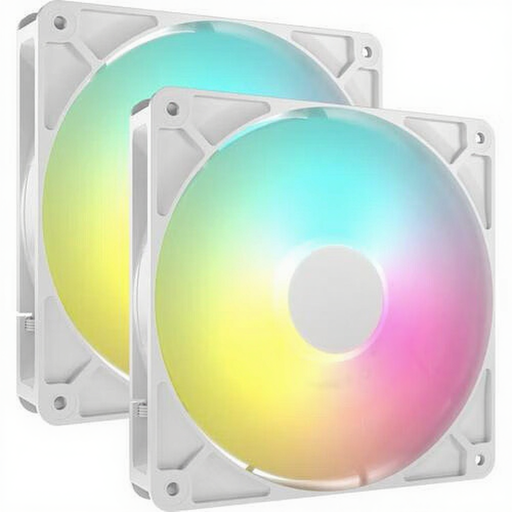
Why it suits this type of user: A 2-pack is handy if you want to fit fans in both an intake and an exhaust position. The white finish works well with a light-coloured or contrasting PC build.
The product information lists PWM and a standard 4-pin connector. This lets you control the speed via your motherboard, rather than running the fans at maximum speed all the time.
Two fans, 330–1700 RPM, up to 95,5 CFM and 8 individually addressable LEDs per fan, according to the product description.
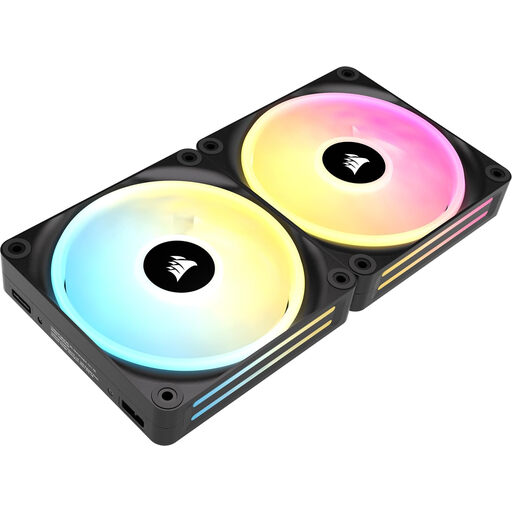
Why it suits this type of user: This kit is aimed at users who want to build a Corsair ecosystem with extensive lighting and centralised control.
The kit is designed for case and radiator use, and supports PWM. However, check that you have a compatible iCUE LINK hub before buying.
Two 140mm fans, 480–2000 RPM, up to 82,5 CFM and 34 addressable LEDs per fan, according to the product information.
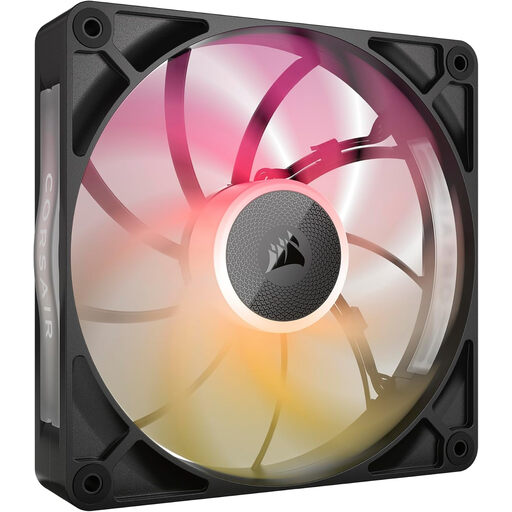
Why it suits this type of user: A good fit for a powerful gaming PC or radiator setup where high airflow and a streamlined cabling system are important.
Its listed 30mm thickness makes it especially important to check clearances first. If you have enough room, you can avoid problems with fitting and cables.
Up to 102,9 CFM, 300–1600 RPM, PWM control and a listed noise level of up to 31 dB, according to the product description.
Switch off your PC completely and unplug it from the mains before installing a fan. Secure the fan firmly, but don’t overtighten the screws. Connect the PWM cable to a suitable fan header or hub. Only connect the RGB cable to a compatible controller or header.
Use the BIOS or software to set a custom fan curve. Let the fan run at a lower speed under light loads, then increase the RPM as the processor or graphics card heats up. Clean the blades with compressed air or a soft brush. Don’t use water.
According to the product information provided, the hardware is covered by a statutory EU warranty of at least two years. This is separate from any additional rights you may have under Dutch law.
We’ve put together a complete, up-to-date list of products that meet these strict selection criteria and the applicable European safety regulations.
No. Your case needs to have a 140mm mounting point. Check the maximum thickness too, especially for 30mm models such as certain RX140 MAX versions.
No. iCUE LINK is a Corsair connection system that uses a compatible hub and cabling. ARGB usually refers to addressable RGB via a 5V 3-pin connector. Check your motherboard and fan controller manuals before connecting anything.
Power consumption is usually limited, but it depends on the motor speed, lighting and number of fans. A lower fan curve reduces the speed and often the noise too. If you’re using several fans, check that your fan hub and power supply have enough connections and capacity.
