
Vandaag of morgen in huis

Kwaliteit gegarandeerd

Welkomstaanbiedingen ontgrendelen: GRATIS bezorging | Tot 80% korting | Gratis 30 dagen JoyPlus-proefperiode
Download de app
Building or upgrading a PC is about more than just the processor or graphics card. Proper cooling is essential for stable performance, and the right fans make the difference between a quiet, cool machine and a noisy system struggling with heat. Corsair 120mm RGB fans are a popular choice for those who value both performance and aesthetics. But with various models and technologies like iCUE LINK, making a choice can be challenging.
This article will guide you. We'll discuss the key specifications and highlight several popular Corsair case fan set options, so you can make an informed decision that suits your build and budget.
Before we look at the products, it's helpful to understand a few technical terms. This will help you better interpret the specifications.
Not every fan is the same. The two main performance indicators are airflow and static pressure.
PC case fan, where air can flow relatively freely to cool components.radiator fan 120mm or a dust filter, where air resistance is high.So, choose a fan with high airflow for your case and one with high static pressure for your radiators. Many Corsair fans try to offer a balance between both.
You'll often come across the term RGB fan with PWM. PWM stands for Pulse Width Modulation. This is a technology that allows the fan's speed to be precisely adjusted via the motherboard or a controller. The advantage is that the fans run slowly and quietly when the PC is not under heavy load, and automatically speed up as temperatures rise during gaming or rendering. This ensures efficient and quiet PC cooling when you need it.
One of Corsair's more recent innovations is the iCUE LINK system. Traditionally, every RGB fan needs two cables: one for power (PWM) and one for lighting (RGB). With a set of three fans, that quickly adds up to six cables that you need to manage neatly. iCUE LINK fans simplify this drastically. You can connect multiple fans together with a single cable, making installation much faster and cable management significantly cleaner.
Below is a selection of popular PC fans 120mm 3 pack options from Corsair. We've listed the key specifications to help you with your choice.
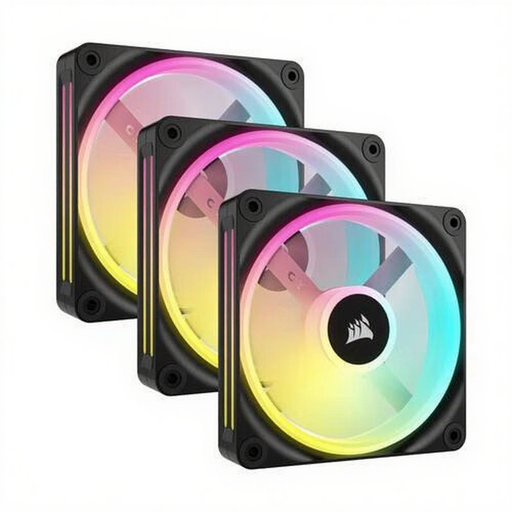
Why It Stands Out: This set is aimed at the enthusiast who loves extensive RGB lighting. With an impressive 34 individually addressable LEDs per fan, you can create vibrant and fluid lighting effects.
Specifications:
Who is this set for? For the PC builder who prioritises aesthetics and wants the most comprehensive and vivid RGB effects. The combination of high static pressure and good airflow also makes it versatile for both case and radiator cooling.
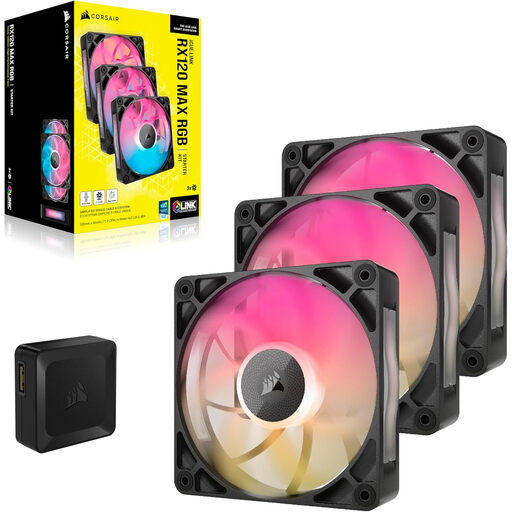
Why It Stands Out: At 30mm thick, the RX120 MAX is a performance-oriented fan. This extra thickness provides higher airflow and efficiency while keeping the noise level relatively low.
Specifications:
Who is this set for? For users seeking maximum airflow for their case. The focus here is more on cooling performance than on the most extravagant lighting, although the 8 RGB LEDs still provide a nice accent.
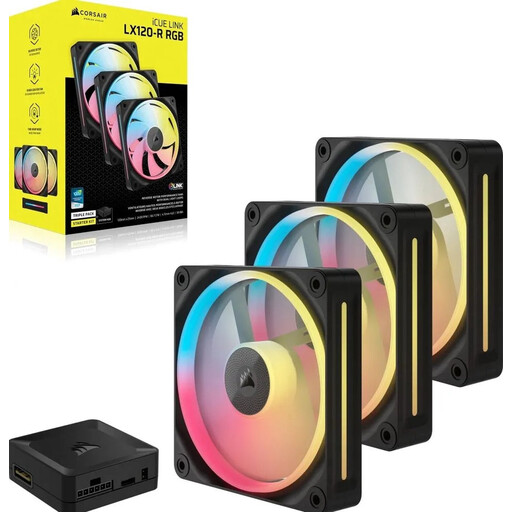
Why It Stands Out: The LX120-R offers a strong balance between airflow, static pressure, and RGB lighting. With 18 LEDs per fan and a high maximum speed, this is a solid all-rounder.
Specifications:
Who is this set for? This is an excellent choice for the user looking for a powerful, versatile fan. Its high static pressure makes it highly suitable for radiators, while its high airflow is also effective for case cooling.
The world of PC cooling is vast, and there are countless options available. If the models above aren't exactly what you're looking for, or if you're curious about other brands and specifications, there's more to discover.
Check out our full range of fan coolers for more choices that fit your specific needs.
The main advantage of iCUE LINK fans is the ease of installation. Instead of connecting multiple cables per fan, you can link the fans directly to each other with a single type of cable. This results in significantly less cable clutter and a faster, cleaner building experience.
The noise output of a fan depends directly on its rotational speed (RPM). All the models mentioned here support PWM, which means you can configure them to run at low speeds for quiet PC cooling during light use. The specifications (in dB) give an indication of the noise level at minimum and maximum speeds. At 400-800 RPM, most of these fans are barely audible.
Yes, especially the models with high static pressure, such as the QX120 and LX120-R (both 3.8 mmH2O), are very well-suited as a radiator fan 120mm. They have the power to efficiently push air through the dense fins of a radiator, which is essential for effective liquid cooling.
