
Vandaag of morgen in huis

Kwaliteit gegarandeerd

Welkomstaanbiedingen ontgrendelen: GRATIS bezorging | Tot 80% korting | Gratis 30 dagen JoyPlus-proefperiode
Download de app
Tangled cables and noisy fans ruining the aesthetic of your PC build? You're not alone. Assembling a powerful and visually stunning PC is a project to be proud of. The right cooling is crucial, not just for performance, but for the overall look and feel. A Corsair 120mm RGB fan 3-pack is a popular choice for many builders, but which model is the perfect fit for your system?
This article will help you make the final decision. We'll review the key factors to consider and highlight several popular Corsair iCUE LINK fans so you can make an informed choice for your build.
Before you choose, it's helpful to understand a few key specifications. This will help you select a 120mm pc fan that meets your specific needs.
One of the biggest advantages of newer Corsair fans is the iCUE LINK system. Instead of connecting each fan to your motherboard or a controller with a separate cable, you can link the fans directly to each other. This entire chain connects via a single cable to the included Corsair fan controller (the System Hub). The result is a remarkably clean build with significantly less cable management.
Not all fans are created equal. Some are designed for maximum airflow (measured in CFM or m?/h) and are ideal for moving large volumes of air through an open case. Others are optimized for static pressure (measured in mmH2O), which is necessary to push air through an obstruction, like a liquid cooler's radiator or a dense dust filter. Therefore, consider where you'll be placing the fans: in the case for general cooling or on a radiator.
Nobody wants a PC that sounds like a jet engine. Pay attention to the noise level, expressed in decibels (dB). Many modern fans, including those from Corsair, offer a wide RPM range and PWM support. This allows you to precisely control their speed via software. If you're looking for truly quiet pc fans, look for models with a "Zero RPM Mode," which stop spinning completely at low temperatures.
Based on specifications and features, we've selected some of the most popular 120mm case fan 3-pack options from Corsair.
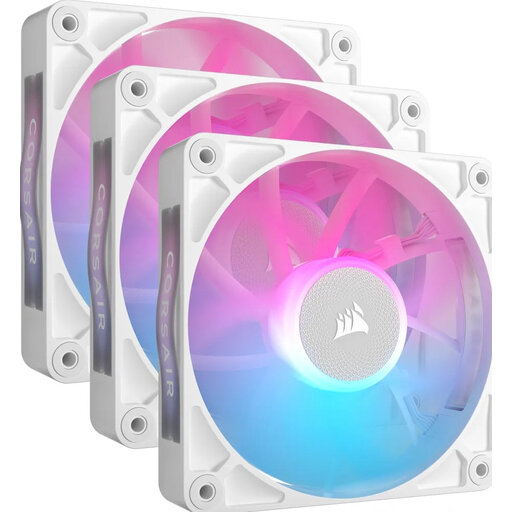
Why It Stands Out: The RX120 is engineered for high airflow, making it an excellent choice for case cooling. The fans utilize Corsair's AirGuide technology, which focuses the airflow for more concentrated cooling. Thanks to the included iCUE LINK System Hub and simple connectivity, installing this RGB fan set is incredibly straightforward.
Specifications:
Who It's For: PC builders seeking an efficient and balanced cooling solution for their case, with the convenience of minimal cabling and a clean, white finish.
View the CORSAIR RX120 RGB Starter Pack
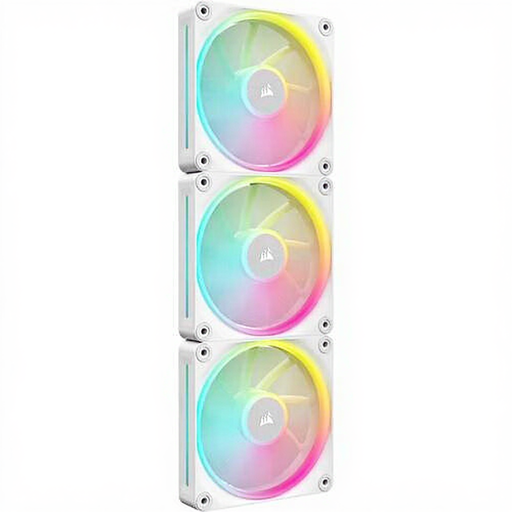
Why It Stands Out: The LX120 series distinguishes itself with a focus on both aesthetics and performance. According to the manufacturer, its magnetic levitation bearing ensures quieter operation and a longer lifespan. With 12 individually addressable RGB LEDs per fan, this model offers extensive lighting customization. The specifications suggest a great balance between airflow and static pressure.
Specifications:
Who It's For: Enthusiasts looking for a combination of striking RGB lighting and solid performance, suitable for both cases and radiators.
View the Corsair iCUE LINK LX120 RGB 3-Pack
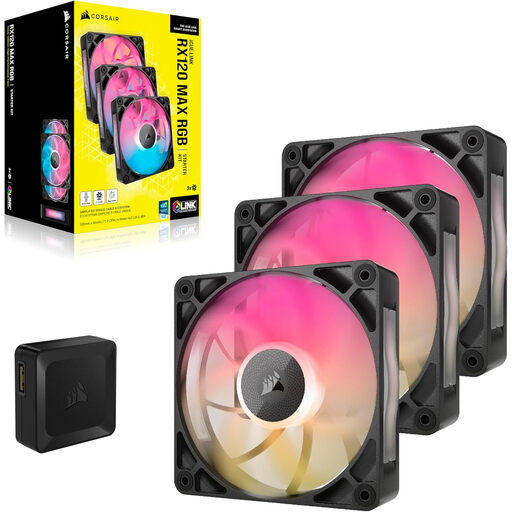
Why It Stands Out: At 30mm thick (instead of the standard 25mm), the RX120 MAX is a notable performer. This extra thickness allows the fan blades to operate more efficiently, which, according to Corsair, results in better cooling performance at lower speeds. This model combines high airflow with a relatively low maximum noise level.
Specifications:
Who It's For: Users who prioritize performance and are looking for powerful cooling with a lower noise profile, and who have the extra space in their case for the thicker fans.
View the Corsair iCUE LINK RX120 MAX RGB 3-Pack
The world of PC components is vast, and the perfect choice depends on your unique build and budget. If the options above aren't quite what you're looking for, there are plenty of other possibilities.
Take a look at our full assortment and discover more options that fit your system.
Explore All RGB Case Fan Options
1. What is Corsair iCUE LINK and why is it useful? Corsair iCUE LINK is a technology that allows you to connect multiple compatible components, such as fans, using a single type of cable. This significantly reduces the number of cables in your PC case, leading to a cleaner build and easier cable management. All connected devices are managed through one central hub.
2. How do I choose between the Corsair RX and LX series? The choice depends on your priorities. The RX series is generally optimized for high airflow, making it highly suitable for use as case fans. The LX series, according to the manufacturer, places more emphasis on quiet operation (thanks to the magnetic bearing) and vibrant lighting, with a good balance between airflow and static pressure, making them more versatile.
3. Can I use these fans without the iCUE software? The fans will spin when they receive power, but to fully customize and synchronize the RGB lighting and fan speeds, the Corsair iCUE software is required. Without the software, you miss out on the core functionality of the ecosystem, such as setting lighting effects and creating custom fan curves.
