
Vandaag of morgen in huis

Kwaliteit gegarandeerd

Welkomstaanbiedingen ontgrendelen: GRATIS bezorging | Tot 80% korting | Gratis 30 dagen JoyPlus-proefperiode
Download de app
Choosing the right fan for your PC can be a challenge. You're looking for a good balance between effective cooling, an acceptable noise level, and an aesthetic that complements your build. A Corsair 120mm RGB fan is often a top consideration for those who value both performance and aesthetics. This guide is designed to help you navigate the options and make an informed choice that meets your specific needs.
Before we look at the products, here are a few key points to consider. These specifications will help you objectively compare the different models.
These two specifications determine how a fan performs in different situations.
Nobody wants a PC that sounds like a jet engine. The noise level, expressed in decibels (dB), is therefore a critical factor. A quiet PC fan has a low dB rating, especially at lower rotational speeds. Most modern fans support PWM (Pulse Width Modulation), which allows the motherboard or a controller to automatically adjust the speed (RPM) based on temperature. This ensures a good balance between PC cooling and silence.
Corsair is known for its iCUE software, which allows you to synchronise the lighting and performance of compatible components. The newer Corsair iCUE fans often use the iCUE LINK system. This significantly simplifies installation by connecting multiple fans with a single cable, resulting in far less cable management. If you already own other Corsair products, staying within this ecosystem can be very convenient.
Below is a selection of popular Corsair case fan 3 pack options. We highlight the key specifications and features to help you make your choice.
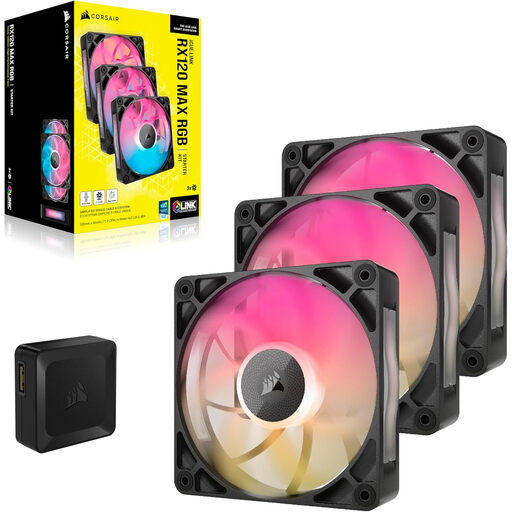
Why It Stands Out: The RX120 MAX is distinguished by its 30mm thickness. This larger frame allows for bigger fan blades, which, according to the manufacturer, results in better airflow and static pressure at lower speeds.
Pros:
Who Is It For? For the PC builder seeking maximum cooling performance, especially on radiators or in cases with restricted airflow. The simplicity of the iCUE LINK system is a significant advantage for those aiming to achieve a clean build.
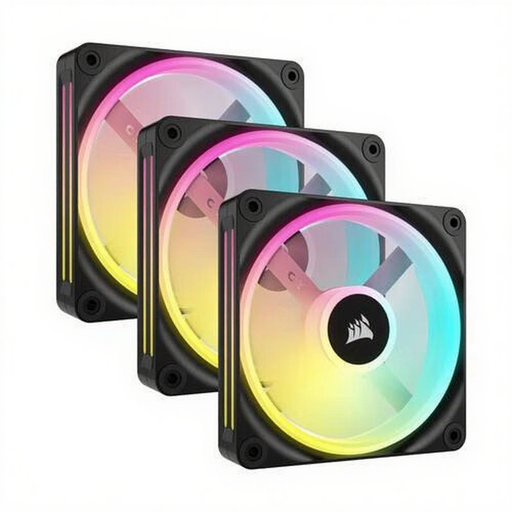
Why It Stands Out: The QX120 series places a strong emphasis on aesthetics. With 34 individually addressable RGB LEDs per fan, this model offers extensive and fluid lighting effects, making it a visual centrepiece for your build.
Pros:
Who Is It For? For users to whom the visual presentation of their RGB fans for PC is just as important as cooling performance. The QX120 is an excellent choice for show builds where detailed lighting effects are desired.
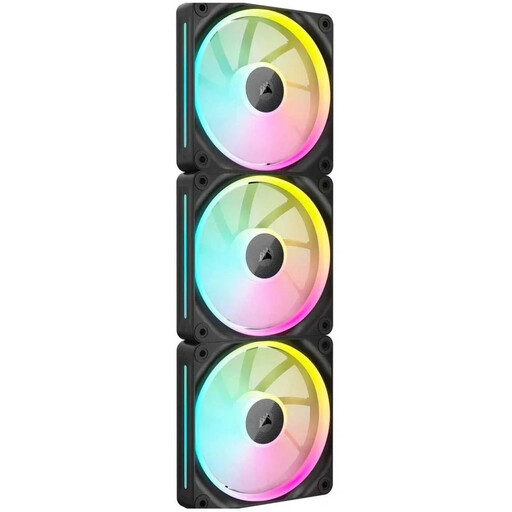
Why It Stands Out: The LX120 uses a magnetic levitation bearing. According to Corsair, this technology reduces friction, leading to quieter operation and a longer lifespan compared to traditional bearings.
Pros:
Who Is It For? For the PC builder looking for a premium all-rounder. The LX120 combines quiet operation with strong performance and high-quality RGB lighting, making it a balanced choice for a variety of builds.
This selection represents some of the popular choices within the Corsair range, but the world of PC cooling is vast. If you're considering other specifications, brands, or budgets, or perhaps need a size other than a 120mm RGB PC fan, there's more to explore.
Check out our full range for more options that suit your build.
Discover more computer fans on Joybuy
What is the difference between Corsair's QX, RX, and LX series? In short, each series targets a different priority. The QX series focuses on advanced RGB lighting and aesthetics. The RX series is designed for maximum performance, particularly airflow and static pressure. The LX series aims for a balance between strong performance, quiet operation, and premium RGB effects.
Do I need a controller for Corsair iCUE fans? Yes, for the iCUE LINK fans (like the RX, QX, and LX series), you need an iCUE LINK System Hub to control the RGB lighting and fan speed via the software. This hub is typically included in the starter kits with a corsair case fan 3 pack.
How does fan thickness affect performance? A thicker fan, like the 30mm RX120 MAX, generally has larger and/or steeper blades. This allows the fan to move more air (higher CFM) or build more pressure (higher static pressure) at the same rotational speed. This can be particularly advantageous when used on a thick radiator or behind a restrictive dust filter.
