
Vandaag of morgen in huis

Kwaliteit gegarandeerd

Welkomstaanbiedingen ontgrendelen: GRATIS bezorging | Tot 80% korting | Gratis 30 dagen JoyPlus-proefperiode
Download de app
A PC that overheats or sounds like a jet engine taking off is a common problem for gamers and PC builders. Proper cooling is essential for the performance and lifespan of your components. A Corsair 120mm fan is often a popular choice for improving airflow inside a computer case. But with different series like LX, RX, and QX, making a choice can be difficult.
This article will help you make an informed decision. We'll look at the key specifications and highlight several popular models, so you can find the right fan for your system.
Before you buy a computer fan, it's helpful to understand a few technical terms. This will help you translate the manufacturer's specifications into what they mean for your PC.
Not every fan is the same. Performance is often expressed in terms of airflow and static pressure.
So, choose a fan with high airflow for general case cooling and one with high static pressure for radiators.
The term PWM fan stands for 'Pulse Width Modulation'. This means the fan's speed can be precisely controlled via the motherboard or a controller. As a result, the fan only spins as fast as necessary. During light tasks, your computer remains pleasantly quiet, and during demanding games or workloads, the cooling scales up. If you're looking for a quiet PC fan, PWM support is an important feature.
Cable management is one of the biggest challenges in PC building. The Corsair iCUE LINK ecosystem is designed to tackle this problem. Instead of connecting each fan separately for power and RGB, iCUE LINK allows you to connect multiple fans together with a single cable. This results in a much cleaner build and significantly simplifies installation. All connected components can then be managed through the iCUE software.
Below are our recommendations, based on the specifications and features Corsair offers. We have chosen a case fan 120mm 3 pack for each series, as this is often a cost-effective start for a new build or upgrade.
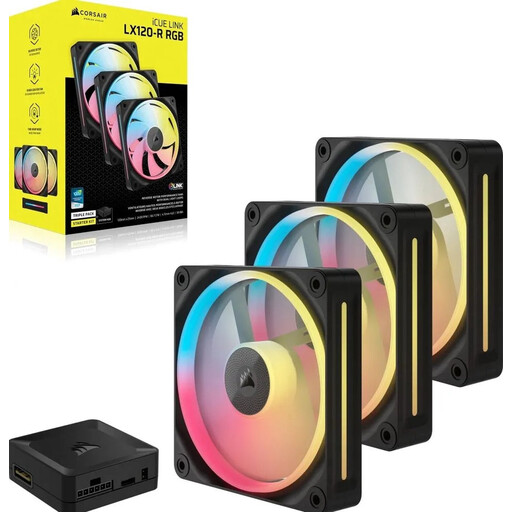
Why it stands out: The LX series is a strong all-rounder that offers a great balance between performance and vibrant RGB lighting. With 18 individually addressable RGB LEDs per fan, you can create impressive lighting effects.
Key specifications:
Who is it for? For the PC builder looking for a fan that performs well on both a radiator and in the case, while also placing a high value on extensive and bright RGB lighting.
View the Corsair iCUE LINK LX120-R RGB on Joybuy.nl
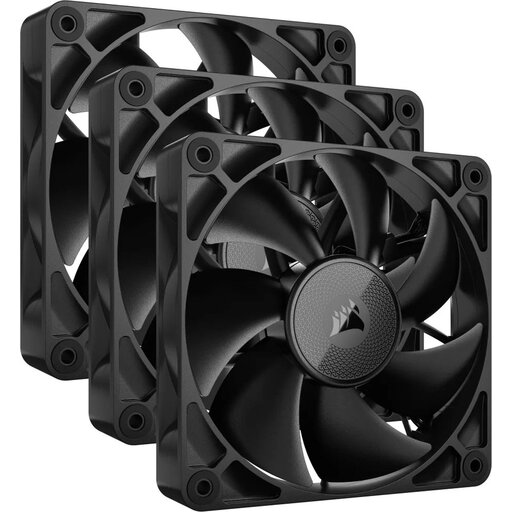
Why it stands out: The RX series focuses on efficient air movement at a low noise level. According to Corsair, the blade design is optimised for high airflow. This model has no RGB, making it a subtle choice for builds where performance is the priority.
Key specifications:
Who is it for? For users who want maximum cooling performance without the distraction of RGB lighting. Ideal for a sleek, minimalist build or for those aiming for the quietest possible system.
View the Corsair iCUE LINK RX120 on Joybuy.nl
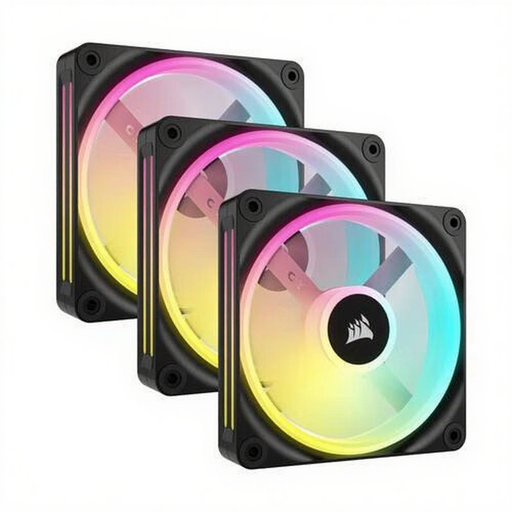
Why it stands out: The QX series is Corsair's premium offering. These fans combine high static pressure with an impressive 34 RGB LEDs per fan. This starter kit also includes the necessary iCUE LINK System Hub, so you can get started right away.
Key specifications:
Who is it for? For the enthusiast PC builder who wants to make no compromises on performance and aesthetics. The high static pressure makes it excellent for radiators, while the 34 LEDs per fan provide the smoothest and most detailed lighting effects.
View the Corsair QX120 RGB Starter Kit on Joybuy.nl
The world of PC cooling is vast. If your ideal Corsair RGB fan isn't listed here, or if you're curious about other brands, sizes, or non-RGB options, there are countless possibilities to suit every budget and build.
Check out our full range of case fans and find the perfect match for your system.
In short:
For the newer fans that use the Corsair iCUE LINK system, you will need an iCUE LINK System Hub. This hub is often included in a 'Starter Kit' (like with the QX120 above) but is also available separately. The advantage is that you can connect up to 14 iCUE LINK devices to a single hub, which greatly simplifies cable management. Older Corsair RGB fans often use a Lighting Node or Commander Pro.
This depends on your case and components. A good baseline for a standard ATX system is:
For high-end systems with powerful components or for water cooling with large radiators, more fans may be necessary.
