
Vandaag of morgen in huis

Kwaliteit gegarandeerd

Welkomstaanbiedingen ontgrendelen: GRATIS bezorging | Tot 80% korting | Gratis 30 dagen JoyPlus-proefperiode
Download de app
A Corsair 120mm PC case fan might seem like a simple upgrade at first. However, the wrong dimensions, a missing controller or excessive noise can lead to extra costs and disappointment. This is especially true if you want to combine several fans, RGB lighting or radiator cooling.
In this buying guide, the Joybuy Product Recommendation Officer covers the key things to consider. You’ll find out which specifications really matter, which pitfalls to avoid and which type of Corsair PC fan is right for your desktop.
A higher speed doesn’t automatically mean a better choice. A fan that reaches 2400 RPM can provide powerful cooling, but at maximum speed it will generally be noisier than at a lower setting. So always consider the following together:
A quiet PC fan often runs at a lower speed during everyday use, with PWM adjusting it automatically. Maximum speed is mainly relevant under heavy loads or when airflow is restricted.
A Corsair 3-pack case fan can be better value for a new PC build, but check the connections you’ll need first. A standard PWM case fan usually uses a 4-pin connector on the motherboard or fan controller. iCUE LINK models use their own ecosystem and may need a compatible hub.
Some starter kits include the iCUE LINK System Hub. This isn’t necessarily the case with a separate expansion pack, so check what’s included before you order.
A Corsair RGB case fan adds lighting, but RGB doesn’t automatically improve airflow. Check the number of LEDs, the controls and the cooling specifications separately. Also make sure your motherboard has a suitable RGB connection or that you have a Corsair controller.
A 120mm case fan fits in many PC cases at the front, top, rear or bottom. But diameter isn’t the only thing that matters. Some models are 30 mm thick, while standard fans are often around 25 mm thick.
A thicker fan may provide greater static pressure according to its listed specifications, but it could interfere with:
So measure the available space before ordering a PC case fan.
A PWM case fan usually uses a 4-pin connector to control its speed precisely. Using the BIOS settings, motherboard software or compatible Corsair iCUE software, you can set a quiet fan curve for light use and increase airflow when gaming, for example.
PWM is especially useful when you want to balance noise and cooling. A fan doesn’t always need to run continuously at maximum speed.
Airflow, measured in CFM, gives an indication of how much air is moved. Static pressure, measured in mmH₂O, is more important when the fan is working against resistance, such as from a radiator or a dense dust filter.
For unrestricted airflow in a spacious case, airflow is a useful point of comparison. For a radiator fan, you should also check static pressure. Only compare measurements when they have been taken in the same way.
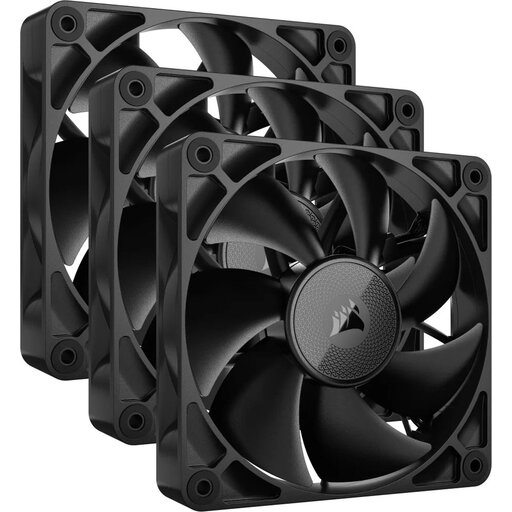
Why it suits this user: Three black 120mm fans make a practical starting point for a new gaming PC or a case with several mounting points.
The product information lists a range of 400 to 2100 RPM and PWM support, so you’re not limited to a fixed maximum speed.
3 fans, up to 74,2 CFM and a listed minimum noise level of 10 dB. Check that your case and controller support iCUE LINK.
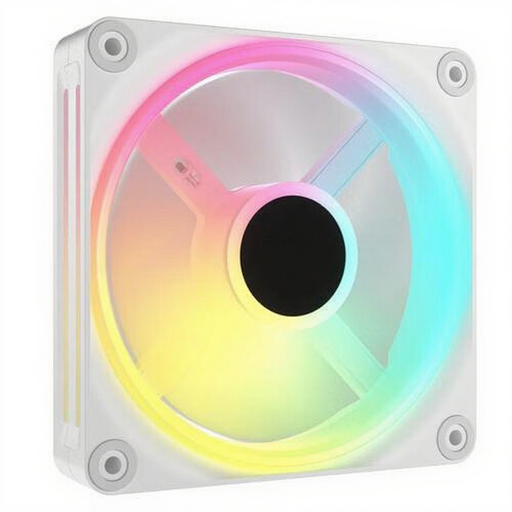
Why it suits this user: This white set is for PC builders who want to combine PWM control, iCUE LINK integration and individually customisable lighting.
The set lists PWM support and a speed range of 400 to 2400 RPM. This lets you adjust the lighting independently of the fan speed.
3 fans, 34 individually controllable LEDs per fan, and support for case and radiator cooling. The listed noise levels range from 10 to 37 dB.
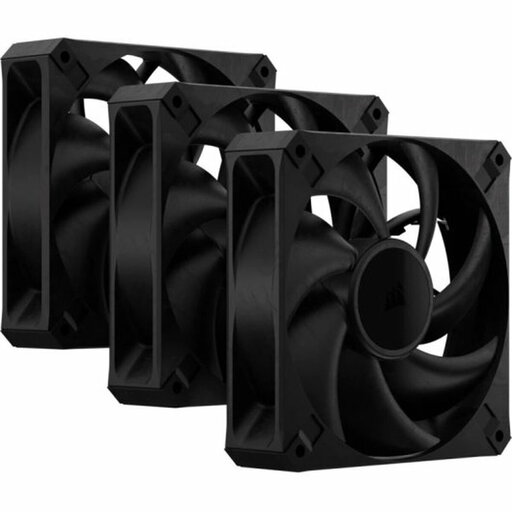
Why it suits this user: Ideal for demanding PC users who prioritise airflow and static pressure over RGB lighting.
The specifications list both airflow and static pressure. This makes the set suitable for use with filters or a radiator, as well as for unrestricted airflow.
3 black fans with speeds of up to 2000 RPM, up to 72 CFM and a maximum noise level of 29,5 dB according to the product information. At 30 mm thick, they require extra clearance checks.
We’ve put together a full, up-to-date list of products that meet these strict selection criteria and the applicable European safety regulations.
Fully switch off your computer and unplug it before installing a fan. Then check the arrows on the frame. These show the direction of rotation and airflow. In many cases, front or bottom fans draw air in, while rear and top fans expel warm air.
Connect a PWM model to a suitable 4-pin header. For iCUE LINK fans, connect the cables and hub as described in the manual. Keep cables away from the blades and check that the screws are secure without overtightening them. Dust on the blades and filters can reduce airflow; cleaning them regularly helps keep the fan working as it should.
Not necessarily. The diameter may match, but also check the mounting holes, available thickness and clearance around the radiator, graphics card and cables. This is especially important with a 30mm model.
PWM isn’t essential, but it is useful. It lets the motherboard or a controller adjust the fan speed according to the temperature. This means the quiet PC fan runs more slowly under light loads and is generally quieter as a result.
It depends on the model and the product packaging. A starter pack may include an iCUE LINK System Hub, while a separate expansion pack may only contain the fan. So always check the included accessories and connection method before you order.
