What should you look for when buying?
Start by working out what role each person has in your chosen game. Then decide how many controllers you need and which ones will work with your device.
| What to consider |
What should you check? |
Who is this important for? |
| Compatibility |
Check the full controller model, your console or PC, the connection and whether the specific game supports it. |
If I want to play on my device, I want to be sure both the controller and the version of the game will work with it. Around 36% of consumers put compatibility at the top of their buying priorities. |
| Joining in without an extra gamepad |
Check how spectators can join each game, and what roles, input methods or player limits apply. |
If there are more people watching than actively playing, I want to know whether they can contribute using a phone or by discussing what to do. Around 29% of consumers want spectators to be able to join in without an extra gamepad. |
| Number of controllers |
Count the active players, read the requirements for your chosen version of the game and check which controllers you already own. |
If several people need to control the game at the same time, I want to have enough suitable controllers ready without buying more than I need. Around 21% of consumers prioritise having enough controllers for active players. |
| Connection and power |
Check whether a cable will work with your seating arrangement and what the exact model needs to charge or receive power. |
If I want to use the controller from where I’m sitting, I consider the cable route or how it charges. Around 14% of consumers consider connection and power the most important practical factors. |
Brands to consider
These brands offer controllers for different devices and situations. Check that the specific model is compatible with your device and game.
Nintendo
Joy-Con 2 is designed for supported games on Switch 2. If you already own Switch Joy-Cons, you may need to buy something different for some Switch 2 set-ups.
- Nintendo says that Switch 2 comes with one left and one right Joy-Con 2.
- Older Joy-Cons can sync wirelessly with Switch 2, but can’t be attached to or charged by the console. Whether separate controllers are enough depends on the game.
Microsoft Xbox
A platform-focused option for Xbox consoles and supported Windows PCs.
- Xbox lists Xbox consoles, Windows PCs, iOS and Android, and mentions Bluetooth and button mapping.
- This platform list doesn’t confirm that the controller works with Switch or PS5. Check that the game supports it, too.
Sony PlayStation
DualSense is an option for an extra player on PS5. Support on other devices and for specific features depends on the game.
- PlayStation lists haptic feedback and adaptive triggers for the DualSense.
- These features depend on game support and may require a USB connection. The version we looked at, sold separately, didn’t include a USB cable, so check what comes with the version you choose.
8BitDo
The Ultimate 2C Wireless and Ultimate 2C Bluetooth have different platform and connection specifications.
- 8BitDo lists Hall effect joysticks for both models we looked at.
- According to 8BitDo, the Bluetooth version works with Switch 2 after a firmware update. Choose based on the full model name, not just the product range.
PowerA
The Enhanced Wired Controller we looked at is designed for a docked Nintendo Switch.
- PowerA lists a detachable 3-metre USB cable for this model, and says it doesn’t need batteries.
- According to PowerA, the model only works when the Switch is docked and doesn’t support motion controls or HD Rumble. Check whether your game needs these features.
Controllers on Joybuy
This Joybuy selection focuses on extra controllers for players who use a gamepad themselves. Before buying, check that the model works with your device and the game you’ve chosen.
 Image unavailable
Xbox Wireless Controller, Ice Breaker Special Edition
An option for an Xbox or Windows PC set-up, provided your chosen game supports this controller.
The product description lists Xbox Series X|S, Xbox One and Windows 10/11, as well as Xbox Wireless, Bluetooth and two AA batteries.
View on Joybuy
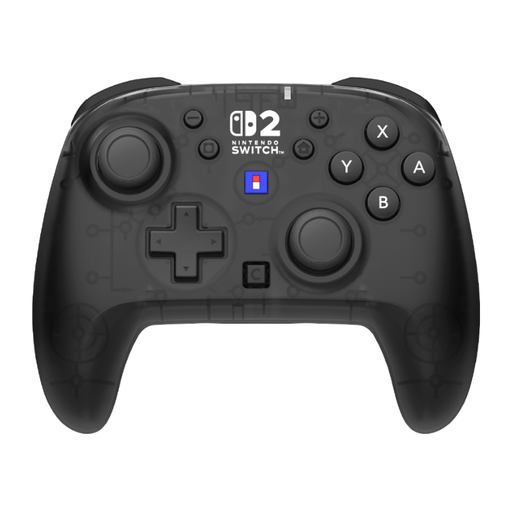 Image unavailable
Hori Horipad Turbo Wireless Gamepad for Nintendo Switch and Switch 2
A wireless option for a Switch or Switch 2 set-up. Check the requirements of the specific game.
The product title lists button mapping, a C button and battery life of up to 10 hours. The product information doesn’t mention support for HD Rumble 2.
View on Joybuy
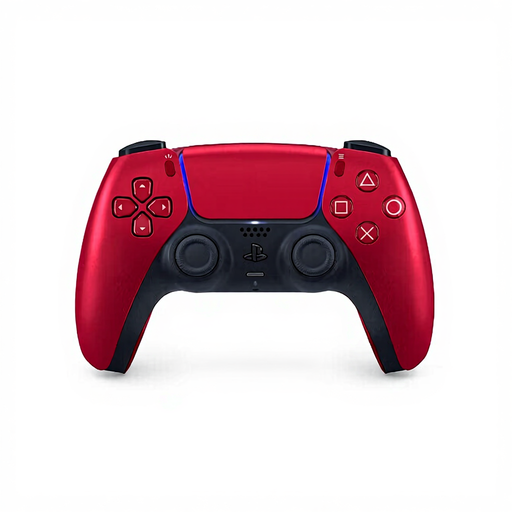 Image unavailable
Sony DualSense Wireless V2 Controller, Volcanic Red
An extra controller for a PS5 set-up. Check that your chosen game supports the features you want to use.
The title describes a wireless PS5 controller. Haptic feedback and adaptive triggers depend on game support, and some features may require a USB connection.
View on Joybuy
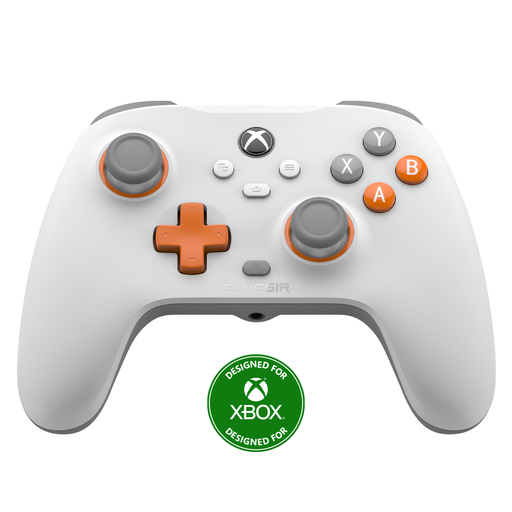 Image unavailable
GameSir T7 Wired Xbox Controller, white
A wired option for an Xbox or PC set-up, if you can run the cable between your seat and your device.
The product title lists Hall effect joysticks and triggers, Xbox Series X|S, Xbox One, Windows 10/11 and Steam. You’ll need to plan a suitable cable route around the seating area.
View on Joybuy
 Image unavailable
Nintendo Switch 2 Joy-Con 2 pair, light blue and light red
An extra pair for a Switch 2 set-up, if your chosen game supports Joy-Con 2.
The product title lists a pair of Joy-Con 2 controllers. According to Nintendo, using separate controllers depends on whether the game supports them.
View on Joybuy
Frequently asked questions
Does everyone watching need their own controller?
No, it depends on the game and each person’s role. Electronic Arts describes It Takes Two on Switch as having two players who control the game. In certain Jackbox games, participants can use their phones, while in Keep Talking and Nobody Explodes, helpers give verbal instructions.
Can you use old Switch Joy-Cons with a Switch 2?
Yes. According to Nintendo, older Joy-Cons can sync wirelessly with Switch 2, but they can’t be attached to the console. Also check how to charge them and whether your chosen game supports those controls.
How do you choose between the 8BitDo Ultimate 2C Wireless and Bluetooth?
Choose based on the platform and connection you need. According to 8BitDo, the two versions have different specifications. The Bluetooth version works with Switch 2 after a firmware update, so check the full model name and the latest requirements.
What should you look for in a wired controller for Nintendo Switch?
Check whether you’ll be using the Switch docked, whether the cable can run safely around the seating area, and whether the game supports the controller’s features. According to PowerA, the Enhanced Wired Controller we looked at only works with a docked Switch and doesn’t support motion controls or HD Rumble.
Will a wireless controller automatically work with every console and game?
No. A wireless connection alone doesn’t guarantee that a controller will work with your console or game. Check the platform information for the exact model, its connection method and the requirements for your chosen version of the game.


