
Co-op players with a wired headset
You want to hear game audio and perhaps chat through a headset while playing together. Which connection works depends on the platform and how you connect.


First, choose a controller that works with your console or PC, then check the headset connection and the game’s local co-op support separately. A 3.5mm socket doesn’t guarantee that headset audio will work when the controller is connected to a PC via Bluetooth; Xbox Support specifically warns about this limitation.
You want to hear game audio and perhaps chat through a headset while playing together. Which connection works depends on the platform and how you connect.
You’re playing with someone else on the same console and want to know whether both the controller and the game support the local play style you have in mind.
You could consider using a USB cable, weighing up how it affects your gaming set-up and audio connection against the convenience of wireless play.
Start with your console or PC, then check the audio connection and finally make sure the game works with the local set-up you want.
| What to consider | What should you check? | Who should consider this? |
|---|---|---|
| Platform and game | Check the exact console or PC platform and whether the game supports the local play style you want. | I don’t want to choose a second controller that won’t work with my console, and the game needs to support our local co-op session. Around 36% of consumers prioritise platform and game compatibility. |
| Headset audio and chat | Check the headset plug and whether the controller connection you choose supports audio. If you have a wired headset, also check for CTIA compatibility. | I want to hear game audio and be able to chat if needed, without ending up with an unsuitable connection. Around 29% of consumers prioritise headset audio or chat. |
| Second local player | Check how many players and which controllers the game supports, as well as how to connect an extra controller. | For a co-op evening, I want to know whether the game supports our chosen controllers and play style. Around 21% of consumers prioritise local multiplayer. |
| Power and room to move | For a wired controller, check the stated cable length. For a wireless model, check what type of power supply or charging method it uses. | If we’re playing for longer, I want to weigh up cable reach against freedom of movement and charging. Around 14% of consumers prioritise play time and room to move. |
Xbox Support states that an Xbox controller connected via Bluetooth does not support a connected headset. So, a headset socket on the controller doesn’t automatically mean that audio will work with every controller connection.
Check both your headset connection and the connection between your controller and PC.
Nintendo states that the Switch 2 Pro Controller only works with Switch 2. The older Switch Pro Controller is a different model.
Check the full product name and your console model before choosing.
A controller being compatible with your console doesn’t confirm that the specific game supports the local co-op mode you want.
Check the game information for the number of players and supported controllers.
The features listed apply to the product ranges and platforms described. Check the connection and game support for your own set-up.
PlayStation describes the DualSense as an extra controller for more players on PS5 and lists a headset socket.
Xbox describes controllers for Xbox consoles and Windows PCs; Xbox Support lists a 3.5mm socket for a compatible headset.
Nintendo describes the Switch 2 Pro Controller as being for use with Nintendo Switch 2.
8BitDo describes the Ultimate Wired Controller for Xbox as a wired controller for Xbox and Windows.
The GameSir manual describes the wired G7 SE for Xbox Series X|S, Xbox One and Windows 10/11.
This selection includes a wired mobile controller and controllers for PS5 and Switch 2. Check that each game supports the local co-op set-up you want.
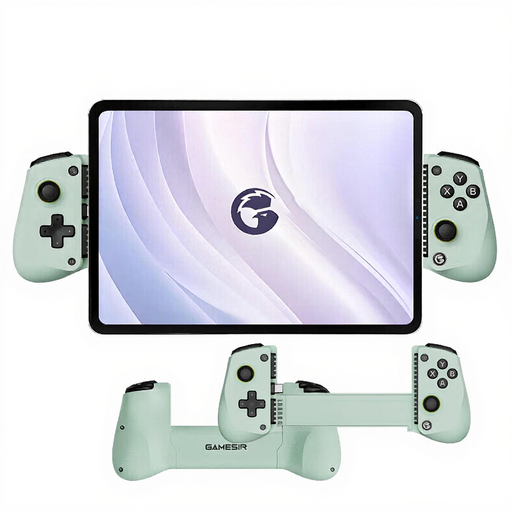 No image available
Wired mobile game controller for iPhone 16/15 Series, iPad Mini and Android devices.
Connection: Type-C. If you’re playing with a headset, check how audio and any chat work with your mobile set-up.
 No image available
For a PS5 set-up with an extra player and a wired headset; PlayStation describes the DualSense as an extra controller for more players.
PlayStation lists a 3.5mm headset socket. Haptic feedback and adaptive triggers depend on game support.
 No image available
For playing together on Nintendo Switch 2. Nintendo states that this controller only works with Switch 2.
Nintendo lists a 3.5mm audio socket with the CTIA standard. Also check that the game supports the local play style you want.
No, not as a connected device through that Bluetooth controller connection. Xbox Support states that Bluetooth doesn’t support connected headsets. For PC audio, choose a separate supported connection and check that it works with your own set-up.
No. Nintendo states that this controller only works with Switch 2. The older Switch Pro Controller is a different product.
First, check how many players and which controllers the game supports. Nintendo describes wireless syncing or connecting the Switch 2 Pro Controller to the dock; the exact steps vary by platform.
For a consumer purchase in the Netherlands, the product must meet what you were entitled to expect; if there’s a fault, contact the seller. In many cases, online purchases from a business also come with a 14-day cooling-off period. Check the applicable terms and exceptions.