
Group playing on one Switch
You want to know how many separate controllers the active chefs need, and whether individual Joy-Cons work with your version of the game. For Overcooked! 2 on Switch, Nintendo says each chef can use one Joy-Con.


Start with the device, the exact game version and the number of people actually playing; spectators who are only watching don’t need a controller. For Overcooked! 2 on Switch, Nintendo says up to four chefs can play, each using one Joy-Con. On PC, check that both the game and controller are supported.
You want to know how many separate controllers the active chefs need, and whether individual Joy-Cons work with your version of the game. For Overcooked! 2 on Switch, Nintendo says each chef can use one Joy-Con.
You want to connect multiple input devices without assuming that every controller will work with both your PC and your chosen game. Steam lists controller support for PlateUp!, but check support for your specific controller.
You want to distinguish between watching and actually playing before buying extra controllers. Steam Remote Play Together is designed for games that support this feature.
Start with the game and device. Then count only the active players and decide whether you’ll be playing locally or remotely.
| What to consider | What to look for | Who this matters to |
|---|---|---|
| Compatibility | Check the device, game version and supported inputs. Also check how the controller connects. | If I play on PC or console, I want to be sure the controller works with both my device and game; around 36% of consumers put compatibility first. |
| Active players | Check the player limit and permitted controller set-up for your version of the game; count only those controlling the game. | When several people are gathered around one screen, I want to match the controllers to those actually playing, not those watching; around 29% of consumers prioritise having enough controls for active players. |
| Room to move | Consider how far away you’ll be sitting, where the cable will run and whether you’ll need to play with the console docked. | When players and spectators are sitting close together, I don’t want a cable running across a walkway; around 21% of consumers focus most on having room to move. |
| Power and accessories | Check how the controller is powered or charged, and whether the required cable or receiver is included. | Before I order, I want to know what extra connections or charging solutions I’ll need; around 14% of consumers make these requirements their first consideration. |
The number of spectators isn’t the same as the number of players actually controlling the game. According to Nintendo, the Switch version of Overcooked! 2 supports up to four chefs.
Decide who’s playing, then check the player limit and controller set-up for your version of the game.
A wireless connection doesn’t guarantee that a controller will work with every device or game. 8BitDo lists Bluetooth for Android and 2.4 GHz or a cable for Windows with the Ultimate 2C Wireless; Nintendo says Joy-Con 2 only works with Switch 2.
Check the full model and connection mode for the device and game you’ll be using.
PowerA says its Wired Controller for Nintendo Switch can only be used when the Switch is docked.
Check whether you’ll be playing with the console docked, and keep the cable away from walkways.
You may need a different controller to play without the console docked.
Nintendo says original Joy-Cons can connect wirelessly to Switch 2, but can’t be attached to the console or charged directly by it.
Check how you’ll charge the Joy-Cons before buying.
Nintendo says you’ll need an original Switch or a compatible charging accessory.
Joy-Cons are a relevant option for individual players on Switch; check which type of Joy-Con and console you have.
The Xbox Wireless Controller is one option for a supported Xbox or PC set-up.
DualSense is suited to a PS5 set-up and can also be used with supported PC games.
The Wired Controller for Nintendo Switch is a wired option for playing with the Switch docked.
The Ultimate 2C Wireless is an option for PC players who want to use one of the listed Windows connections.
These product options suit PC and Xbox, PS5, Switch and Switch 2 set-ups. For each game and version, check whether the controller and connection method are supported.
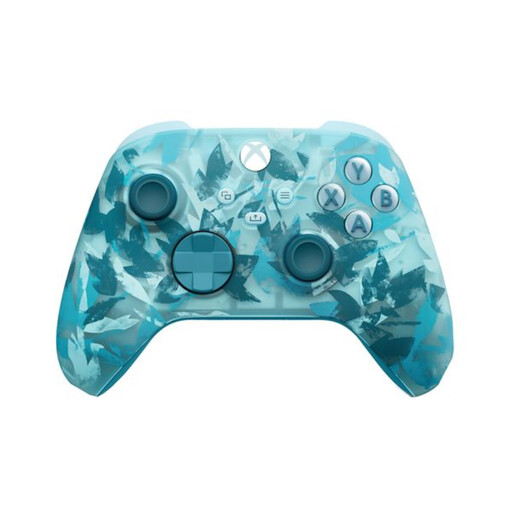 No image available
Suited to active players on a PC or Xbox that supports this controller.
The product information lists Windows 10/11, Xbox Wireless, Bluetooth and USB-C. Check support in your chosen game and which connection accessories are included with this version.
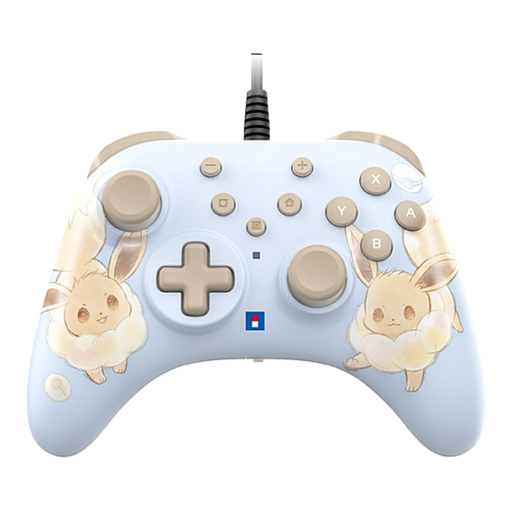 No image available
Suited to active players who want to play wired on a Switch or Switch 2.
The product information lists programmable rear buttons and a Turbo function. It also says that the USB cable isn’t included.
 No image available
Suited to active PS5 players who need a DualSense controller.
The product information lists USB-C charging, haptic feedback and adaptive triggers.
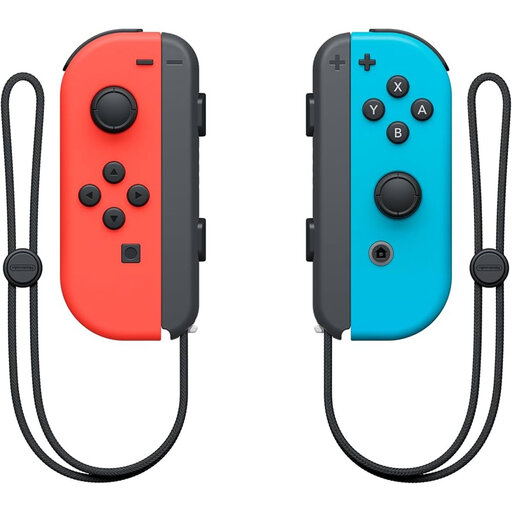 No image available
Suited to Switch players who want to use individual Joy-Cons as controllers.
This is a pair; the product information says that each Joy-Con can be used as a separate controller. For Overcooked! 2 on Switch, Nintendo says each chef can use one Joy-Con.
 No image available
Suited to active players looking for Joy-Con 2 for Nintendo Switch 2.
The product title lists Switch 2 as the platform; Nintendo says Joy-Con 2 can only be used with Switch 2.
No, only players actually controlling the game need a controller. For Overcooked! 2 on Switch, Nintendo says up to four chefs can play, each using one Joy-Con; spectators who aren’t playing don’t need a controller.
That’s possible with games that support Steam Remote Play Together. Steam lists this feature for Overcooked! 2 and PlateUp!; one player runs the game and invites others, so check whether the feature is available with your version of the game.
You can pair original Joy-Cons wirelessly with Switch 2, but Nintendo says they can’t be attached to the console or charged directly by it. You’ll need an original Switch or a compatible charging accessory to charge them.
According to the Dutch Authority for Digital Infrastructure, electrical and electronic equipment must have the correct CE marking. Check the marking on the specific version of the controller.
According to ACM ConsuWijzer, the retailer is responsible for the statutory guarantee in the Netherlands. What you could reasonably expect from a product is taken into account; there isn’t simply one fixed time limit for every product.