You don’t always need an extra full-size controller: in Overcooked! 2 on the original Switch, each player can use one Joy-Con, and on PC, players can share a keyboard for local play, according to Team17. Before you buy, check that your system and game version support the way you want to play. In a small living room, wireless play keeps controller cables out of the way. If you choose a wired controller, make sure the cable is long enough and can be routed safely around your setup.
Who is this for?
Switch players with two Joy-Con
You want to play together without buying an extra controller unnecessarily. Whether you can use your Joy-Con separately depends on the game and system version. Nintendo confirms this play style for Overcooked! 2 on the original Switch.
Players with limited sofa space
You’re looking for a controller that feels comfortable to hold, without a cable running between seats close together. First check that the controller is compatible with your system; Microsoft and PlayStation each explain how to connect their controllers to suitable PC setups.
PC players who want to share the controls
You want to know whether sharing a keyboard is enough, or if a second compatible gamepad would suit your setup better. Team17 explains how to share a keyboard when playing Overcooked! 2 locally on PC, Mac and Linux.
What should you consider when choosing?
For playing local co-op cooking games in a small living room, this is a practical way to approach it: first check your system and game version, then see whether you can share your existing controls, and finally decide which grip and cable route will work for your seating area.
Separate Joy-Con on the original Switch
A good fit if: you’re playing Overcooked! 2 on the original Switch and each player can use a separate Joy-Con.
Bear in mind: a single Joy-Con feels different to a full-size gamepad. For other games, check which play styles are supported.
Joy-Con 2 on Switch 2
A good fit if: your Switch 2 game supports using Joy-Con 2 separately.
Bear in mind: Joy-Con 2 doesn’t work with the original Switch. Support depends on the software and play style.
Full-size wireless controller
A good fit if: you want each player to have a full-size grip and the controller works with your console or PC game.
Bear in mind: PC game support and connectivity can vary. Microsoft warns that performance may be reduced when multiple Xbox controllers are connected via PC Bluetooth.
Wired controller or shared keyboard
A good fit if: you don’t want to buy a second controller, or you want to use a wired Switch controller while the console is docked.
Bear in mind: sharing a keyboard means finding room for two players; keep any cable clear of walkways.
| Consideration |
What to look for |
Who should consider it? |
| Compatibility |
Check your system, game version and whether your preferred play style is supported. |
If I play on Switch, I want to know whether my game version supports separate Joy-Con. For around 36% of consumers, compatibility with their system and game version comes first. |
| Cables and space |
Consider the distance between the console and seats, and whether a cable can be routed safely around the room. |
If you’re sitting close together, you’ll want to keep cables clear of your playing space. Around 29% of consumers prioritise a clear cable route and player positioning. |
| Existing controls |
Check whether Joy-Con work separately in your game, or whether PC players can share a keyboard. |
If I already have controllers, I want to know whether I can share them with a second player first. For around 21% of consumers, making use of existing controls is the main reason to buy. |
| Grip and power |
Compare a single Joy-Con with a full-size gamepad, and check how your chosen controller is charged or powered. |
If you find a small controller less comfortable to hold, consider a full-size gamepad after checking compatibility. Around 14% of consumers prioritise grip and power. |
Common buying pitfalls
-
Assuming all Joy-Con work with both Switch generations
Joy-Con 2 doesn’t work with the original Switch. Original Joy-Con can be used wirelessly with Switch 2, but they can’t be attached to the console for charging.
Before you buy, check your console generation, game version and how you’ll charge the controllers.
-
Choosing a wired controller without checking your setup
According to the manufacturer, the PowerA controller reviewed has a detachable 3 m cable and is intended for use only when the Switch is docked.
Decide where the console and players will sit, and check that the cable can be kept clear of walkways.
-
Treating Ultimate 2C Wireless and Ultimate 2C Bluetooth as the same product
According to 8BitDo, the Wireless version supports Windows via 2.4 GHz or cable, and Android via Bluetooth. The Bluetooth version is designed for Switch and Switch 2, subject to the system requirements specified by the manufacturer.
Check the full variant name and platform information for the exact controller you’re considering.
-
Assuming multiple Xbox controllers always work smoothly over Bluetooth on PC
Microsoft warns that performance may be reduced when more than one Xbox controller is connected via PC Bluetooth.
Test the controllers together on your own PC and check which connection your game supports.
Brands to consider in context
Nintendo
Joy-Con for the original Switch and Joy-Con 2 for Switch 2 are worth considering if you want to play with compact, separate controllers.
- Nintendo confirms that each player can use one Joy-Con for Overcooked! 2 on the original Switch.
- Joy-Con 2 doesn’t work with the original Switch. Using Joy-Con 2 separately depends on the software and play style; original Joy-Con work with Switch 2 wirelessly only and need another way to charge.
Sony
DualSense is a full-size wireless controller for PS5 and can be used with supported PC games.
- PlayStation explains how to connect it to a Windows PC via USB-C or Bluetooth.
- Special features vary by game and device. Check whether your cooking game supports them before relying on adaptive triggers.
Microsoft Xbox
The Xbox Wireless Controller is a full-size gamepad for Xbox and supported Windows PC setups.
- Microsoft provides information on PC use and the battery compartment.
- Microsoft warns that performance may be reduced when multiple controllers are connected via PC Bluetooth.
PowerA
The wired Switch controller reviewed may suit you if your console is docked and you can route a cable safely around the seating area.
- For this model, PowerA lists a detachable 3 m USB cable and support for Switch 2.
- According to PowerA, the model works only when the Switch is docked; it doesn’t have motion controls or HD rumble.
8BitDo
The Ultimate 2C range includes variants for different systems, so checking the full variant name makes it easier to find one that suits your setup.
- According to 8BitDo, Ultimate 2C Wireless supports Windows via 2.4 GHz or cable, and Android via Bluetooth.
- The separate Ultimate 2C Bluetooth variant is designed for Switch and supports Switch 2 according to the system version specified by the manufacturer.
Controllers at Joybuy
This selection includes full-size controllers for a range of console and PC setups. Before you buy, check that the exact model and your chosen cooking game work with your system.
 No image available
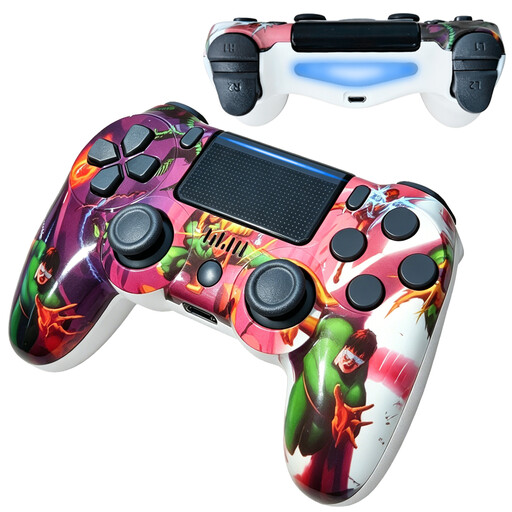
Wireless Dualshock controller for PS4 and PC
The product name lists PS4 and PC as compatible uses; check whether your game supports it.
The title specifies a wireless connection.
Joybuy
 No image available
VIELLAN wireless Bluetooth controller for PS4
The title lists PS4; check whether your game supports this controller.
Bluetooth, dual vibration, a 600mAh battery and an ergonomic grip are listed in the product name.
Joybuy
 No image available
Controller with dual vibration and gyroscope for Switch and PC
The product name lists Switch and PC; check whether your specific game supports it.
The title specifies dual vibration and a gyroscope.
Joybuy
 No image available
VIELLAN wireless controller with Hall effect joysticks
The product name lists PC and a PS5 layout; the layout description alone doesn’t confirm compatibility with PS5.
The title lists Hall effect joysticks, 255-level Hall effect triggers, programmable back buttons, RGB lighting, a 1000 mAh battery and USB-C.
Joybuy
 No image available
Xbox Wireless Controller Robot White
The product name identifies it as a wireless Xbox controller; check that your console and cooking game support the model.
Joybuy
Frequently asked questions
Do I need to buy a second full-size controller for two-player gaming on Switch?
Not for the local play setup Nintendo describes for Overcooked! 2 on the original Switch: each player can use one Joy-Con. For a different cooking game or version, check again to see which play styles are supported.
How do I set up an original Joy-Con for separate play?
According to Nintendo, open Controllers from the HOME Menu, then select Change Grip/Order. Hold the Joy-Con horizontally and press SL and SR; then check in the game that both players can join.
Can I charge an original Joy-Con by attaching it to a Switch 2?
No, you can’t charge it by attaching the controller to Switch 2. Nintendo states that original Joy-Con can be used wirelessly with Switch 2, but need an original Switch or a suitable licensed charging accessory to charge.
What can I do if my controller turns out to be faulty after purchase?
Contact the seller and describe the fault. According to the Dutch government, your statutory guarantee may still apply after a manufacturer’s, seller’s or extended guarantee has expired; the assessment depends on what you could reasonably expect from the product.
What rules apply when I buy a controller online in the Netherlands?
Electronic products must comply with the relevant EU product rules, including CE marking when required for that product category. When you buy from a business at a distance, the seller must provide information about the product and the cooling-off period, among other things. According to the Dutch government, this period is usually 14 days. Check the product information and who the seller is.


