
Housemates with a Nintendo Switch
You want to play Overcooked! 2 with several players and first check whether the Joy-Con you already have provide enough individual controls. Nintendo describes using one Joy-Con per player for this style of play.


Start with the system you play on, then count how many individual player controls you need. In Overcooked! 2 on Switch, each player can use a separate Joy-Con; Team17 states that local co-op supports up to four players. For PC or another console, choose a controller with a connection and support that suit your system.
You want to play Overcooked! 2 with several players and first check whether the Joy-Con you already have provide enough individual controls. Nintendo describes using one Joy-Con per player for this style of play.
You’re looking for extra controls for a Windows PC and weighing up a USB cable against wireless play. Microsoft and 8BitDo list different connection options for their controllers, so check which one applies to the exact model and system.
You want a controller that works with the Xbox, PS5 or Switch 2 you already have at home. Similar designs don’t mean controllers are interchangeable between systems; Nintendo, for example, says Switch 2 controllers don’t work with the original Switch.
First check your gaming system and how many individual player controls you need. Then consider the connection and the practical set-up in your shared room.
| What to consider | What should you check? | Who is this for? |
|---|---|---|
| System compatibility | Check the exact console or PC version and the connection listed for that system. | I want to make sure the controller works with our console or PC and the version of the game we’ve chosen. Around 36% of consumers put compatibility first. |
| Player controls | Count how many separate controls you already have and how many people will be playing at once. | We all want to play at the same time, and don’t want to buy an extra controller if separate Joy-Con are enough. Around 29% of consumers prioritise having enough individual player controls. |
| Cables and connection | For a wired controller, check the connection, cable length and distance from the screen. For wireless, check which connection method it supports. | I want to use the controllers without cables trailing awkwardly through our shared room. Around 21% of consumers put the room set-up first. |
| Charging and other essentials | Check which cables, receivers or charging options you’ll need for the model and set-up you’ve chosen. | I want to know in advance what I’ll need to use and charge all the controllers, and what I can do if one stops working. Around 14% of consumers focus most on the total cost of buying and using them. |
For the Overcooked! 2 play style described on Switch, each separate Joy-Con can be used as an individual control. If you only count packs, you could end up buying extra controllers unnecessarily.
First count how many Joy-Con can be used separately and how many people will be playing at once.
Connections and compatibility vary by model. For example, 8BitDo lists 2.4 GHz and wired use with Windows for the Ultimate 2C Wireless, but Bluetooth for Android. Nintendo says Switch 2 controllers don’t work with the original Switch.
Check the full model name, the system you’ll use it with and the stated connection method before choosing.
A cable may trail through your shared room. PowerA also states that the system must be docked when using its Advantage Wired Controller for Switch 2.
Choose this PowerA model only for a docked set-up, and check that the cable can reach your seats comfortably.
Additional cover isn’t the same as your statutory rights if a product doesn’t meet the standard you’re entitled to expect. The Dutch Government explains that there is no fixed statutory guarantee period, and that expectations depend, among other things, on the product and the information provided.
Ask what additional cover actually includes, and contact the retailer if there’s a problem.
Joy-Con for individual players on Switch; the original Pro Controller for anyone who prefers a single controller with grips.
An Xbox Wireless Controller for a compatible Xbox console or Windows PC.
Ultimate 2C models for anyone looking for a wired or 2.4 GHz wireless controller for Windows.
The Advantage Wired Controller for a docked Nintendo Switch 2 set-up.
DualSense for housemates with a PS5 and for compatible PC games.
This selection includes a wired controller for Switch 2, controllers for Xbox and Windows, separate Joy-Con and a full-size Switch Pro Controller, plus a DualSense for PS5. Check that each controller’s connection suits your system and set-up.
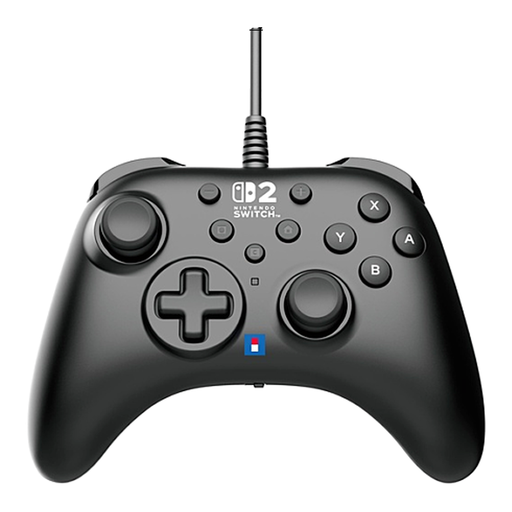 No image available
A good fit if you want wired controls on Switch 2 and can run the cable to the console.
The title lists Switch 2; the description mentions a USB connection, programmable buttons and a Turbo function.
 No image available
An option for housemates who want to play wirelessly on a compatible Xbox or Windows PC.
Microsoft lists Xbox Wireless for Xbox consoles and Bluetooth for Windows 10/11. The description also mentions USB-C and AA battery power; battery life depends on use and accessories.
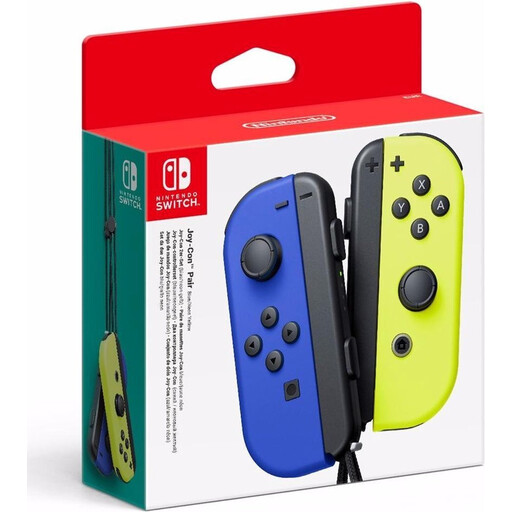 No image available
Suitable for providing individual player controls on Switch when the game supports this Joy-Con style of play.
This pair includes one left and one right Joy-Con; the description says they can be used separately as controllers. For Overcooked! 2, Nintendo describes using one Joy-Con per player.
 No image available
A good fit for anyone who prefers to use one full-size controller with grips on Switch.
The description lists wireless use, a built-in battery and a USB-C cable. Nintendo confirms that the original Switch Pro Controller also works wirelessly with Switch 2.
 No image available
An extra controller for a cooking game played on PS5; check separately which features the game supports.
The description lists PS5 compatibility, wireless use, USB-C, haptic feedback and adaptive triggers. Sony describes PC use via Bluetooth or USB for compatible games.
Not necessarily: Nintendo describes a way to play Overcooked! 2 using one separate Joy-Con per player. First check which compatible Joy-Con you already have, then assign controls to each player.
According to Nintendo, original Joy-Con and the original Pro Controller can be used wirelessly with Switch 2. Original Joy-Con can’t be attached to or charged by Switch 2, so you’ll need a suitable separate charging option.
No. Nintendo states that the Switch 2 Pro Controller and Joy-Con 2 don’t work with the original Switch. Check which console generation you have before choosing an extra controller.
Don’t assume so: supported systems and connections vary by model. Microsoft lists Bluetooth for Windows 10/11 and Xbox Wireless for Xbox consoles. For other controllers, check the exact model and its compatibility with the system you plan to use.
Team17 and Nintendo distinguish local co-op from online play in Overcooked! 2. An online subscription is therefore not listed as a requirement for playing together on the same set-up; check the exact version of the game and any online features you want to use.